

Your screen goes black.
No speedometer. No backup camera. No infotainment. Just a dark slab of glass staring back at you.
Maybe it comes back after a restart. Maybe it flickers. Maybe it stays dead.
On certain 2022–2026 GM trucks, SUVs and EVs, a blank instrument cluster or infotainment display can be triggered by more than one cause. And in many cases, the display itself is not the failure.
GM has issued updated diagnostic guidance covering software resets, connection checks, LVDS cable inspections and radio module testing before replacing parts.
Before you approve a multi-thousand-dollar screen replacement, here’s what you should know
Which Vehicles May Be Affected?
GM has identified blank or black screen display concerns on a wide range of models, including:
-
Blazer EV, Equinox EV
-
Traverse, Trax, Trailblazer
-
Encore GX, Envista, Envision
-
XT4
-
CT5
-
Enclave
-
Escalade and Escalade IQ
-
LYRIQ
-
Terrain
-
CELESTIQ
-
OPTIQ
-
VISTIQ
The displays involved include RPO IVA, IVD, IVE, and IOK infotainment systems.
What Owners Are Reporting
Common complaints include:
-
Radio display appears to reboot
-
Touchscreen does not respond
-
Volume knob, Home button, or Power/Mute button inoperative
-
HVAC hard buttons not working
Some vehicles recover on their own. Others remain dark until serviced.
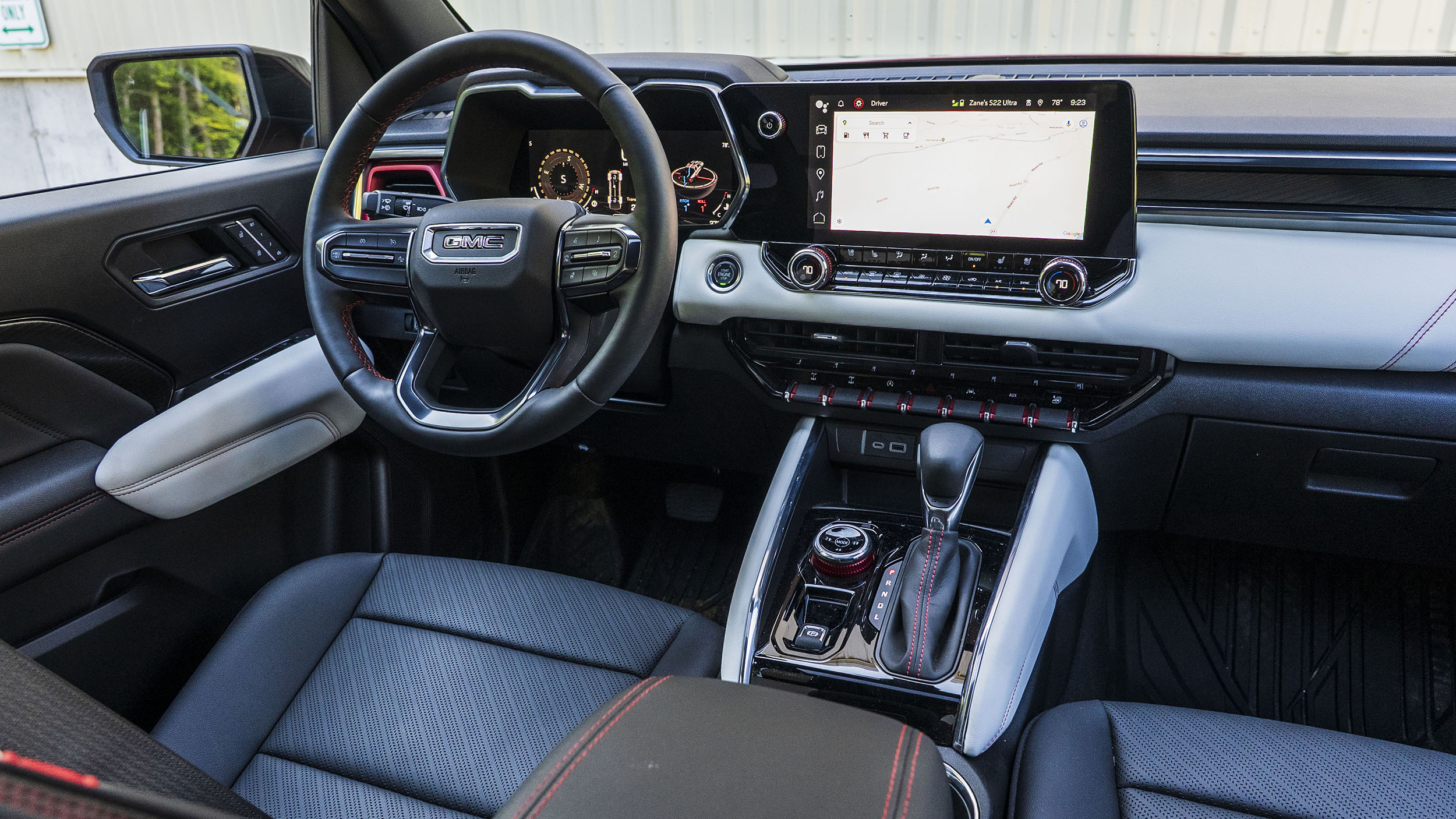
Have You Experienced This Issue?
If your GM truck or SUV has had a blank or black display, share your experience in our forums. Owners are comparing symptoms, software updates, and dealer repairs across Silverado, Tahoe, Sierra, Yukon, EV and SUV models.
Join the discussion here:
- Audio/Electronics/Software Forum
- 2019-2025 Silverado 1500 & Sierra 1500 Troubleshooting, Warranty & Recalls
- 2020-2025 Silverado HD & Sierra HD Troubleshooting, Warranty & Recalls
- 2023+ Colorado & Canyon (3rd Gen) Troubleshooting, Warranty & Recalls
First Important Step
If the display went blank at some point but is currently working:
Update the radio to the latest software, clear any diagnostic trouble codes (DTCs), and attempt to duplicate the concern before replacing components.
That step alone can prevent unnecessary parts replacement.
Understanding the Different Blank Screen Conditions
Not all blank screens are the same. The diagnostic approach depends on what you see.
1. Display Is Backlit But No Image
If the screen is lit but shows no graphics, the display is powered on.
Likely causes:
-
Poor signal from the radio
-
Loose or compromised connection
The screen itself may not be the failure point.
2. Display Appears Completely Off (No Backlight)
If there is no backlight but the radio communicates with a scan tool, the issue may be within the radio module rather than the screen.
In this case, replacing the display alone would not fix the problem.
3. Flickering Screen That Goes Blank Then Returns
If one or both displays flicker and temporarily go dark before coming back, check:
-
Power connections
-
Ground connections
-
LVDS cable between the radio and display
A loose LVDS connection is a known contributor in these situations.
4. Touchscreen Is Unresponsive or System Appears to Restart
If the screen is on but not responding:
-
Check display connections
-
Disconnect and reconnect the battery
-
Inspect for software updates
Sometimes the system is stuck in a reset loop rather than suffering hardware failure.
5. Volume Knob, Home Button, or Power/Mute Button Not Working
Before assuming a radio failure, verify steering wheel controls operate correctly.
If steering wheel controls work, the issue may be localized to the center stack hardware.
6. HVAC Hard Buttons Inoperative
Verify whether HVAC functions still operate through the touchscreen.
If touchscreen control works but hard buttons do not, diagnosis should focus on the physical control interface rather than the radio module.
Always Check for DTCs
During diagnosis, scan for diagnostic trouble codes.
Even if the display recovers, stored DTCs can guide technicians toward:
-
Communication faults
-
Power supply issues
-
Software faults
Clearing codes and confirming the latest radio software version is critical before replacing components.

Software vs Hardware
This issue is not always a failed screen.
In many cases:
-
Software updates resolve intermittent blank screen concerns
-
Connection issues cause flickering or loss of signal
-
Battery disconnect resets temporarily restore functionality
Jumping straight to module replacement can lead to misdiagnosis.
What Owners Should Do
If you experience a blank or black display:
-
Note whether the issue is constant or intermittent.
-
Record whether the screen is backlit.
-
Document if flickering occurs.
-
Mention if the system recovers after restart.
-
Ask your dealer to reference GM diagnostic bulletin #PIC6629.
Providing that level of detail helps avoid unnecessary part replacement.
The Bottom Line
Blank screen issues on 2022–2026 GM vehicles can stem from several causes, including software, connection faults, or hardware concerns. Proper diagnosis matters.
If your display went blank but came back, insist on a software update and DTC scan before approving module replacement.
If you’ve experienced this issue on your Silverado, Tahoe, Sierra, Yukon, HUMMER EV, Colorado, Canyon, or other GM vehicle, share your experience so others can compare symptoms.
Related Resources:
Browse our full collection of GM Technical Service Bulletins and diagnostic breakdowns.

Zane Merva is the Executive Editor of GM-Trucks.com and the President of the New England Motor Press Association (NEMPA). A veteran automotive journalist with over 26 years of experience, Zane is a designated ‘Car Talk’ Expert and has been a contributor to The Boston Globe. He possesses a unique evaluative perspective, having road-tested more than 2,000 vehicles across every major manufacturer. While he is a recognized authority on General Motors truck platforms—including the Silverado, Sierra, and Colorado—his expertise is grounded in decades of deep competitive analysis that few in the industry can match. His commentary has been featured by major OEMs and media outlets, including Hyundai and PR Newswire