


LSX Z28
-
Posts
47 -
Joined
-
Last visited
Content Type
Profiles
Forums
Gallery
Events
Articles
RPO
Store
Blogs
Everything posted by LSX Z28
-
2024 Silverado 3500 Upfitter Switches
LSX Z28 replied to nmorgan657's topic in Modifications & Accessories
Has anyone come up with a part number for the kit yet for the 24’s? -
Upfitter switches 2021 Silverado HD Gas
LSX Z28 replied to Jason Bok's topic in Modifications & Accessories
Google GM Upfitter #153 and #147 it will give you all of the directions needed, and I think it has part numbers too. The kit already has relay's built in. some are rated at 30 amp, and some are rated at 20 amp. I don't remember which switch number is rated for what amps off the top of my head. You would just hook the single wire off the switch to the positive side of whatever you are wiring up, and just hook the ground to a ground anywhere. You can also set each switch separately if you want it hot all the time, or keyed with the ignition. Switch 5 is prewired for the roof mounted strobe light, but if you don't plan on using that, or your truck doesn't have that option, you can cut the wire out of the harness, and use it for whatever you want. -
I know how that goes! Please keep us updated.
-
Did you ever get this to work with one of these harnesses? I did the swap 18 months ago, but finally decided to try and get the 12v and USB’s to work for the kids in the backseat.
-
Moving Rearview Mirror camera: 2020 Parts Diagrams?
LSX Z28 replied to blamkin86's topic in Modifications & Accessories
I have been talking to them since December 2019 and they keep telling me the same thing. I have made it work with all GM parts, but need a better mount for the camera. -
Adjusting torsion bars for snowplow
LSX Z28 replied to LSX Z28's topic in 2020-2026 Silverado HD & Sierra HD
Thanks everyone for the replies. I looked under the truck, and it is just a standard torsion bar adjustment. From what I had read somewhere a while ago there was something that was different about the 2020's than just turning up the torsion bars. I don't have a need to turn them up, I will just keep it as is. The truck will still see a lot more miles without the plow on, then with it on. I have plowed heavy commercial for years, and never adjusted the bars on those trucks, and never had any issues, even keeping the trucks to 300,000 miles. I got out of commercial last year, and only plow about 20 driveways, and they are within a 5 mile radius of me. Also, I have around 1500 lbs in the bed at all times with the cap and tools, so I have a good ballast. -
I have a 2020 2500HD with the plow prep package. I ran my plow all last year with no issues, but just upgraded to a new plow that is about 250 lbs heavier. The truck drops 1" with the plow raised, which isn't bad. I have heard that the trucks with the plow prep are designed with HD torsion bars that are meant to be adjusted when you install a plow. I have been searching all over here, and google, and can't find anything that specifies it for sure, or how to adjust them. Has anybody else heard about this, or know where I can find the info? I have never adjusted the keys on any of my previous trucks.
-
The only termination point is under the dash. Switch 5 is prewired for a strobe light in the roof, and the other end is in the spoiler. You could pull that wire out of the harness and cut it and then use it for what you want.
-
I did the same, except I had the bolster with push button start, and I needed one the one without.
-
For some reason GM doesn’t include the installation. It says in the installation bulletin it it is not paid for by GM, and dealers will not be reimbursed. Installing the switches is the hardest part. With the GM upfitter instructions, wiring only took me about an hour trying to figure it out for the first time. I could do it again in less than 30 minutes. It is nice all the mounting locations are there and all the parts are in the bag.
-
Yes, I still have the one with the push to start hole in it.
-
The only thing I would verify is the knee bolster part number. I believe there are two in black. 1 for trucks with push to start, and 1 for trucks with a standard key. ----- I could be wrong, but the one that I got had the hole in it for push to start. I just cut the switches into my existing bolster so I didn't have a big hole in it where the button would be.
-
From what I can tell in the picture, it looks like the right plug, and may work. The biggest issue I can see without spending the money on it, is the resolution. From what I have found, the backup camera in the tailgate is like 720 or 1080 resolution, whereas the rear view mirror camera is around 4k resolution.
-
I have some more pictures, but trying to figure how to upload them. I exceeded the my max size with the first three pictures.
-
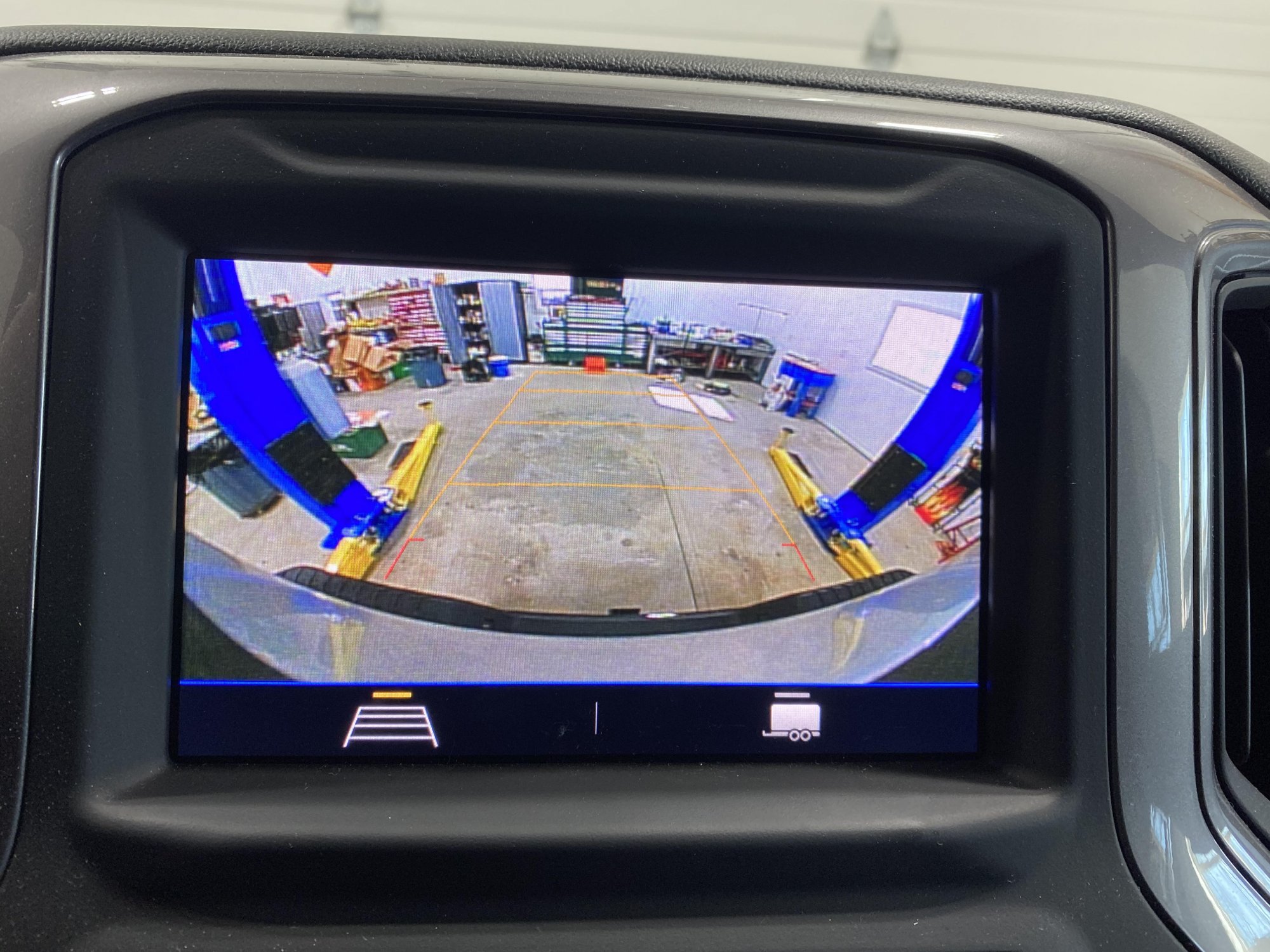
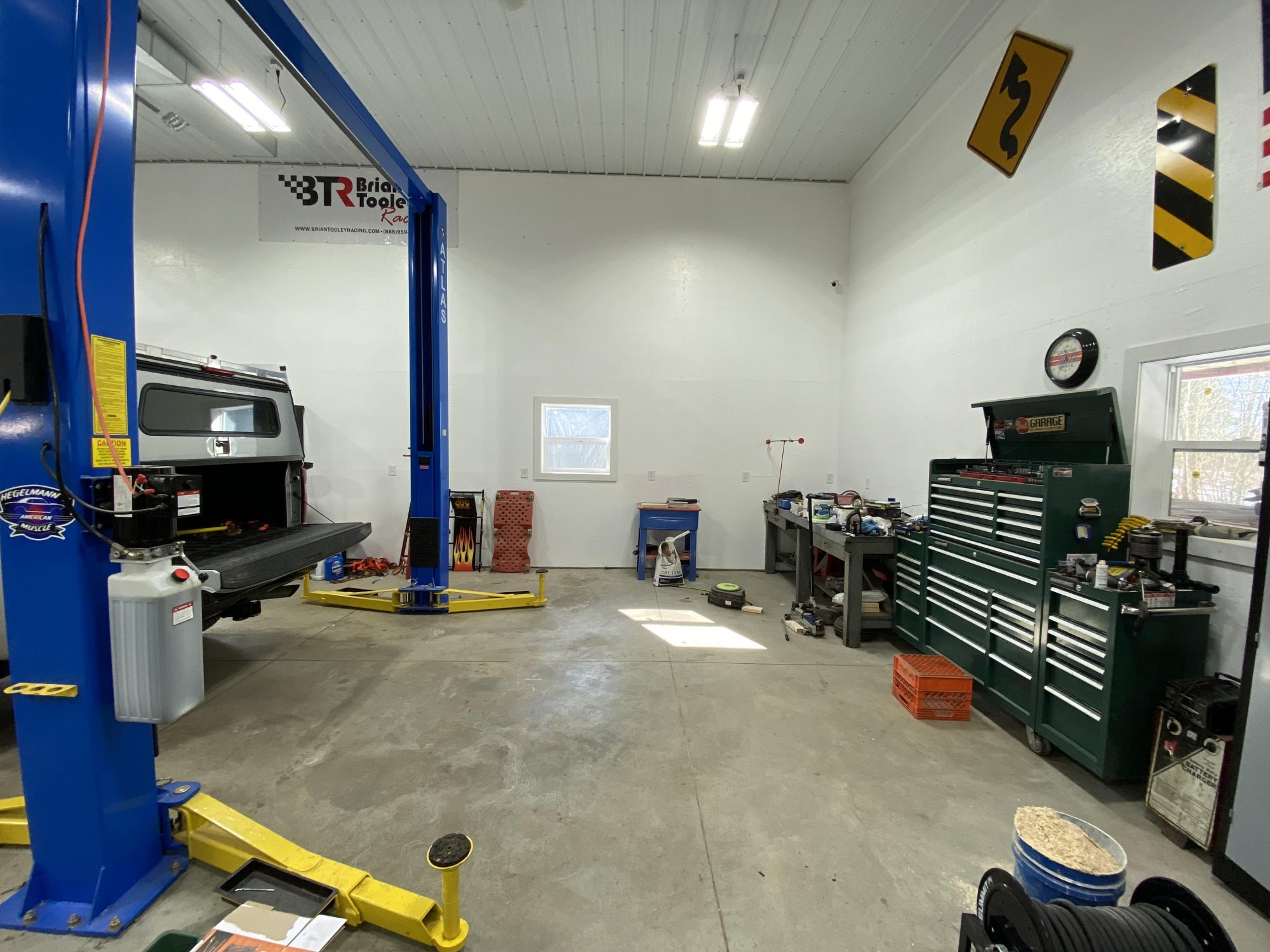
A few months ago, I made this work. I only set it up temporarily to make sure that it would work. It worked perfect, but the big issue that I expected was correct. The angle, zoom, whatever you want to call it leaves you with a huge blind spot. since the camera is set to see past the back of the truck in its normal use, when you move it to the back of the truck, it views about 8' past the truck. Since I just ran the wires on the outside of the truck, and had the camera sitting on the top of the cap, I don't have any real world driving experience to see what it is like. The biggest hurdle with doing it the way I did, would be making a bracket to mount the camera. Getting the spoiler off to access the camera was a pain too, mostly removing the headliner. The two wires I bought to extend it were GM part # 84599550 and 84335461. Below are some pictures. The backup camera view in the dash: Camera on the back of the cap: The actual distance:

-
I am going to start a new thread where I did move the camera, so it is easier to find for people.
-
The bed view is a different camera. You can have either one separately, or both. I have no idea about adding the bed view to an existing truck. I imagine you would need the trailer camera package to add it.
-
I only used it for about 2 months before I put the cap on, but it never got dirty or distorted like the tailgate one, even in snow.
-
It is amazing, day or night. Not even a comparison between that camera and the tailgate camera. Mine, which is a 2020 seems to be 4K resolution. When I bought my truck, I thought it was a totally useless option. The first few days, I didn’t like it. However after having it for a while, I really like it. Now that I have a cap on the truck, I really miss it. I have had caps on my trucks for the last 20 years, so I am used to not using the rear view, but I do miss it now. Especially since I use it for snowplowing.
-
Great! Thanks! I am going to give that a try. The box is 6’9”, and the cable between that one and the camera is about 2’, so hopefully about 9’ of cable total. I will just have to try to figure out a way to mount the camera on the cap.
-
I am looking at doing something slightly different with this setup, and I have a few questions. Does anyone have an idea of how long the coax cable is ( 84335461) ? And also, from what I can tell the camera looks like it can be removed from the brake light housing. Can anyone confirm? I am looking to move the factory camera and install it on the back of a cap. I purchased the short harness that goes through the spoiler last week from the dealer, as that is the only one we could find on their system. I think with the coax cable, I could just plug it into the existing one which I think would make it long enough to run to the back of the cap and just plug the camera into that.
-
Thanks! I guess that looks like a different connector than what I posted yesterday, so I guess that won’t work for what I was hoping it would. Back to the drawing board.
-
Could you take a picture of the plug on the end of that camera wire, please?
-
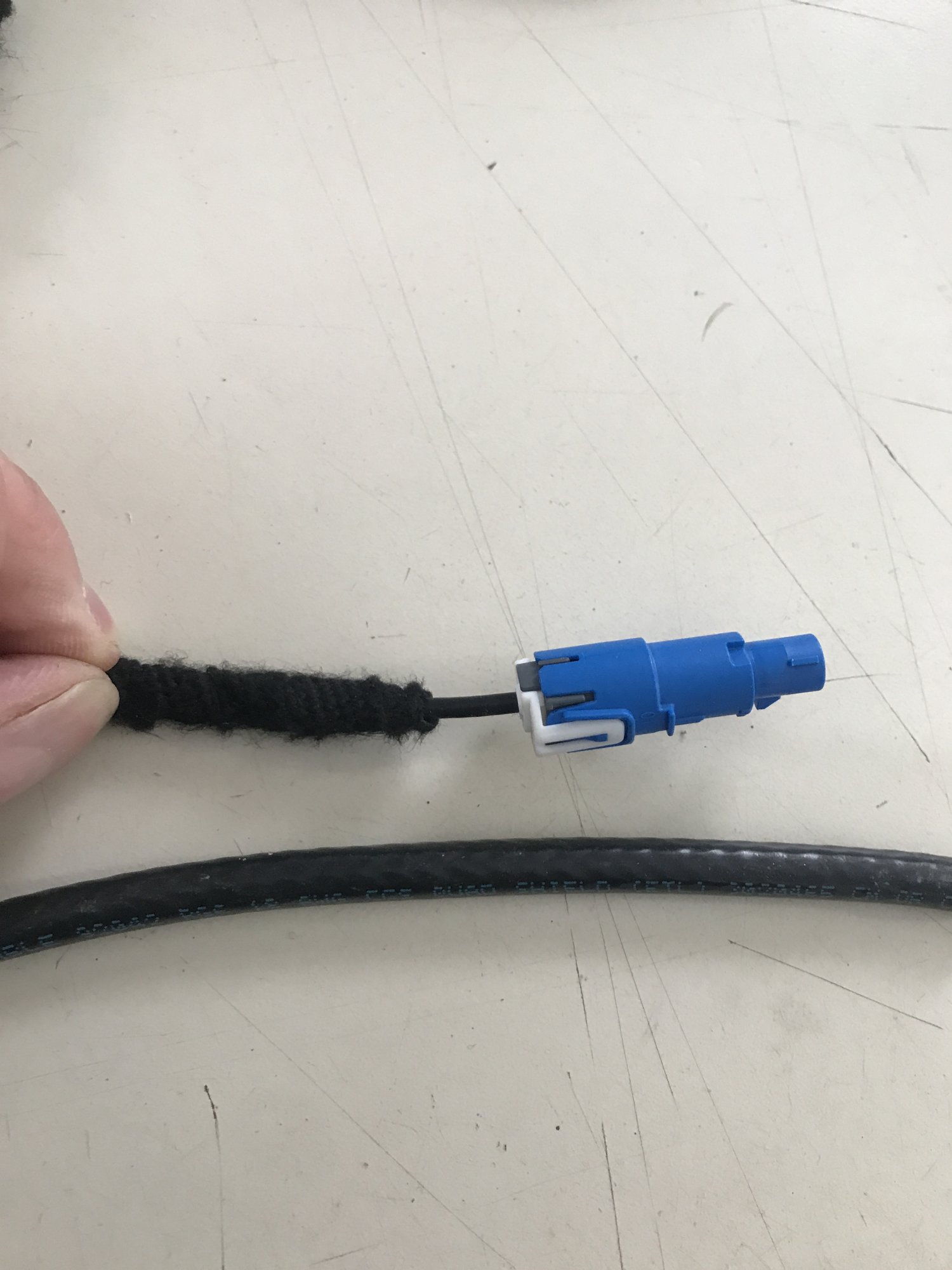
Here is a picture of the wire in the harness next to a piece of RG6. I showed it to a high end A/V installed, and he said he hadn’t ever seen a wire like that. He said it had similar properties to RG6, but you can see it is way smaller. I don’t know what the rear view camera rating is (looks like 4K to me) so I am not sure how the resolution would hold up with trying to splice in a different wire. I would think that the camera would work in my situation, replacing the camera in the 3rd brake light, as that is already programmed to be on all the time. I could see something in the programming not allowing a trailer camera plugged into the trailer port to work without a trailer hooked up. But who knows.
-
I will definitely post what I find. Looking at the breakdown at the dealership, it looks like the camera has two screws that hold it to the 3rd brake light. It also appears that you can order the 3rd brake light with a camera hole, but doesn’t include the camera. Or you can get a light with the camera included, but you can not purchase the camera by itself. I ordered the harness that connects from the camera in the brake light to the rear view mirror to see what the connectors looked like. (The picture above) I was hoping that it would be long enough to use as an extension and remove the camera from the brake light (or order a new one) and mount it on the cap. But the harness is only about 24” long. My new thought after I got the harness today would be to install the trailer camera, which already has a mount, and Is designed to be outside in the elements, and has a cable that is plenty long. I might try to order one tomorrow.



-
Forum Statistics
250.5k
Total Topics2.7m
Total Posts -
Member Statistics
342,947
Total Members8,960
Most Online
-
Who's Online 1 Member, 0 Anonymous, 421 Guests (See full list)