


Gr8estlife
-
Posts
7 -
Joined
-
Last visited
Gr8estlife's Achievements

Enthusiast (2/11)
6
Reputation
-
Service brake pad monitor?
Gr8estlife replied to Bikeman's topic in Troubleshooting, Warranty & Recalls
I have a 2019 Silverado LTZ 6.2 and it has 57k miles…all hwy and no towing. I got a quote from dealer to change pads and rotors and it blew my mind. So having always done my own brakes on my Chevy trucks and wife’s tahoes up to this point, I decided to change them myself. My wear indicator on the dash said that my pads were needing to be serviced and had no life left basically. Pads all had good life left on them however except for drivers inside rear pad. It was gone. Emergency brake dragging probably. Anyway, I purchased new rotors, pads, and sensors. Put truck into ‘brake service mode’ and changed everything out for new stuff. Once complete, I take the truck “out of service mode’ and everything seems fine. I get a question on the center screen between tach and speedo that said, “did you replace pads?” I pushed the yes button and figured all is well. Then, I get a red font that comes up, “ Service brake monitor” or something like that. It will not go away. I cannot reset it and the ONLY option I get onscreen is, “Enable or disable the Pad life sensors. So, after driving several weeks, i tried to enable it again just to see if it was a mileage thing, but no. It’s still there. So, I disabled it. My concern is that everything was done correctly and the system does not want to recognize the new sensors. Now it appears I’d need to go to dealer after all and pay to have it ‘connected to SkyNet’ for $185 -
Broken steering wheel volume control
Gr8estlife replied to MDSilveradoGuy's topic in 2019-2026 Silverado 1500 & Sierra 1500
This just happened to my 2019. I was looking at videos of people taking apart their steering wheel but nothing that shows this repair specifically. I always fix everything myself but I may have to take this in to the dealer and my truck is no longer under warranty. Chirping/ front drivers side in 2WD still there…. Buzzing sound when changing gears in cold weather still there…. -
iPhone is continually lowered when connect to GMC
Gr8estlife replied to TRyan8's topic in Troubleshooting, Warranty & Recalls
Mine started doing this at about 2500 miles as I didn't notice it before then. The ONLY time it doesn't do this is if I am listening to music on my phone in the truck and then shut off the truck. Then when I get back into the truck and start it, it reconnects and the volume is right where I left it and the music picks up right where it stopped. ...which is pretty nice. However, I have missed many calls because the volume is so low I cannot hear the phone ringing at all when its connected and I only catch the call if I happen to look over at the infotainment screen. -
Show Us Your 2019 & Up T1 Pictures !
Gr8estlife replied to Sierra Dan's topic in 2019-2026 Silverado 1500 & Sierra 1500
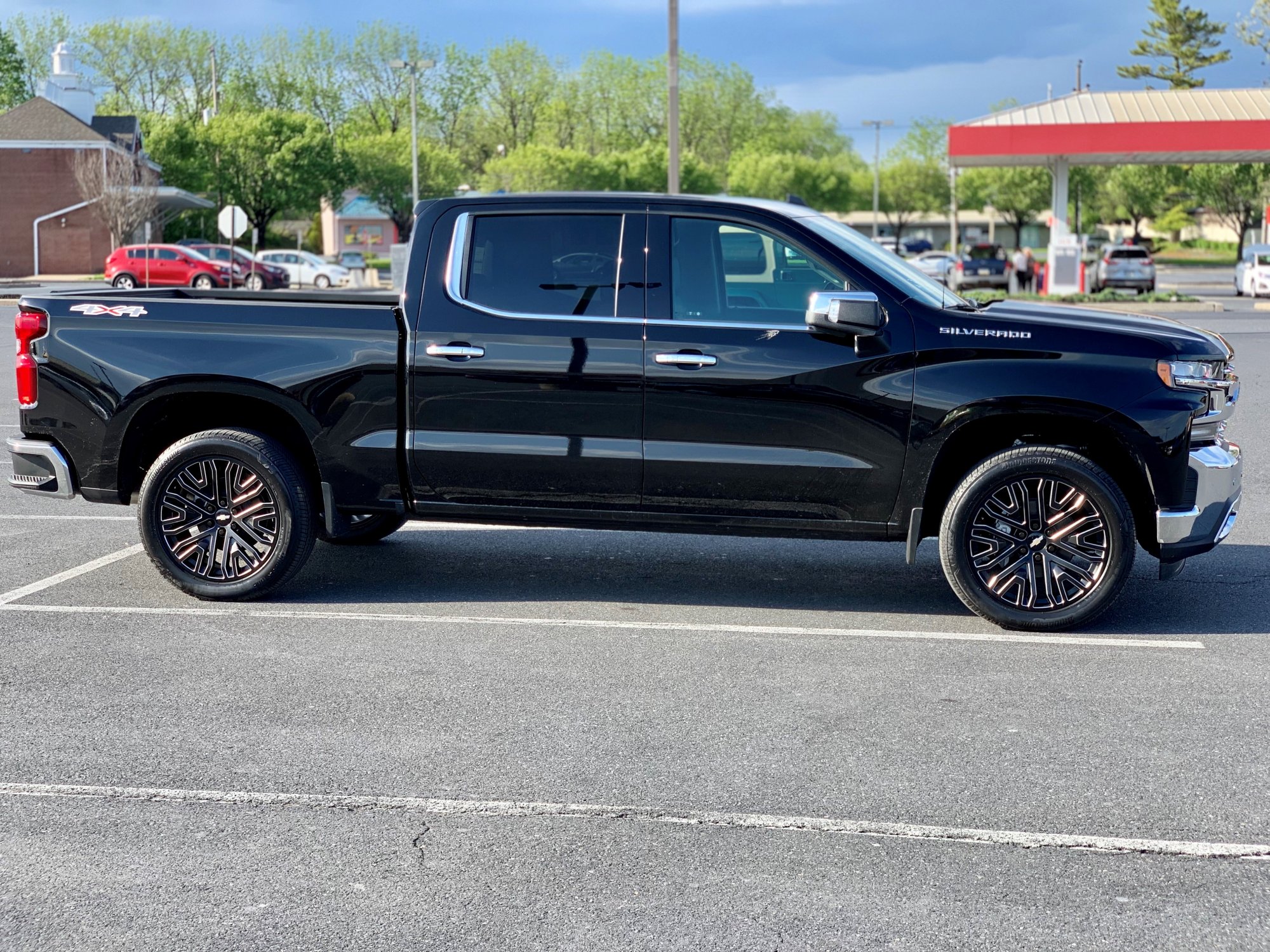
Mafd2 they are the factory 275/50/22 Bridgestone Alenza. I really like the look of the Nittos but by the time these tires wear out, I’ll know what I want. -
Show Us Your 2019 & Up T1 Pictures !
Gr8estlife replied to Sierra Dan's topic in 2019-2026 Silverado 1500 & Sierra 1500
Hi, New to the forum! I've had my Silverado for a month so far. Here's a pic. Borla S Type catback on the way... I like the ride but I can tell there are 22"s when I hit a bump... Otherwise its smoother than I thought it would be. I've been reading and catching up on all the threads...found the forum looking for tuner discussions; man, a lot of nice trucks on here!

-
Forum Statistics
250.5k
Total Topics2.7m
Total Posts -
Member Statistics
342,985
Total Members8,960
Most Online
-
Who's Online 7 Members, 0 Anonymous, 495 Guests (See full list)