


sparkz
-
Posts
7 -
Joined
-
Last visited
sparkz's Achievements

Enthusiast (2/11)
1
Reputation
-
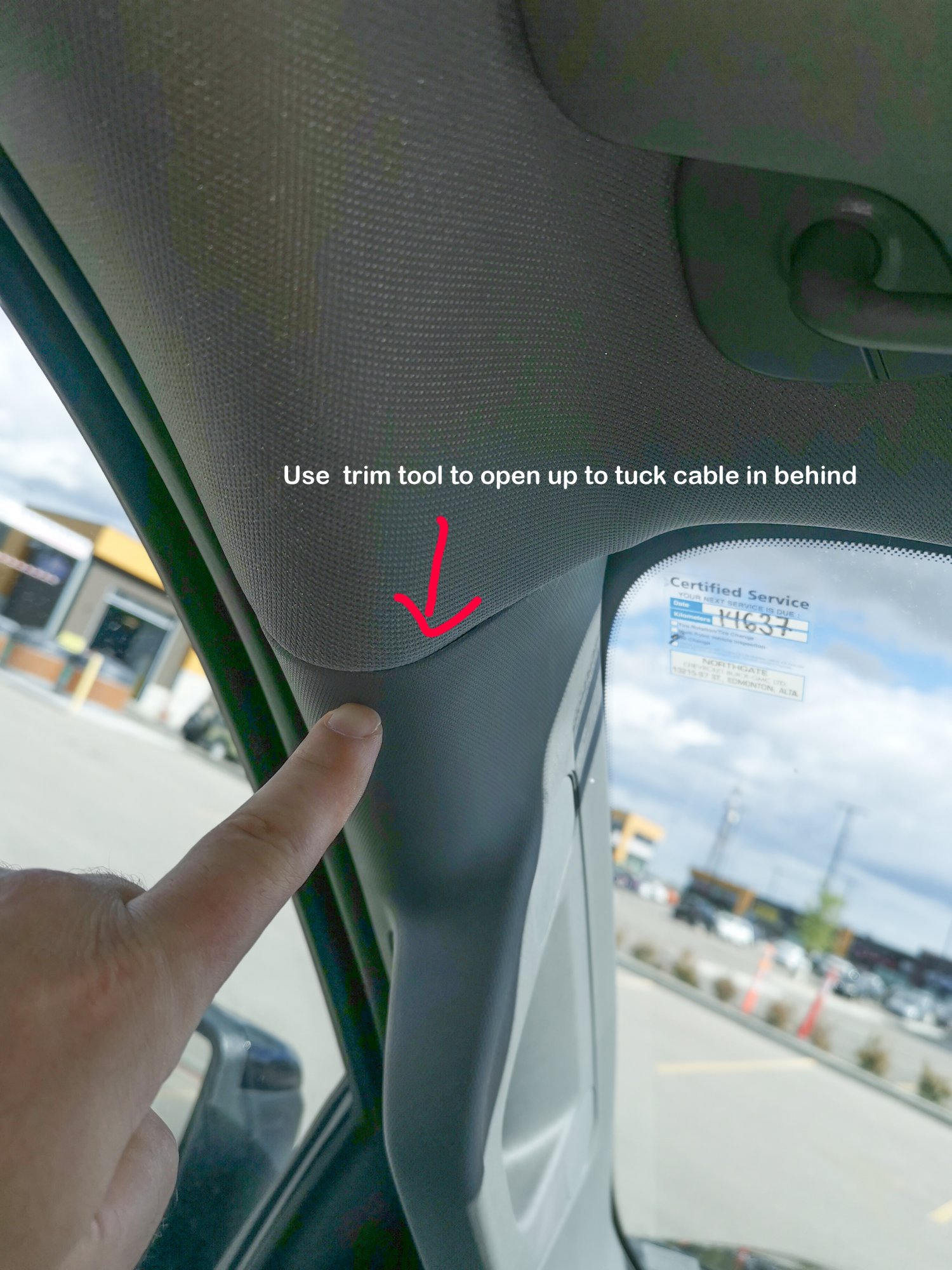
just tucked it in behind the weather stripping, and in behind the A arm with the loop down in the fuse compartment, i routed the power wire the same way on the other side too. You can still see some wire exposed if you are looking up from the dash, which no one would ever do unless cleaning the windows.

-
-
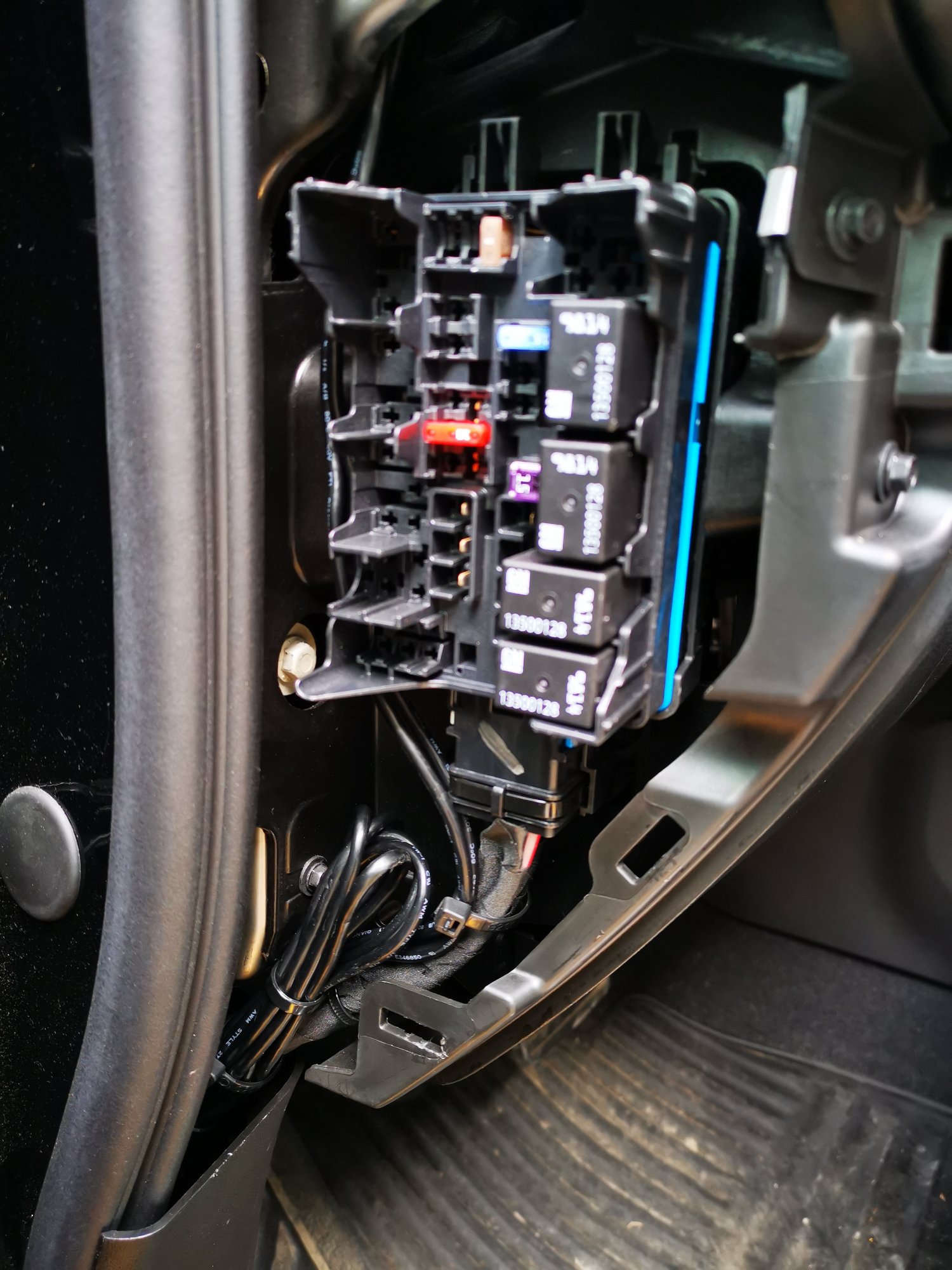
I did, and I hid the excess wiring for that in the driver side fuse compartment
-
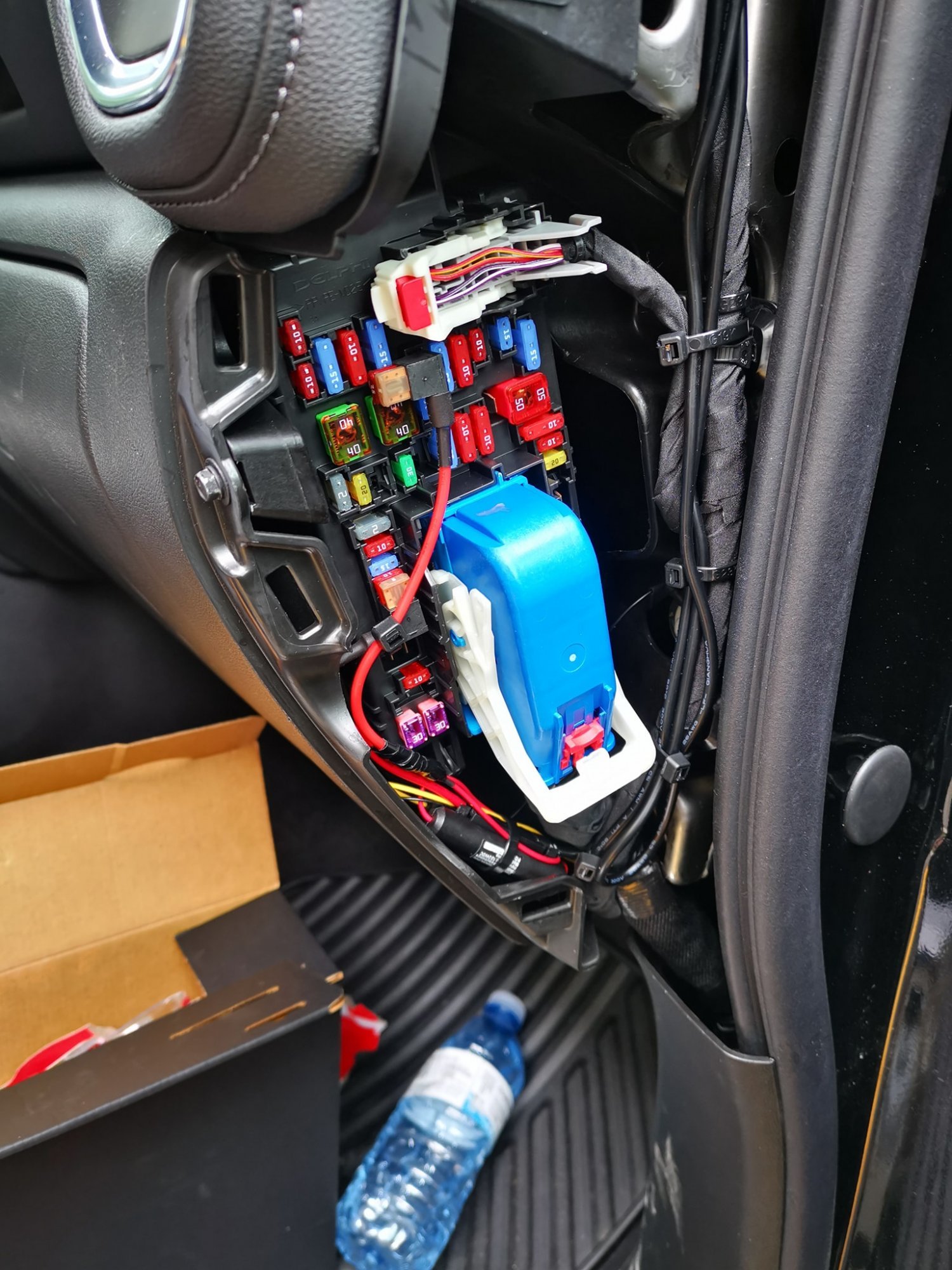
I needed both ACC power and constant power for this model, when I turn on/off the truck it automatically changes between continuous recording/Surveillance mode. That and I didn't want to physically cut into the wiring. If i need to remove it, its as simple as cutting few tie wraps and popping two fuses.
-
I finished installed my Thinkware Q800Pro today, and it wasnt difficult at all. Few things I'd strongly suggest is getting trim removal tool, it'll definetly help get the fuse panels off nice and quick, and will also allow you to tuck wires in the header too. another thing to hard wire this dash cam, get two mirco2 fuse taps, In the passenger side fuse block. one for ACC power, and one for Battery power. You won't need to cut into the system wiring at all then.
-
What Have You Done With Your T1 Today ?????
sparkz replied to Sierra Dan's topic in Modifications, Wheels & Tires
Hardwired my dashcam today.
-
Accessory fuse - passenger side fuse block
sparkz replied to Herb Eder's topic in 2019-2026 Silverado 1500 & Sierra 1500
I just wired my dash cam today, and the easiest way to do this is go to NAPA and buy a Micro2 fuse tap. Remove the any fuse (always on, or On with ACC) and place the tap in its location, then put the old fuse and a new one in, and you're done.






-
Forum Statistics
250.6k
Total Topics2.7m
Total Posts -
Member Statistics
342,991
Total Members8,960
Most Online
-
Who's Online 8 Members, 0 Anonymous, 830 Guests (See full list)