


hptulsa
-
Posts
35 -
Joined
-
Last visited
Content Type
Profiles
Forums
Gallery
Events
Articles
RPO
Store
Blogs
Everything posted by hptulsa
-
does anyone know if the left or right section of the 3 part rear window can be replaced individually? 2 dealerships say yes and to call a windshield repair place, the repair place says they have to order the entire 3panel window!
-
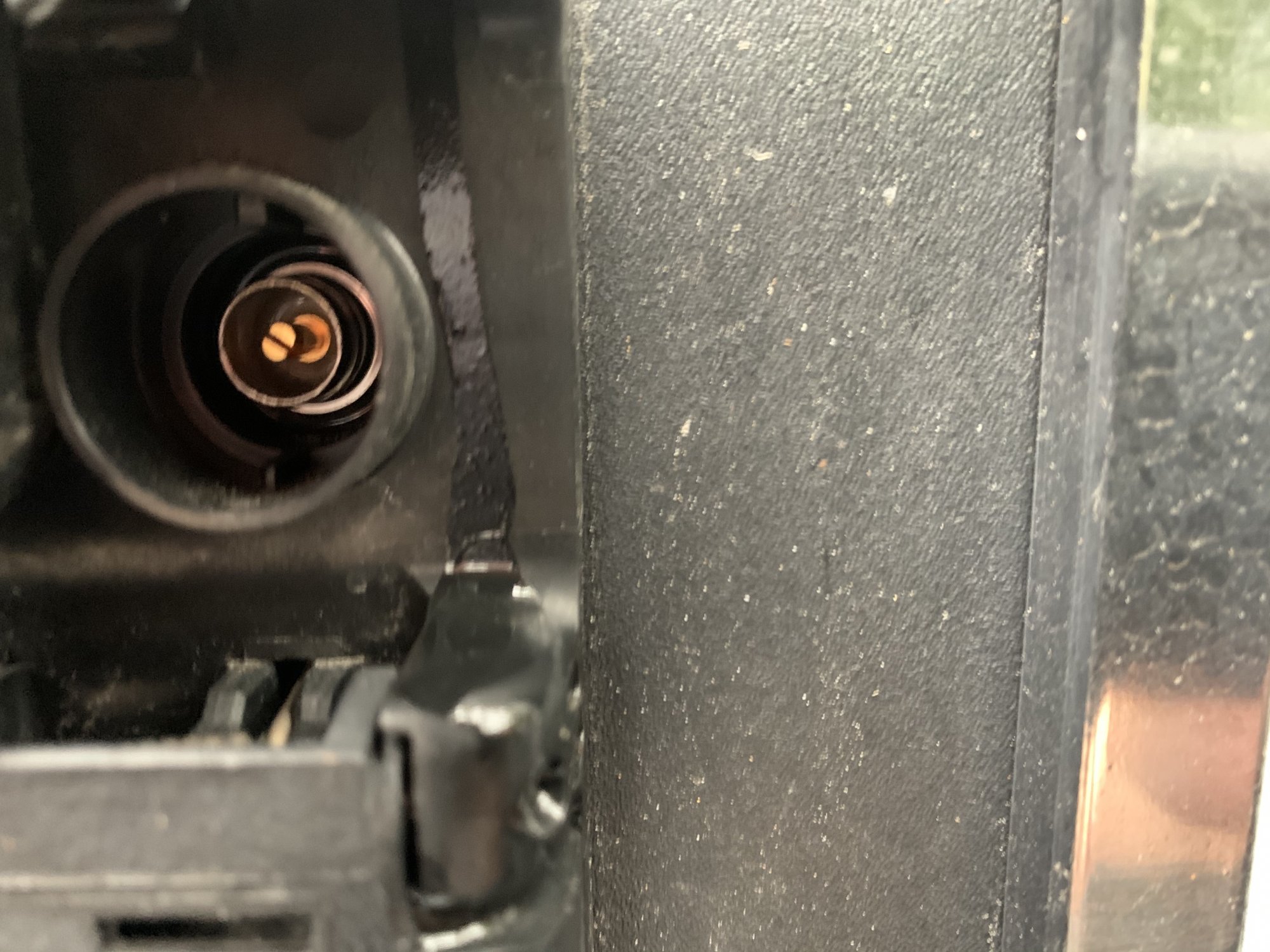
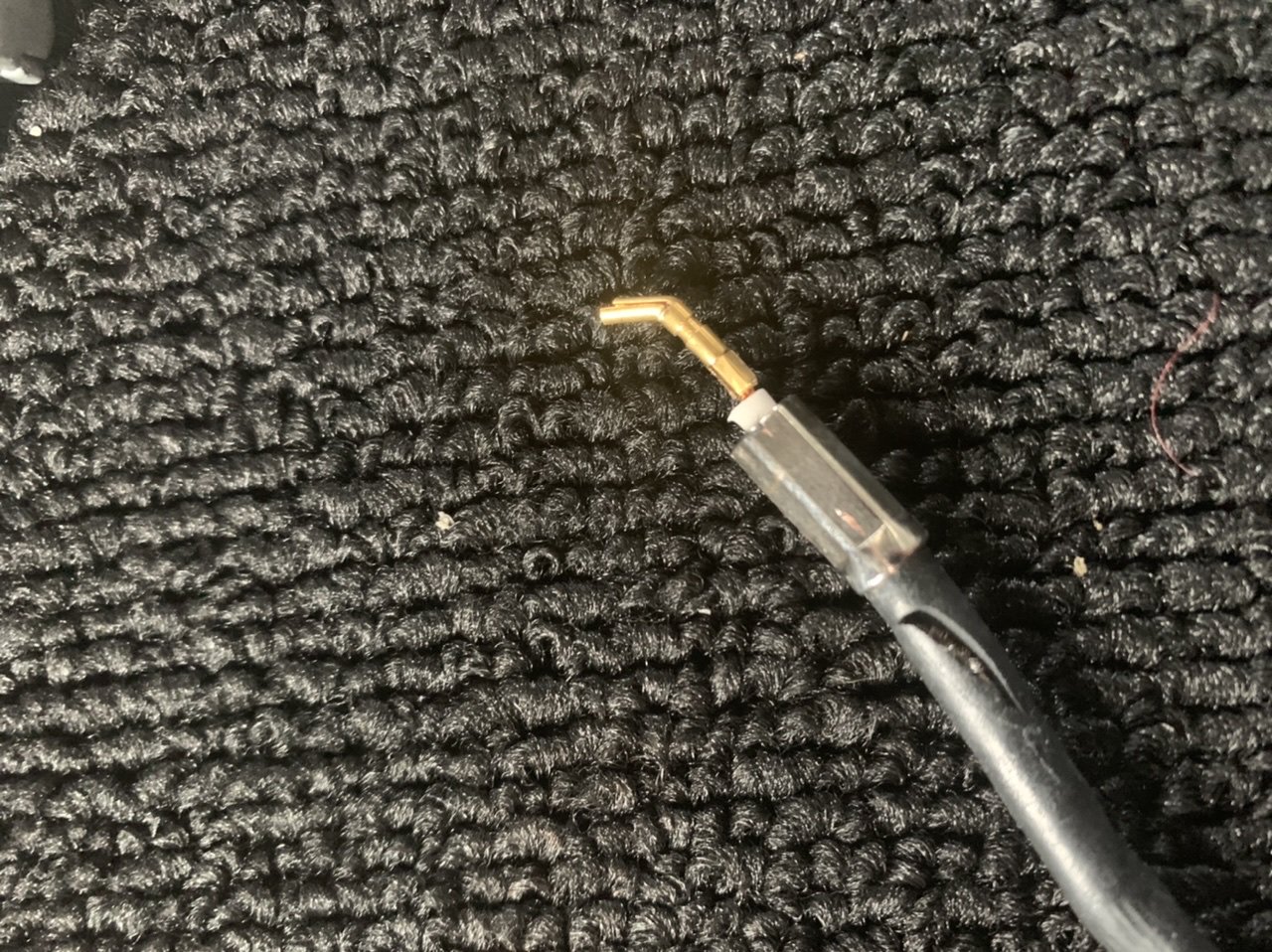
I ordered these and was able to get the connector on the cable but it seems i need the female end not the male?? The part that is in the truck appears to be the male?

-
I'm a little confused on the part from amazon...it would seem it is the female part needed as the male part is embedded in the truck's camera port? or maybe i didn't put the connection together correctly
-
Need some pro help! still trying to find a cable to replace the OEM "Trailer" camera cable that i tore up. I found this website to create your own cable... can anyone put it together for me based on the pics, etc on this thread! I'll pay you! https://www.pasternack.com/t-cable-creator.aspx
-
ok, ready to try to modify my cable/harness with a basic push on rg58. I had ripped off the original connector and for me, it's too difficult to make a new one, so i am not concerned about the waterproof connector. Just trying to make sure i order the right parts/tools to make a simple push on connection. Can anyone guide me with exact part numbers? ie, are these 'c', 'smc' connectors? do i need the female end for the cable end? again, i'm just trying to put a connector onto the cable end, not the truck end... Thank you for any help! 4256DB48-2AE7-45B5-92E0-EC3F31B6A818.heic 4FF6783A-D5A7-44DE-AA44-472B0FC88CB2.heic
-
in my experience it should work ...the connection is on the truck, not the 'trailer' so no reason it shouldn't work. The length of the cable is 55+ feet. I found a hole in the gooseneck and ran the cord up into trailer, then tacked it up all the way to the rear and back out to mount camera on back of trailer. Before i did that, i just ran it on the outside of the trailer with some zip ties to make sure it worked...
-
good to know...i am actually needing the other end connector that is the push-on with a rubber gasket that goes in to the exterior/bumper plug...any idea where to get those or if there is another type of similar connector? 0928810F-BA5F-487A-BFE2-CE3C96CF2F76.heic
-
I agree it looks like 'mini' coax and seems to have the same type of termination, but when i was researching the type of camera/connectors, i found a site that said the cameras were using triaxial.. i will look back to see if i can find that again.
-
i found a 'hole' at the front of my horse trailer where the manufacturer had run the wires for the brakes/lights. There is a track all the way to the back of the trailer so i used it for my camera cable also...at the front, it drops directly down around the gooseneck hitch, so i cable clamped it backwards to just over the trucks connection. CAUTION! i did not allow for a sharp turn of the gooseneck and the first time i did that the camera cables ripped out of the truck connection and i will have to get new connectors which have been difficult to find!! Could you also cable clamp the wiring underneath your trailer to the rear? i used self tapping metal screws and it was fairly easy...
-
iPhone is continually lowered when connect to GMC
hptulsa replied to TRyan8's topic in Troubleshooting, Warranty & Recalls
-
Pics of cable
-
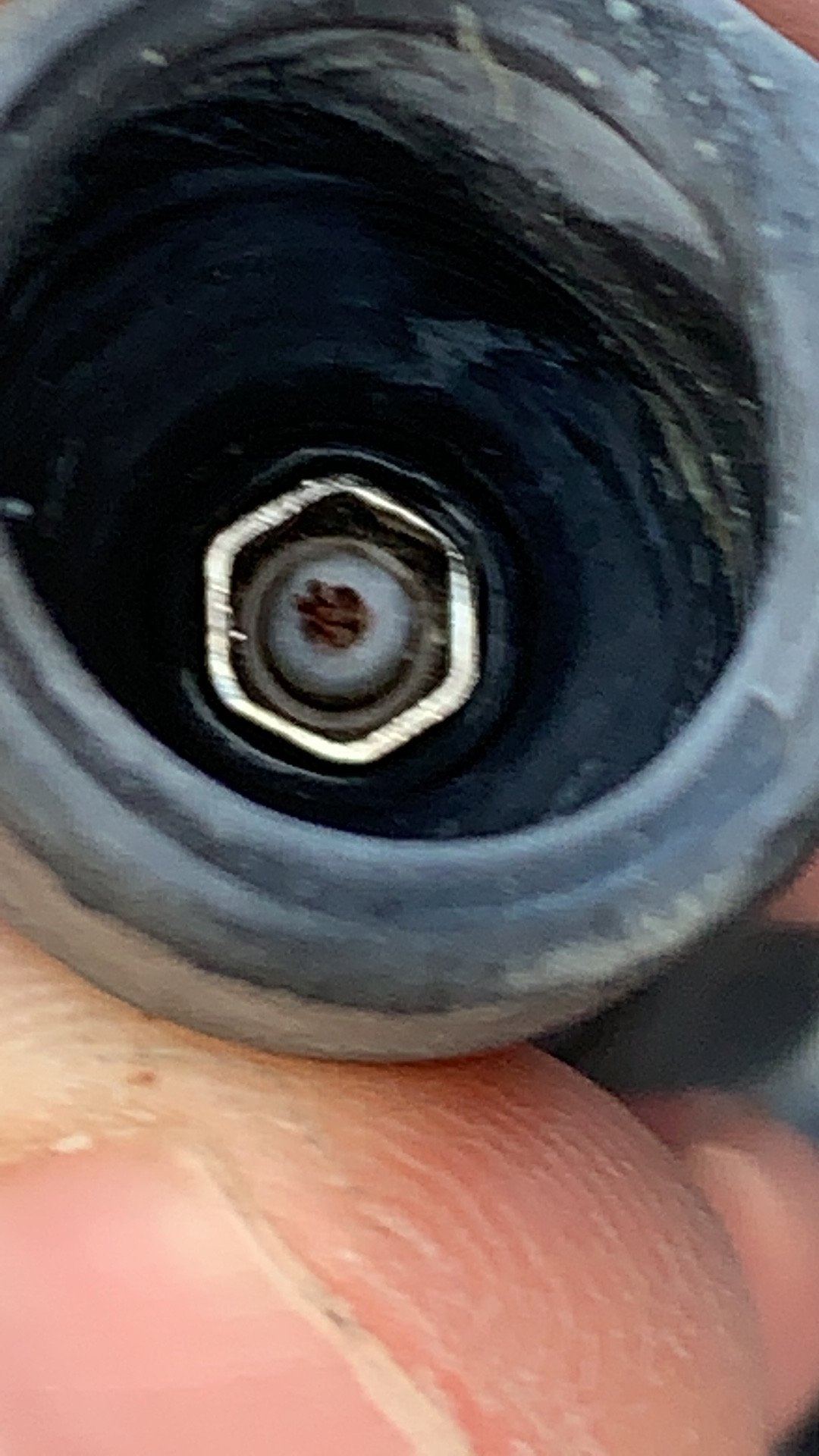
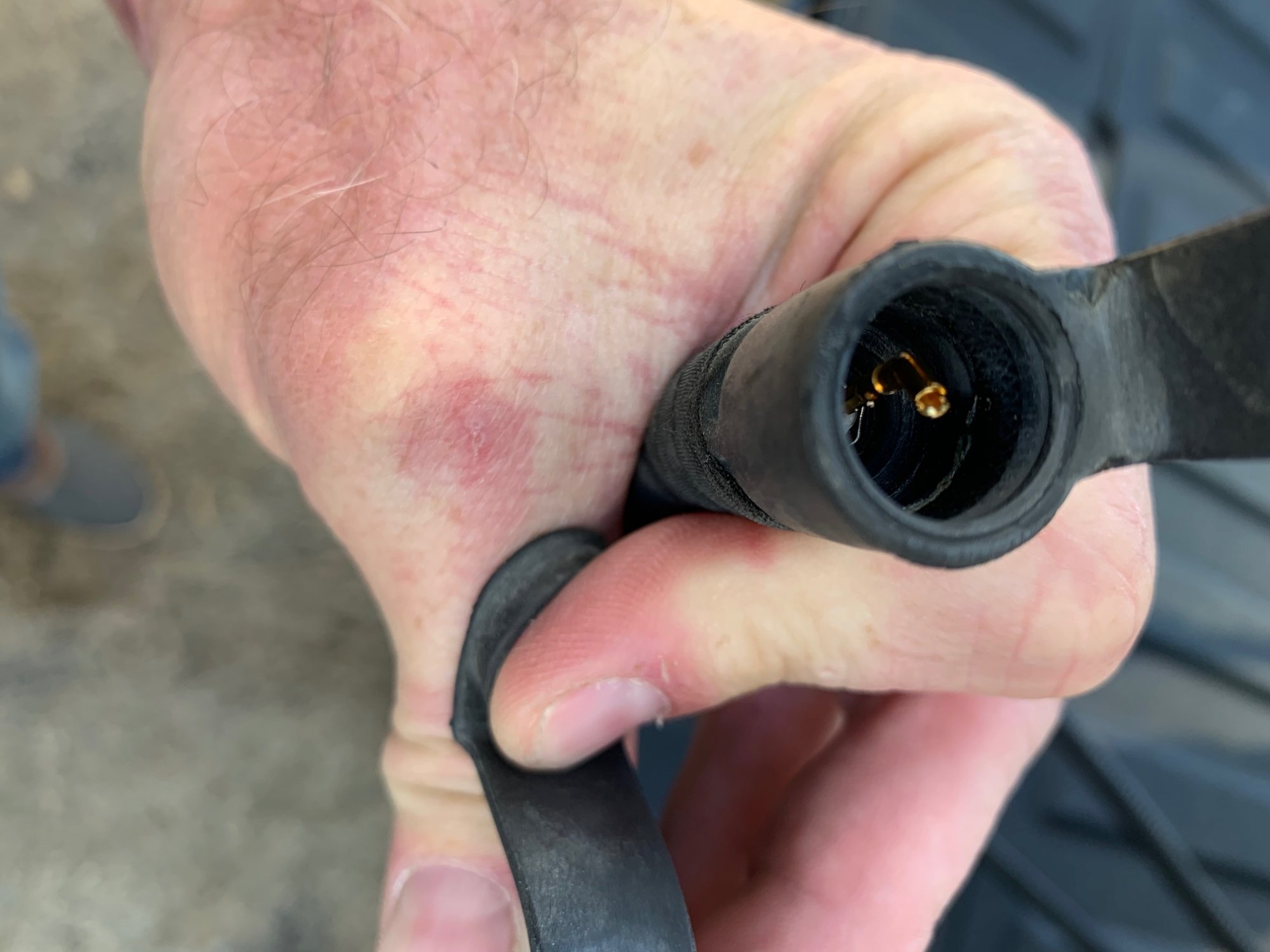
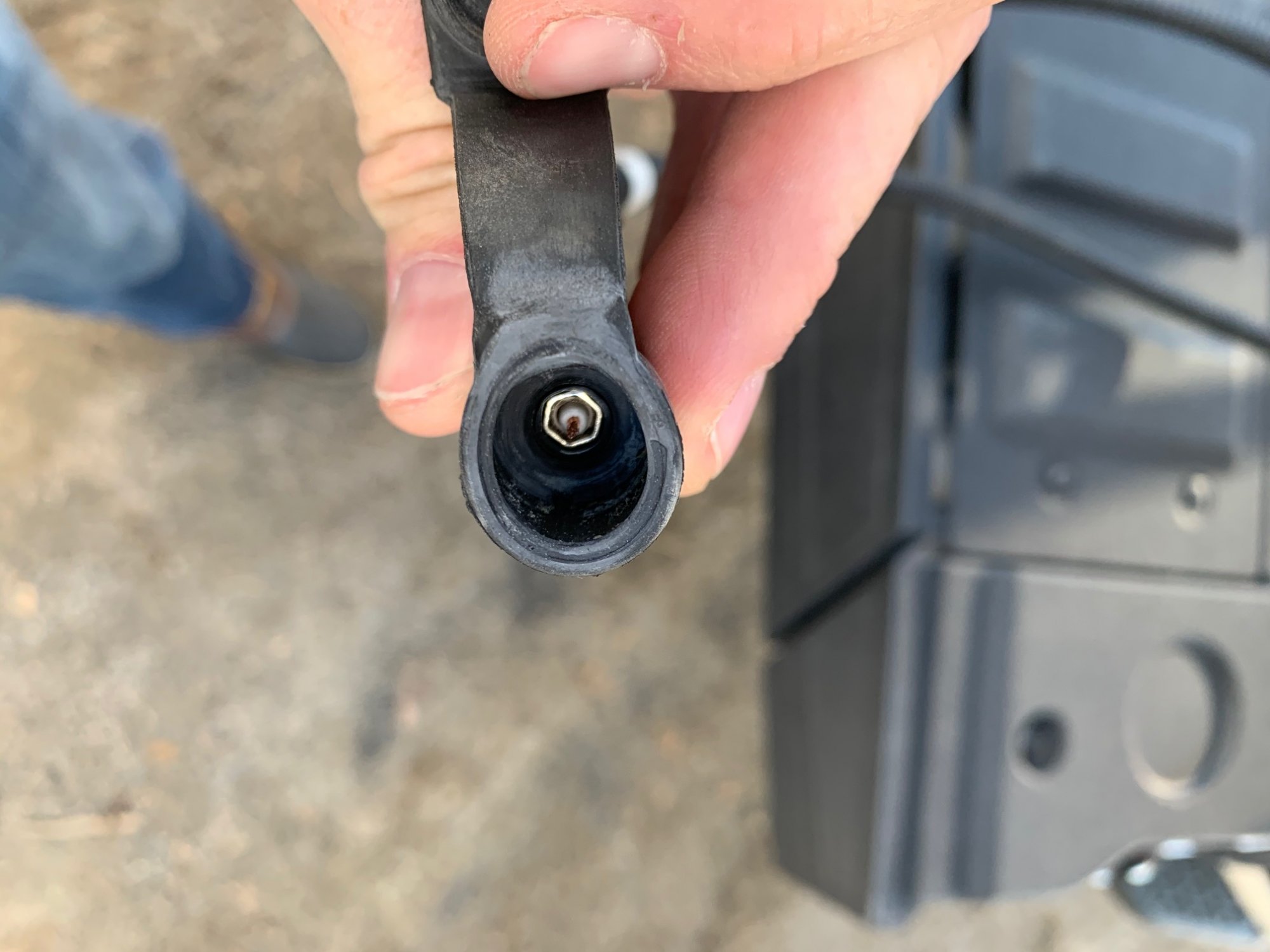
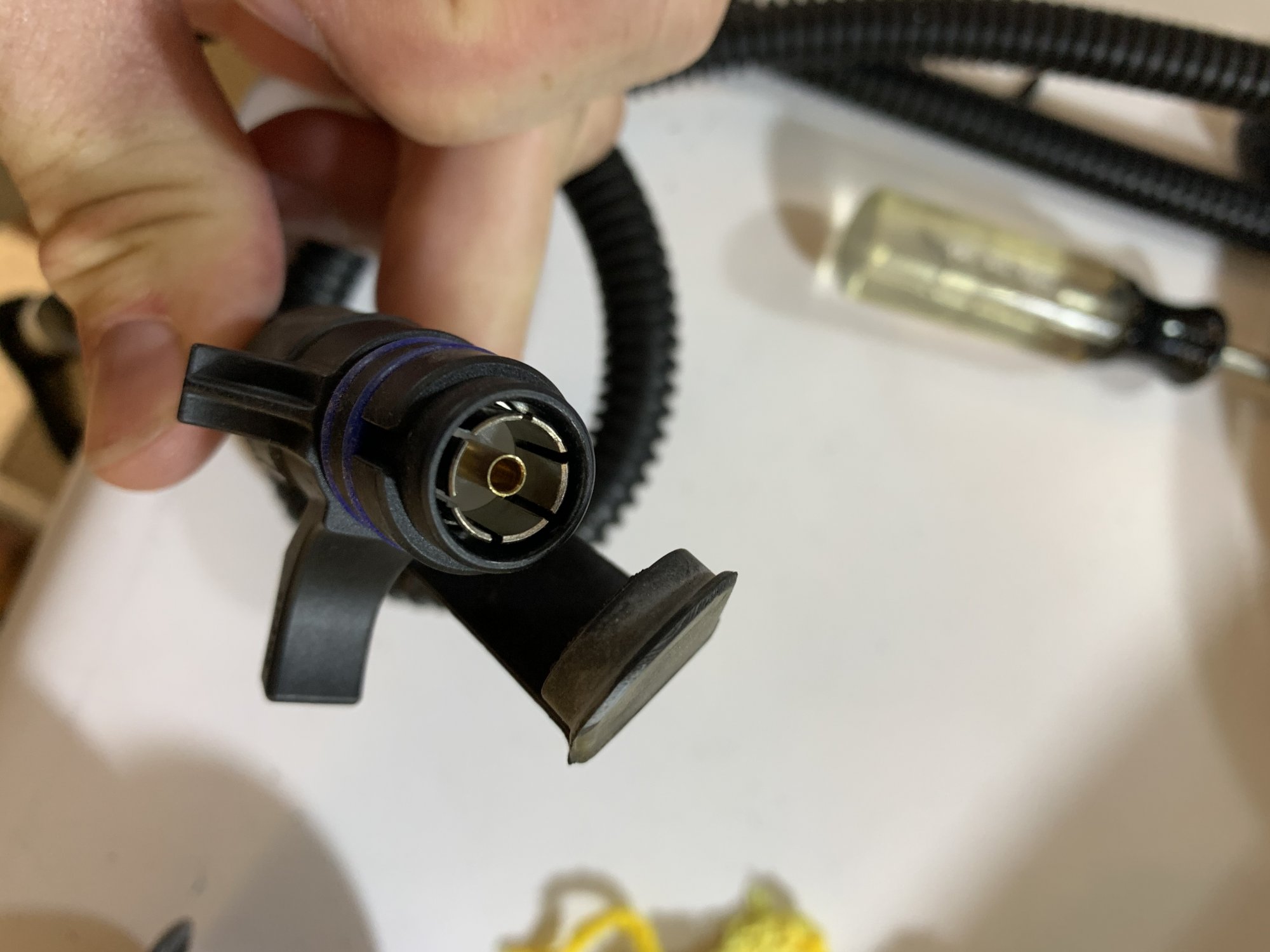
Here’s another pic of the connector with a piece of the coax still stuck inside ... will try to get it out to see it better
-
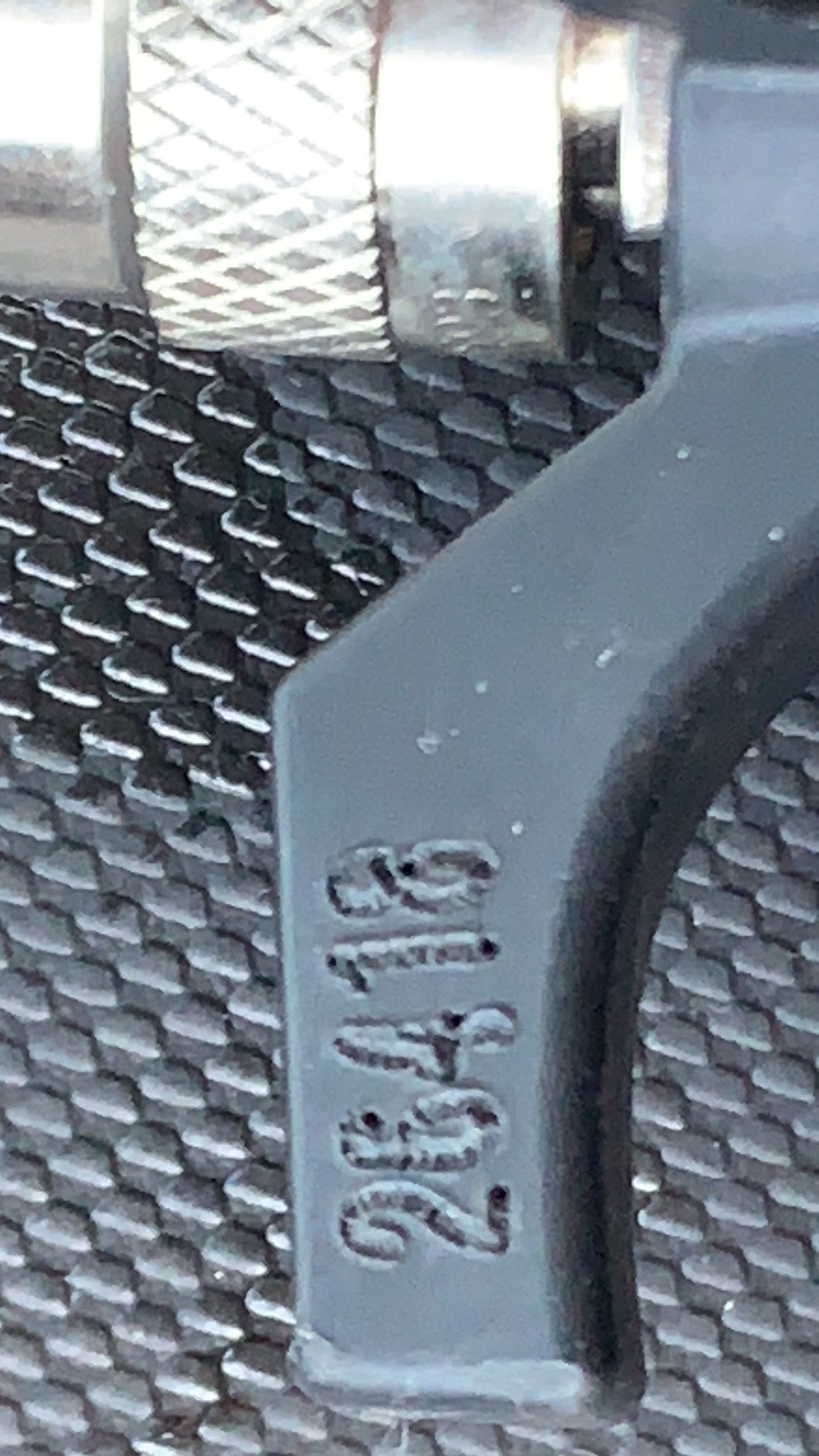
31-14693 los like 26418 on the plastic piece
-
connector Amphenol 31-14693 is stamped on connector.,..
-
i probably missed this in the discussion but are you trying to connect your furrion to the truck so the picture comes up on the trucks screen like the other cameras do? After using my interior trailer camera (the GMC version) i've concluded it is not what i am looking for...this camera only comes on when you select it from the screen and only stays on for 8 seconds, then defaults back to the radio or other screen. If you are going less than about 10mph, it stays on. I haven't used the camera (or port) that is for the rear of the trailer, but i suspect it only comes on when selected. I am now just going to use an old ipad (set up in the dashboard tray) and a bluetooth/wifi hotspot-peer-to-peer battery powered wireless camera (Blink system is my first attempt as the battery life is very good). I will experiment with the rear trailer camera to see if it can be selected to stay on or at least until you deselect it...
-
I agree you could probably remove the tape etc and I’m assuming the cord inside the corrugated Is shielded too. happy to take more (better) pics if you need
-
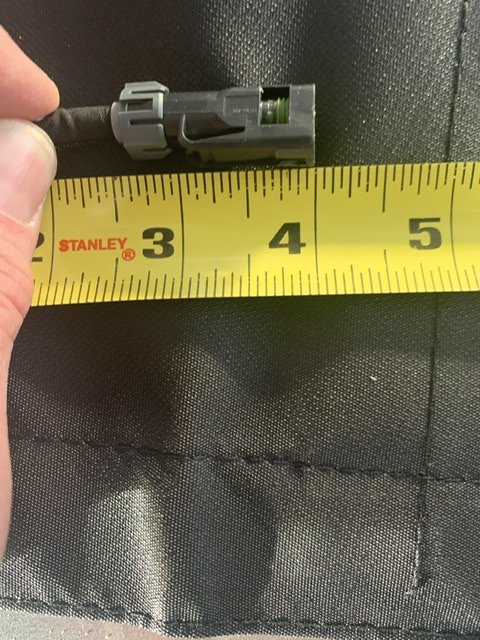
Looks like a smidge over 1/2” which is also the same as the cord wrap.
-
When I get home tomorrow I’ll put it on a ruler
-
I looked everywhere for the camera part # and can’t find it. Nor the cable ... I know both are not Delco and even though the fm website says they are gm OEM they can’t be as both have other product codes not related to gm
-
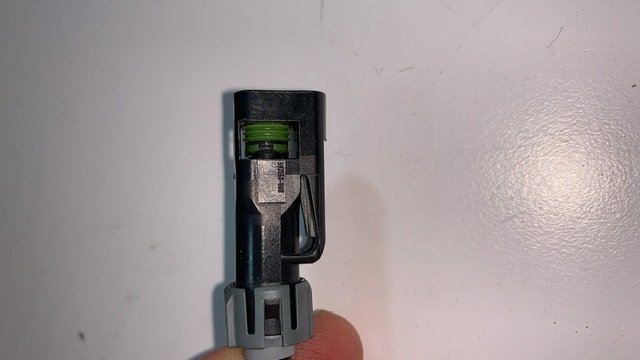
There were some pics earlier in this post I believe or there is another similar post with them. If you disconnect the cable at the camera it is fairly small less than 1/2”, maybe 1/4”. The connector to the truck has two finger pulls that make it over 1” ‘Anne as much as 2”. Kuo
-
What other type of solution are you thinking of? Do you just mean the connector location or a different type of camera system?
-
hopefully opening up the harness will give you more slack...\ i definitely wouldn't cut the cable as it can't be spliced like electrical wire... let us know if you are successful as i'd like to move mine too!
-
Cautionary tale of these $200+ cameras! First, they aren't good in the dark (no led) so don't expect to be able to see in a darkened trailer. Secondly, they break just like any other glass lens if dropped! Thanks to my wife throwing the 'cables' into the garage, the camera lens shattered...so now i have a cable and camera body to play around with. once i took apart the camera housing, i realized that the cable (triaxial) simply unplugs from the camera. I've been trying to find a similar camera but they are not seemingly labeled very well in terms of connection type. Since this camera will be mounted on the rear of the trailer, i don't care if its the same type of housing, just want to find a camera that will connect the same way...maybe there is an adapter connection i could get as many cameras use a bnc style. btw, if you are trying to run the cable through a small opening you can take apart the camera housing, unplug it and run that end of the cable through a much smaller hole, then just reconnect.







-
Forum Statistics
250.5k
Total Topics2.7m
Total Posts -
Member Statistics
342,981
Total Members8,960
Most Online
-
Who's Online 9 Members, 1 Anonymous, 533 Guests (See full list)