


Aircraft800
-
Posts
29 -
Joined
-
Last visited
-
Days Won
1
Content Type
Profiles
Forums
Gallery
Events
Articles
RPO
Store
Blogs
Everything posted by Aircraft800
-
 I didn't change any fuse, I haven't seen any issues.
 -
Reroute the trailer camera feed to the rearview mirror
Aircraft800 replied to g.u.'s topic in Modifications & Accessories
No updates? Maybe a matrix switch like I use for my TV? -
Trailer TPMS sensors loose signal
Aircraft800 replied to Andrew Best's topic in Troubleshooting, Warranty & Recalls
Do you know if the wiring harness is there? It should be behind the rear license plate. Mine has a dummy plug right next to the module, I'm guessing if your truck doesn't have the module, your plug will be plugged into the dummy. -
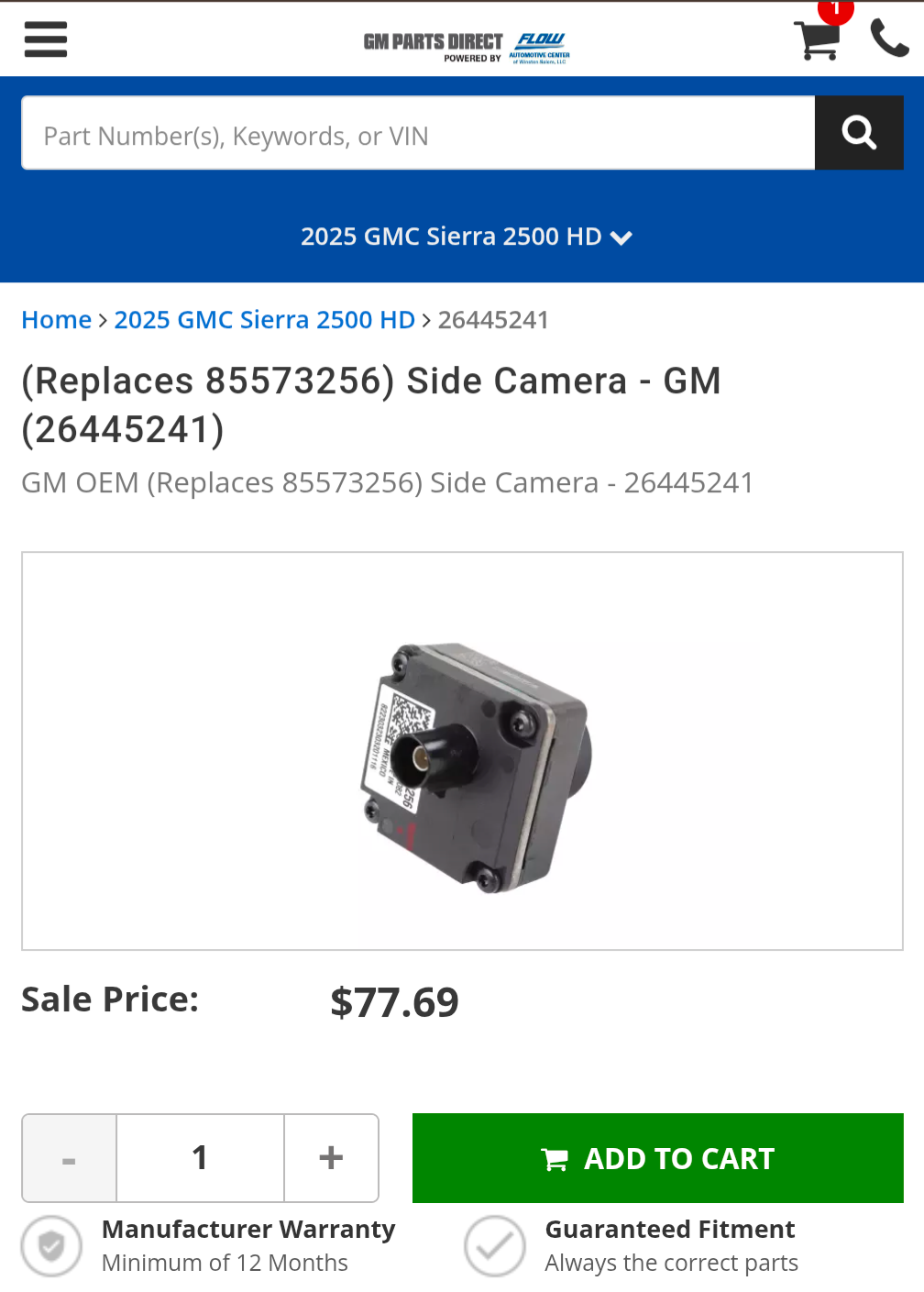
The 85573256 OEM Camera works on the 2024-2025, it’s the newer camera.
-
It looked like there were a few options on eBay, even one that included a bracket that was listed at $70, exactly the same camera and throw the bracket away. 85573256 OEM Camera
-
DELIVERED 85573256 OEM Camera Projector For Chevy, GMC S... $96.88 https://www.ebay.com/itm/266947049003?mkcid=16&mkevt=1&mkrid=711-127632-2357-0&ssspo=WDrcqekURBi&sssrc=4429486&ssuid=S3bvHNaFRD-&var=&widget_ver=artemis&media=COPY
-
Rear Trailer Camera-No picture
Aircraft800 replied to 2020ChevSilverado's topic in Troubleshooting, Warranty & Recalls
Thanks again for the help!! I got it all worked out. Someone mentioned the 118 inch height bug, I reset it to 117 inch and changed the angle of my camera to 35 Deg from horizontal (Not from the wall which I accidentally did) and it calibrated in 200 yards!
-
Rear Trailer Camera-No picture
Aircraft800 replied to 2020ChevSilverado's topic in Troubleshooting, Warranty & Recalls
I’ve got the camera swapped out, now I’m working on getting it to calibrate. I placed the camera at the same angle I had the last one, I can just see the top of my bumper, but it won’t calibrate. I went back and looked at the setup guide and it appears I measured the 35 deg from vertical, not 35 deg from horizontal. I didn’t have any issue with the old setup, but maybe fixing this will help.
-
Thanks again for all the help! I just installed the correct camera for a 2025 into the old housing from my 2023. 85573256 OEM Camera for Chevy Silverado, GMC Sierra 2500, 3500 It now has a picture, but I’m struggling with calibrating. I towed it 5 to 6 miles, but it never finished. I checked old pictures to ensure I have the same camera angle, and it looks to be the same. I was trying to find the 2025 Camera setup instructions to see if the 35 deg angle or the measurements changed, but I was unable to find it online. Here is my old setup with my 2023 truck with everything working, and the second is of the new camera with my 2025 truck working. I changed the angle slightly up since this photo so it just includes the bumper like my old photo, but it still won’t calibrate. I also read that I need to be on streets with both lines, but the road I tried to calibrate on only has a centerline. I’ll try again next week. Old camera with 2023 truck New camera with 2025 truck, no luck calibrating yet.
-
I found one on eBay, should be here this week. I'll update once I get the correct one installed. Thanks for the help!!
-
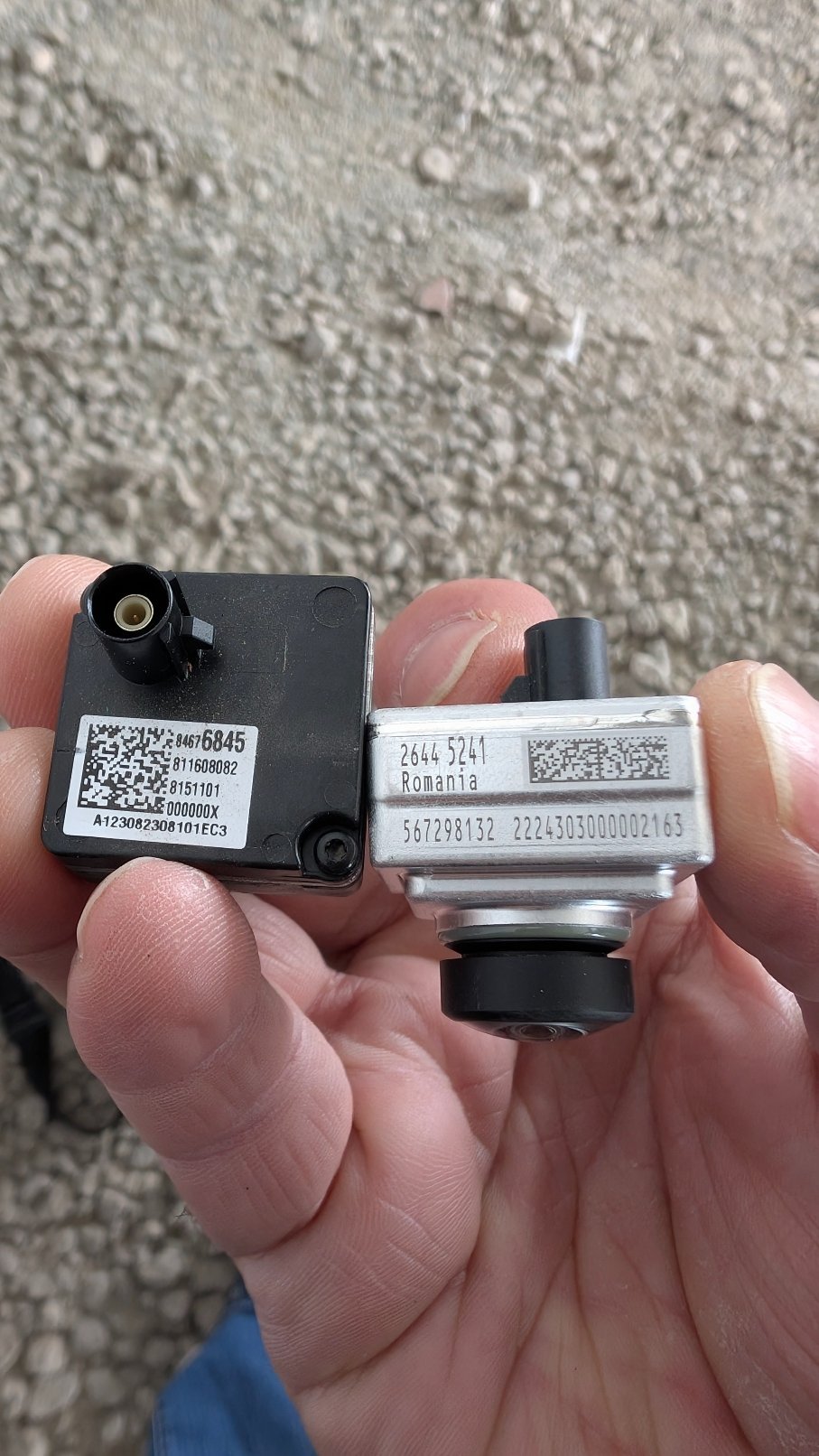
Darn, I got some bad info. It's even listed on the site Incorrectly. Here are a few examples:
-
I tried to order the 85573256 camera and was told it was replaced with 26445241. I installed it today, no help.
-
Wireless phone charger problem.
Aircraft800 replied to MTY55's topic in 2019-2026 Silverado 1500 & Sierra 1500
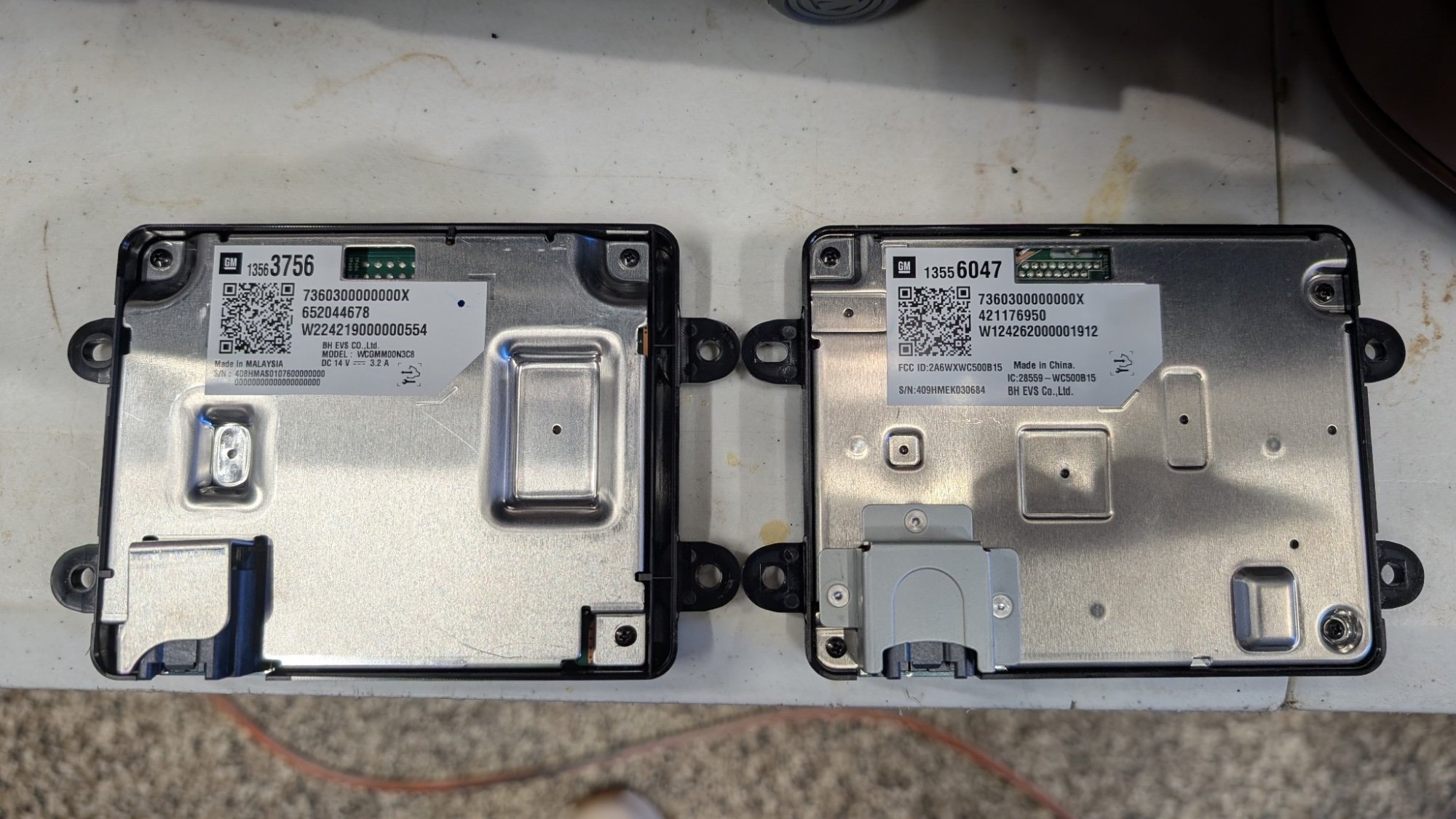
I was having the same problem with my 2025 Denali 2500 HD. I have a Pixel 8 Pro. It would act like it’s charging, then I’d hear the tone again like it’s charging and turn the screen on. The screen would go dark for a bit, then wake up with the tone and show charging again. It would kill my battery, the cycling screen on and charging sound. I didn’t have any problem on my 2023 Denali 1500, I put the phone top side down, and it would be fully charged when I got to work. I took it back for warranty work and they confirmed the issue. They replaced the wireless charger, but It still didn’t work. I tried the aligning adapters, no luck. I did a little research and found the part number of the charger changed between 2023 and 2025. I ordered the charger from my 2023 and installed it. Knock on wood, It charged my phone 3% on a quick drive to the gas station, and fully charged on my way to work. Here is the part numbers: 2025: 13563756 2023: 13556047
-
Rear Trailer Camera-No picture
Aircraft800 replied to 2020ChevSilverado's topic in Troubleshooting, Warranty & Recalls
Thanks REDWNGR, Yes, I found the problem with your help. My 2023 was a GMC Denali 1500 (New Interior), my new truck is the 2025 2500 HD Denali, I see that the part numbers changed for the auxiliary camera and they are not compatible. I also found that I can simply swap out the camera, and not have to re run the entire wire harness, it’s just a matter of purchasing the $95 camera and opening up the existing with a security torx. I’ll update after I do the camera swap. -
Yes, definitely pierce threw the fitting from the cabin side with an awl and push your fish tape threw twords the battery. Yes, definitely run everything down the passenger side sill plate, there are a few obsticles near the seat belt attachment, but you have a good view from front and back of the center post to make sure you are clear of wires and stuff. Here is the Kicker Manual that has great pictures: https://www.kicker.com/app/manuals/oe/gm/19417164.pdf 19417164.pdf
-
Rear Trailer Camera-No picture
Aircraft800 replied to 2020ChevSilverado's topic in Troubleshooting, Warranty & Recalls
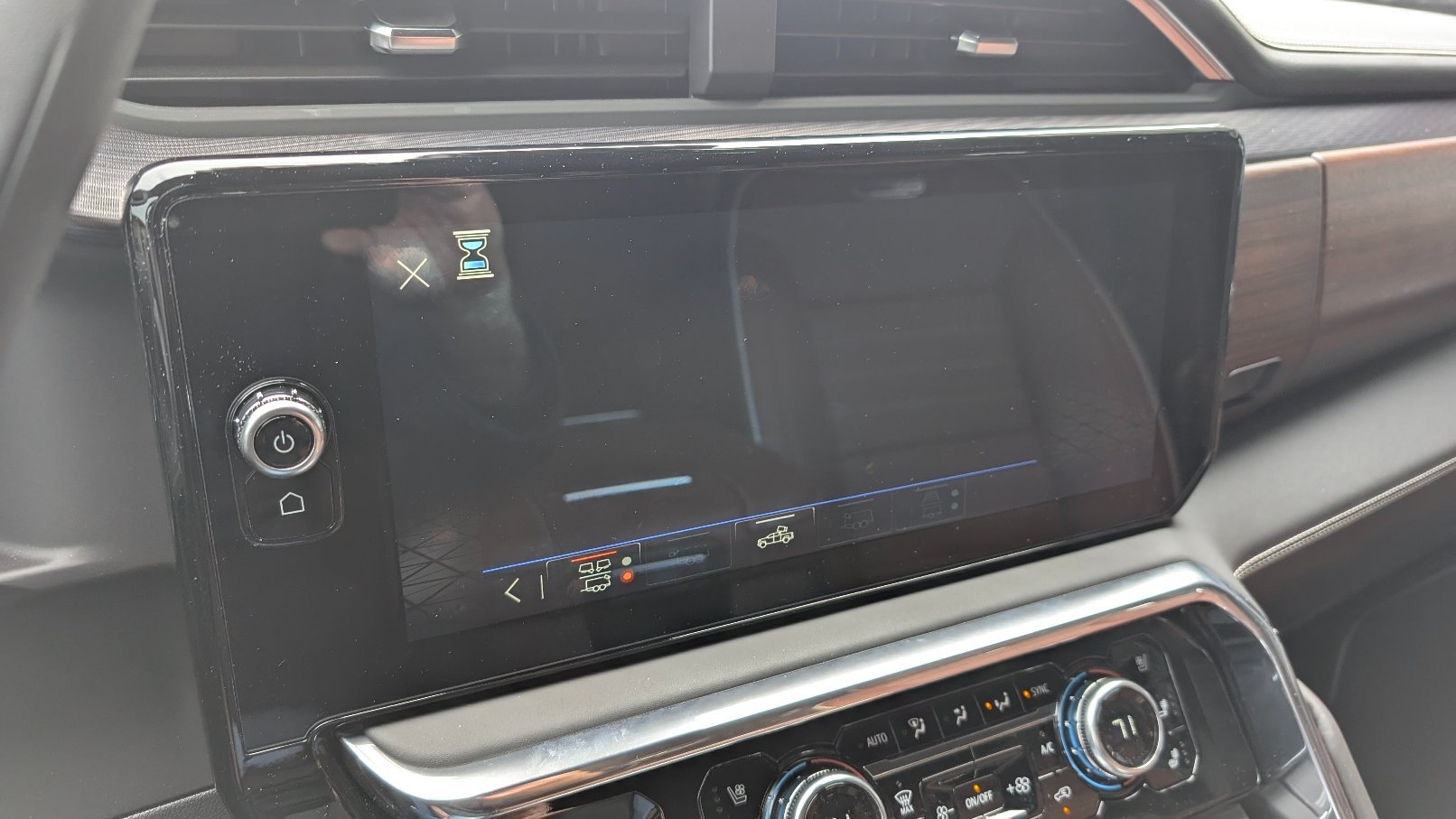
I see this post is quite old, but it may help me. I have the trailer camera installed on my RV. It worked great on my 2023 GMC Denali. I had transparent trailer, backup lines with guidence, blind spot, everything worked as advertised. I purchased a new truck, 2025 GMC Denali 2500HD. I synced my GMC account and my Trailer Profile with the GMC app. Selected my trailer profile in the truck, plugged in the 7 pin and my Trailer Camera, and selected the camera and I have a Black Screen. When I check the profile, it seems like the camera is connected (It’s selectable) but only a black screen. I rechecked all the different trailering options and making sure they all copied over from the other truck and trailer profile, I’m still getting a black picture, and the hourglass in the top left corner. I tried switching the camera to the interior trailer cam jack, and it recognizes it’s been plugged in, but it has a black picture. Hoping someone can help me troubleshoot this, I really use it to back into RV spots and into my storage. -
I wouldn’t get intimidated by someone else’s write up, it’s really not bad. I’m fat and old and it was no problem routing the power wire threw the firewall. I used the Online Installation Guide from Kicker, and the associated video Here: https://www.kicker.com/19417164 Remove the bracket, use a solid 10ga or similar wire as a fish tape, (I didn’t cut off the nipple, just pierced a hole with a awl) poke it threw with a slight upward curve, reach behind the battery and pull it threw. Tape on the harness (I used talcum power to lube it up so it would slide threw easily) and carefully pull it into the cabin. If you are in the area, I’ll help you out.
-
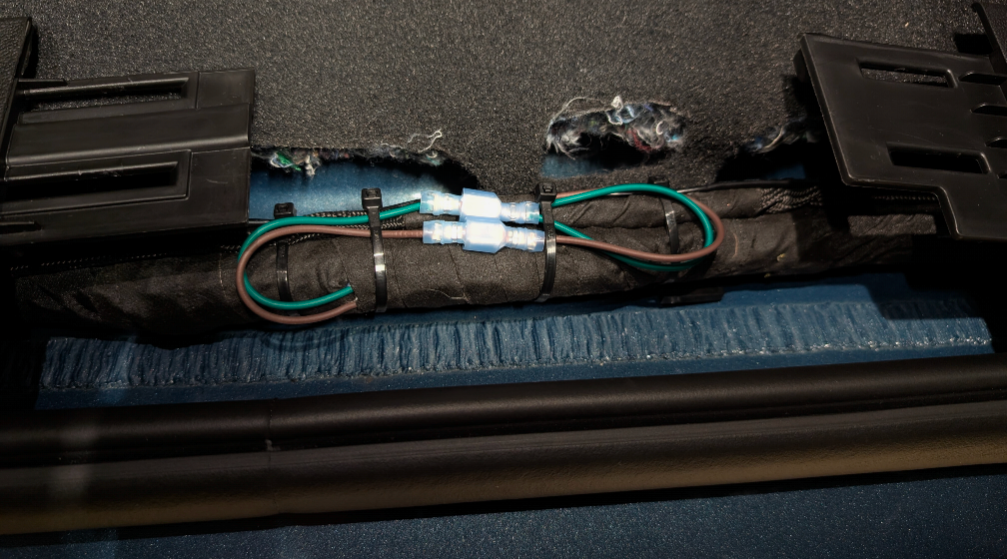
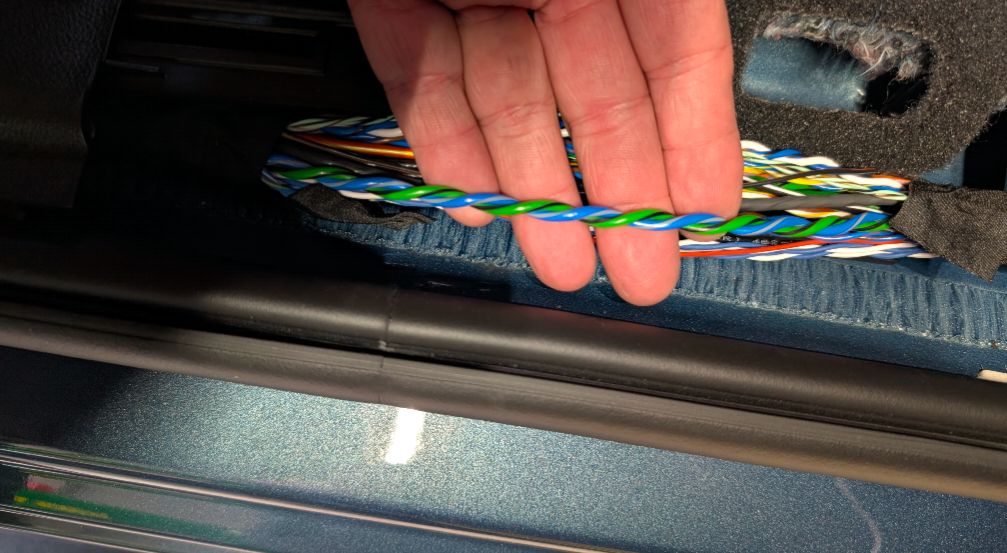
Here are my Kicker sub wires tapped into the Bose harness. I decided to add a pair of connectors just in case I want to change polarity, I've seen others say It sounds better out of phase. For now I have it wired normal. (-) Kicker Brown => (-) Bose Subwoofer Green/Black (+) Kicker Green => (+) Bose Subwoofer Blue/GRAY
-
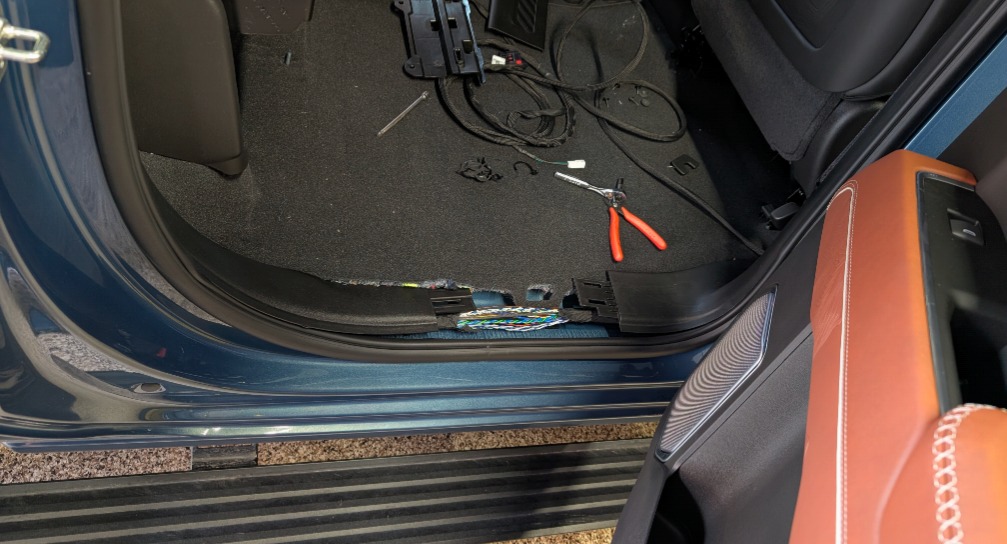
For the guys looking for easier access to the sub wires, aft passenger sill plate.
-
Here is an old wiring diagram, but it looks to hold true to the 2024s. Also as far as speakers and polarity.
-
Quad Exhaust Tips
Aircraft800 replied to BluegrassMotorsport's topic in Modifications, Wheels & Tires
Kinney's Performance Exhaust welded these tips on for me, much better than the HDMI ports
-
Kick Butt! I got it working, needed to remove the spare tire to get it to calibrate. I even have the trailer guidance lines!
-
Trailer TPMS sensors loose signal
Aircraft800 replied to Andrew Best's topic in Troubleshooting, Warranty & Recalls
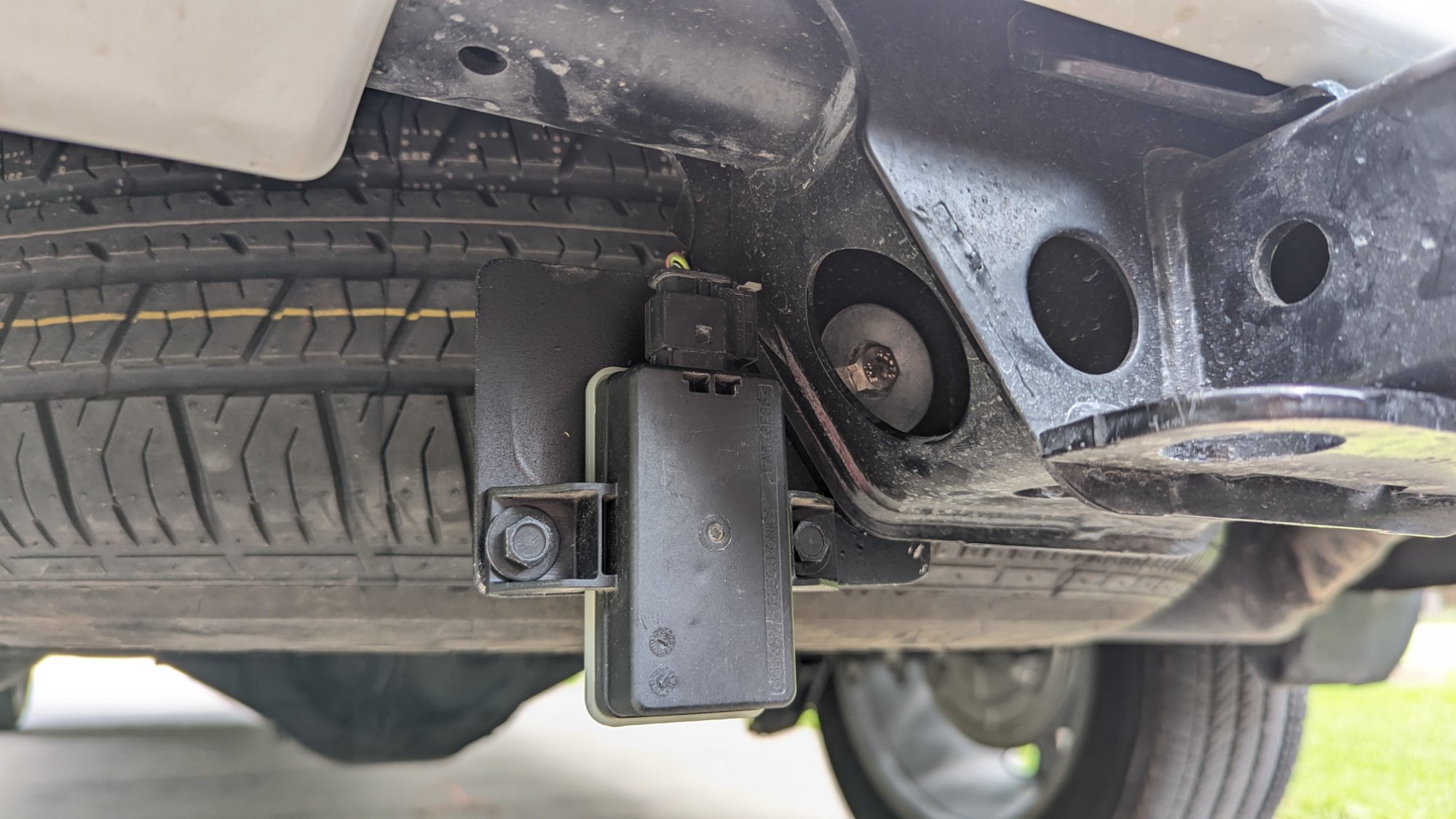
I learned this from another member, relocate the sensor below the bumper, fixed my problem on my 33 ft travel trailer.
-
Yes, I drove 25 mph but never saw a progress bar under Invisible Trailer view in Camera APP. I’ll remove the spare tire and see if that helps. If it works, can I return the spare, or should I use the time to relocate it somewhere else?
-
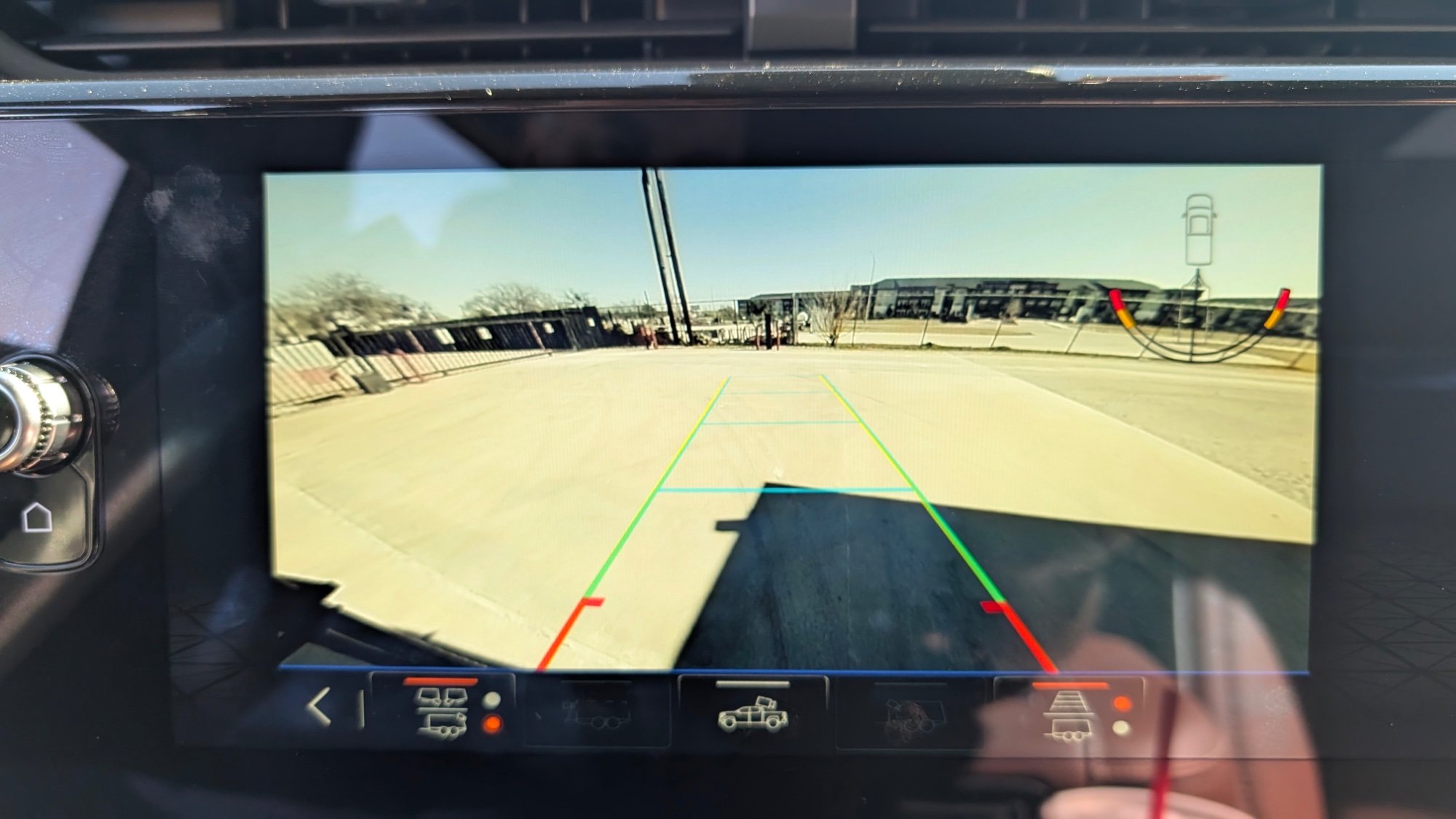
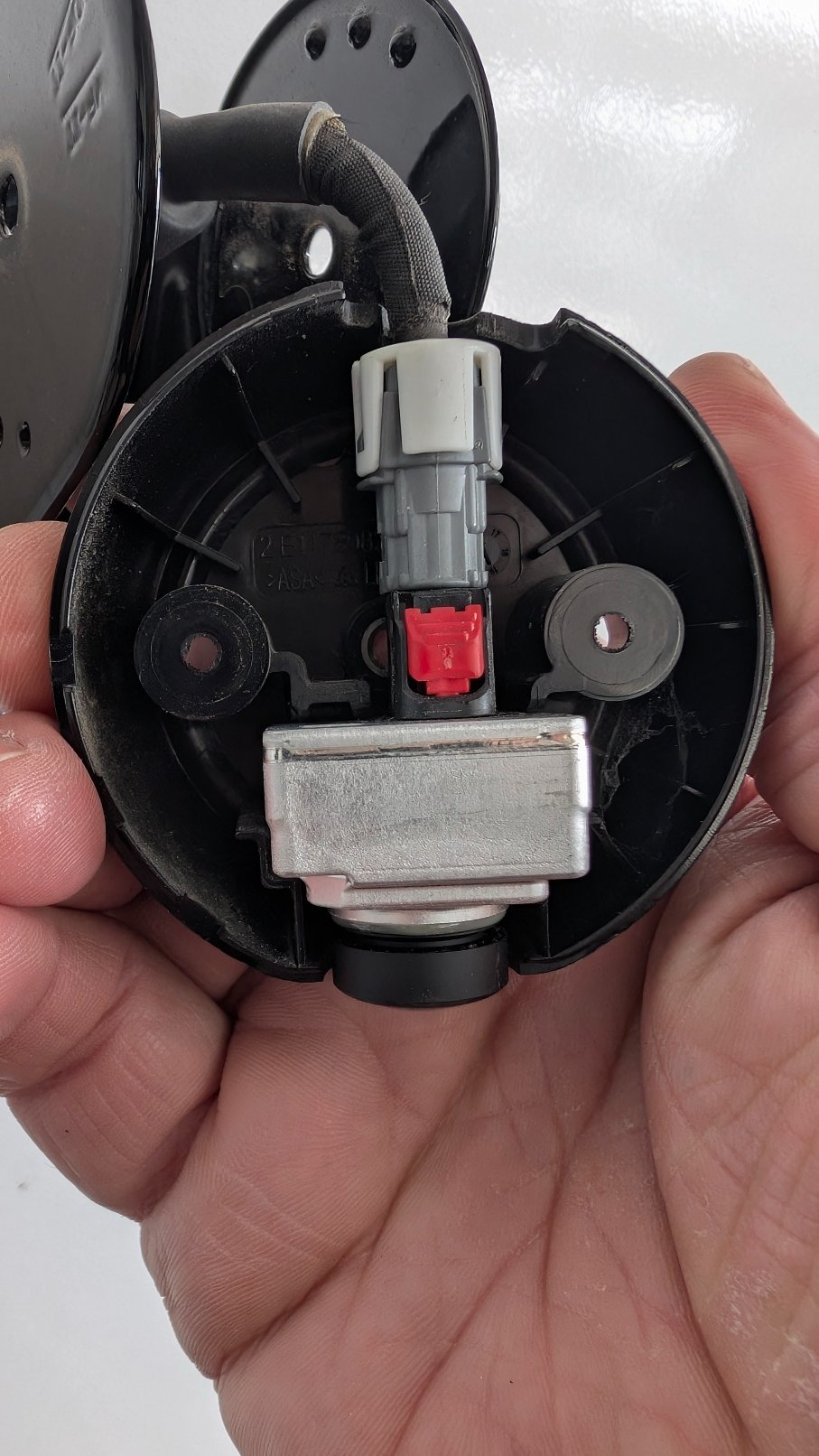
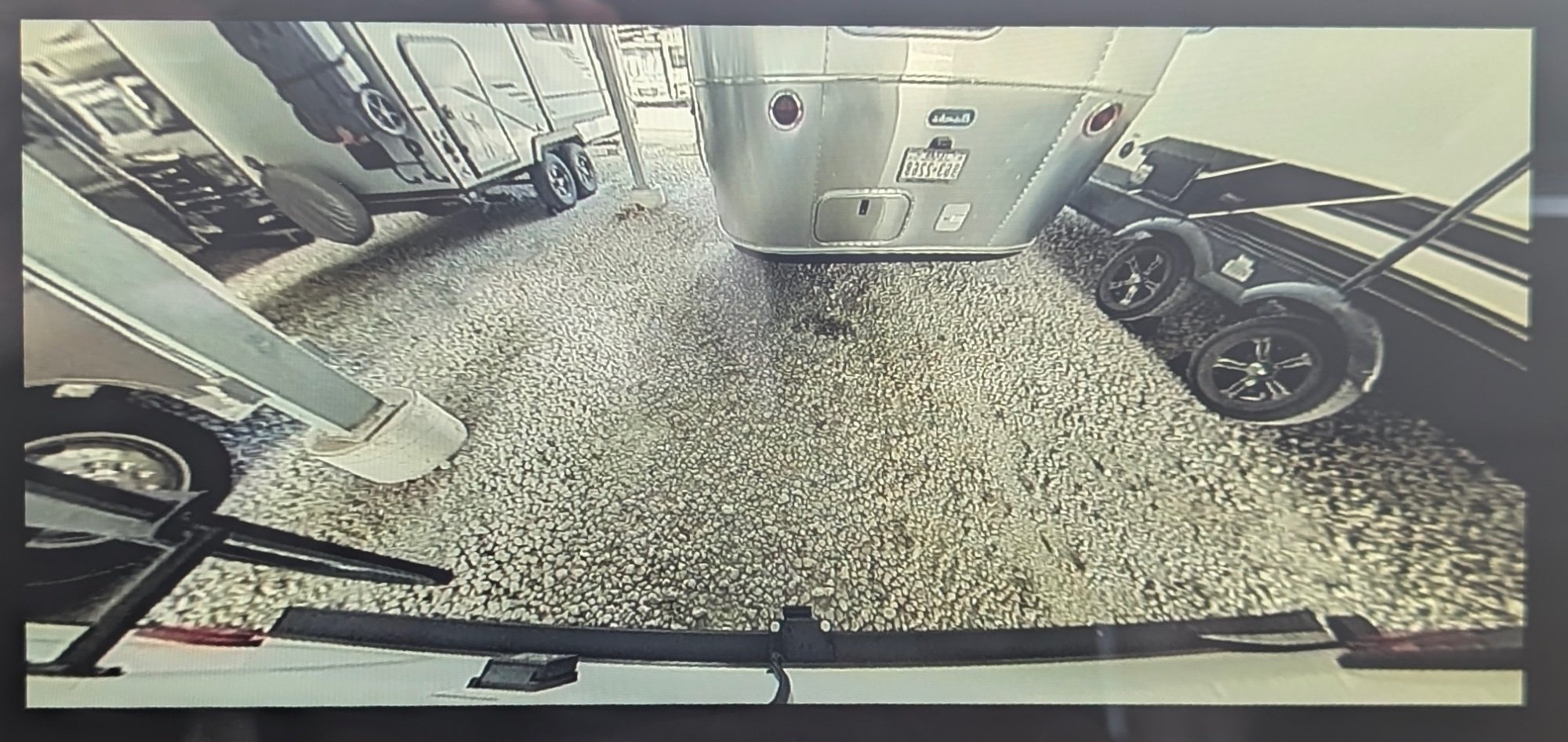
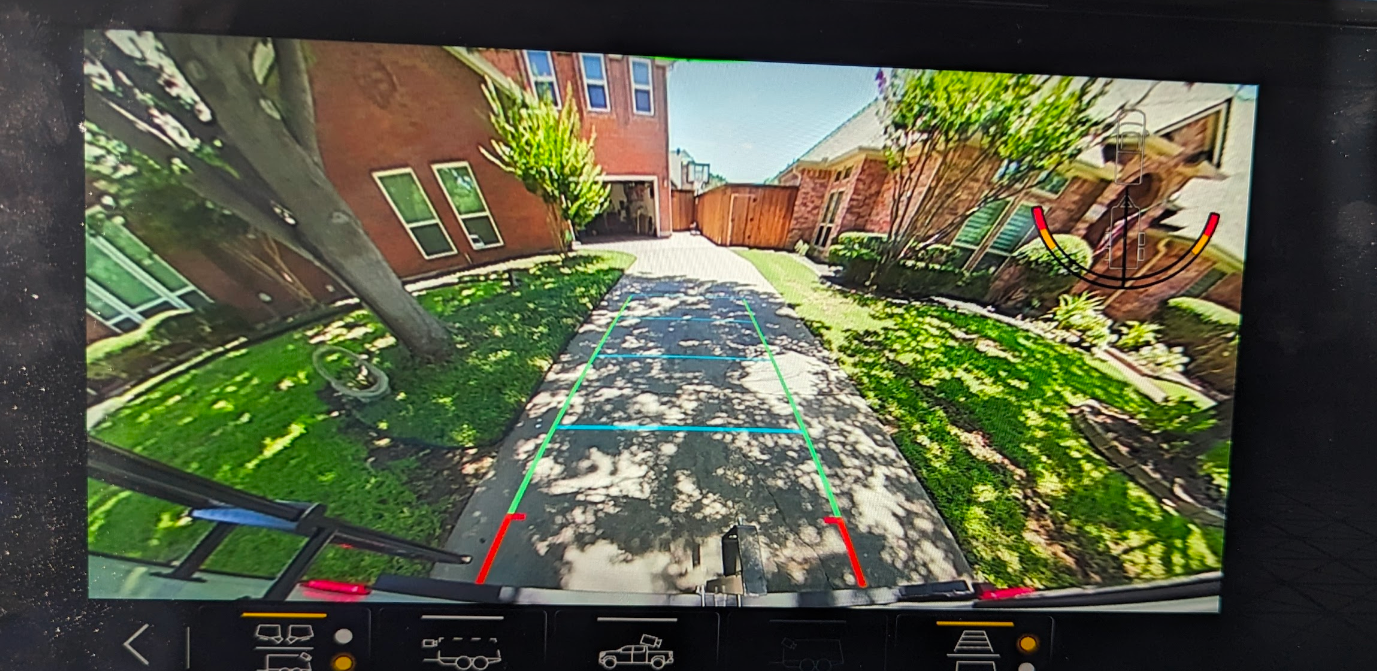
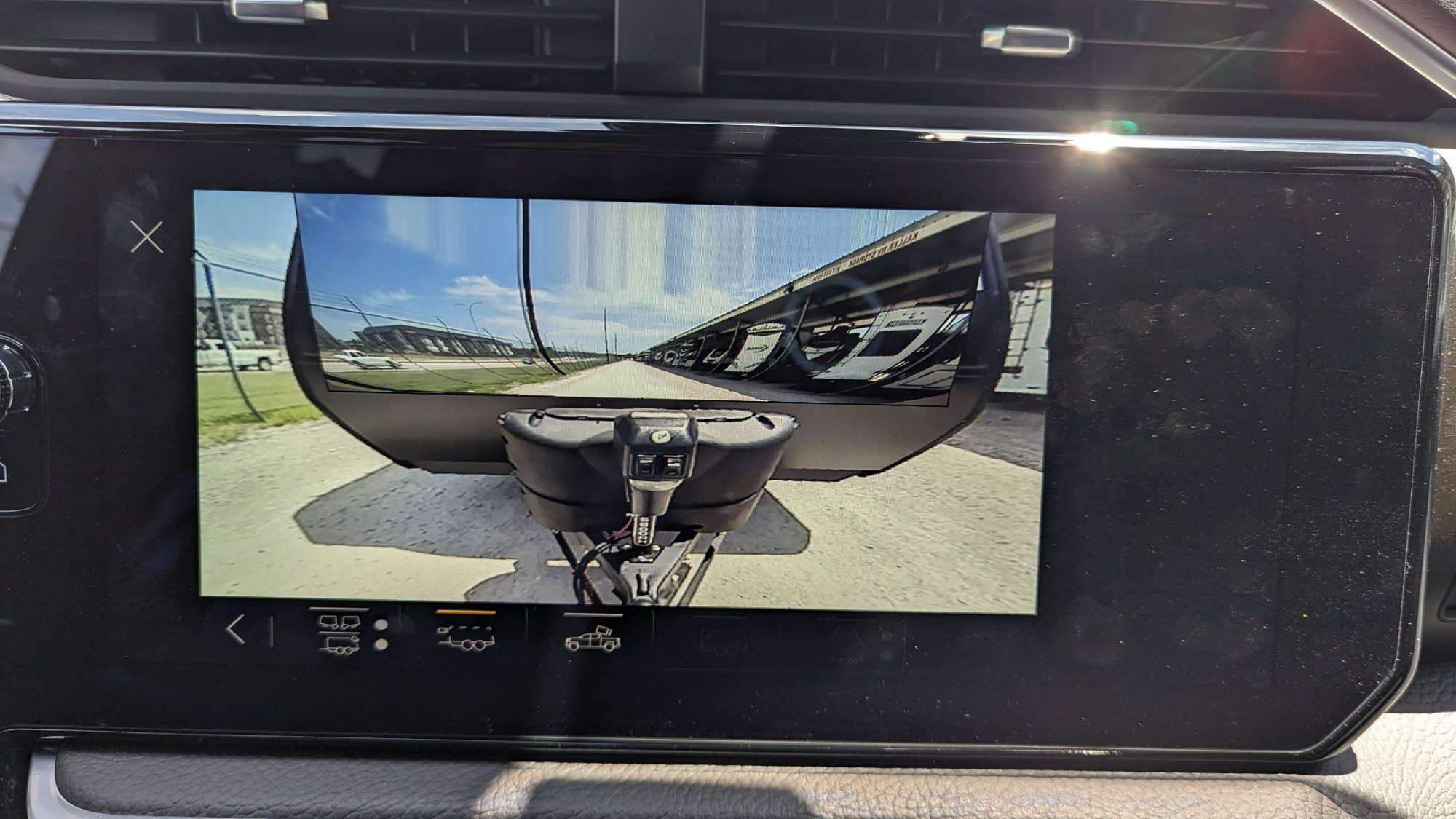
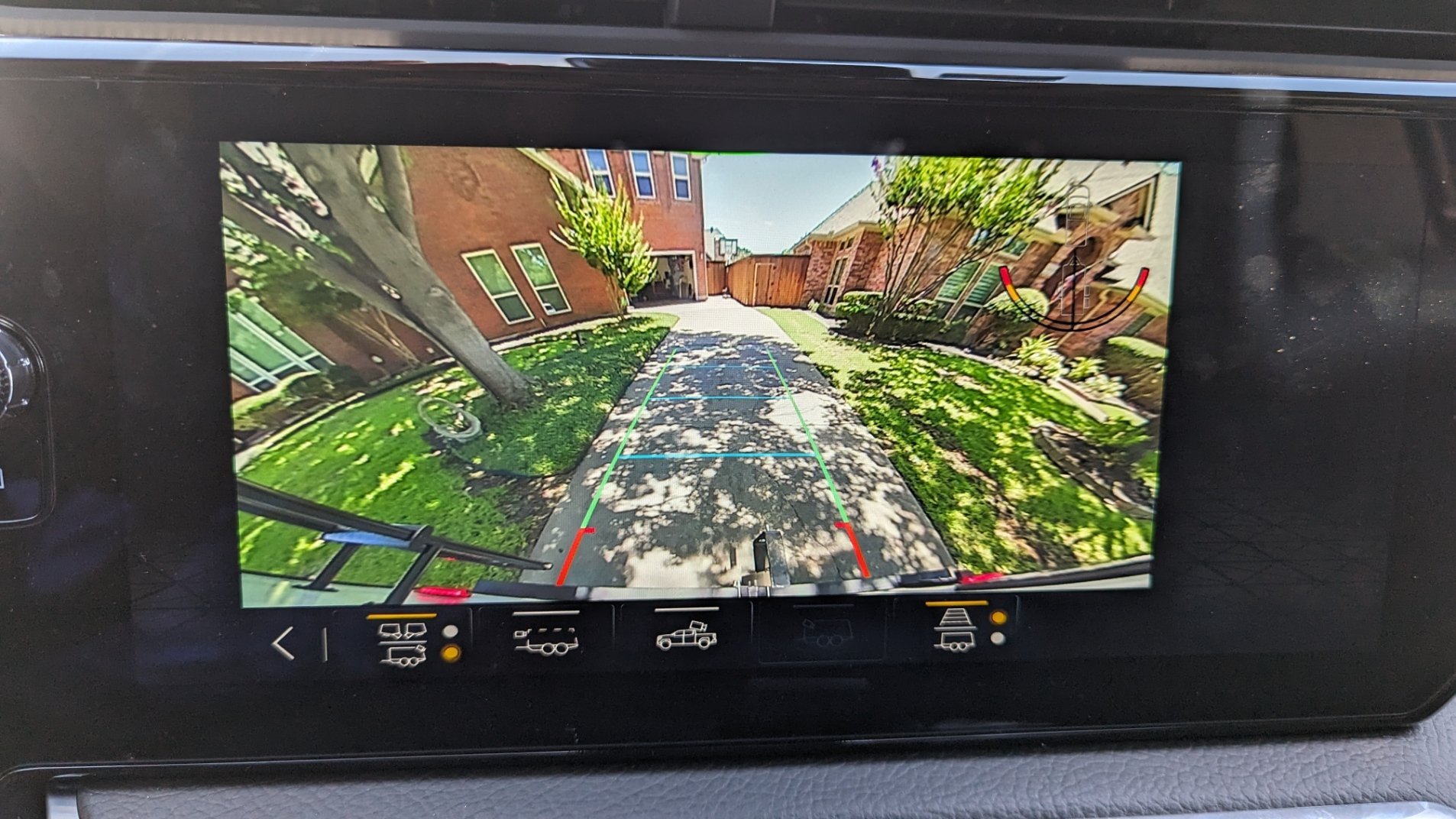
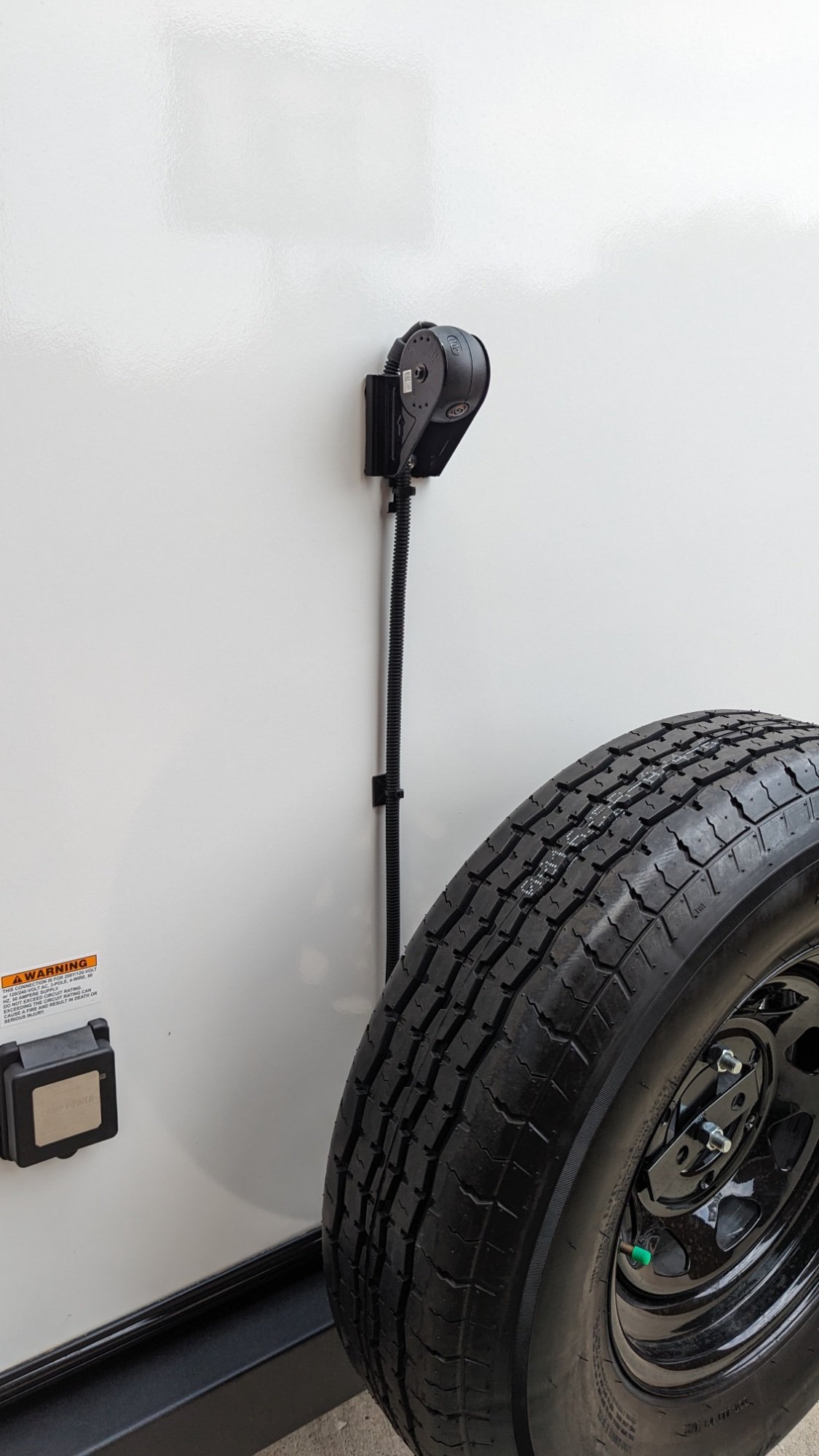
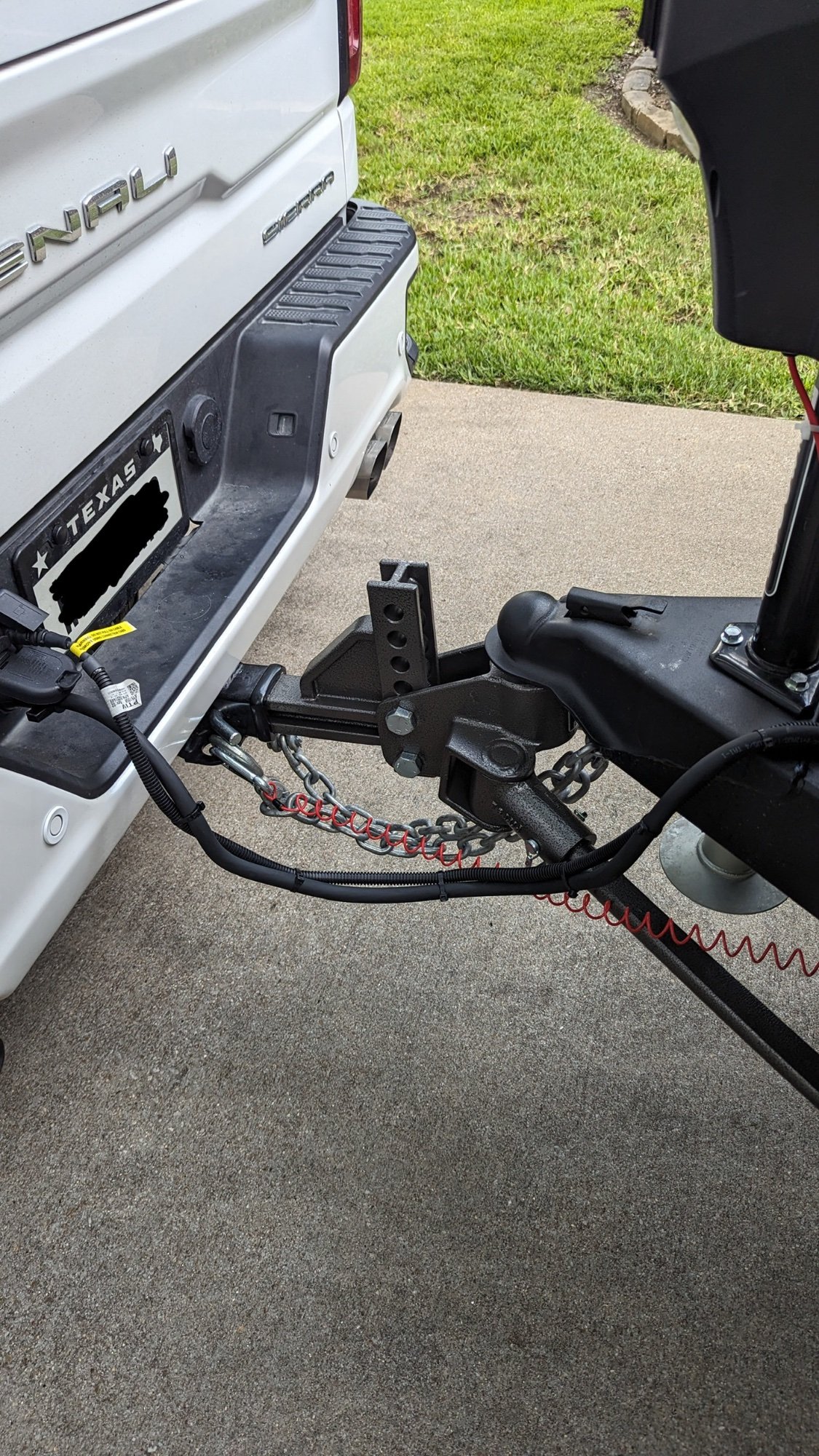
I get the “Needs to be Calibrated” screen. Drove about 20 miles, but never got the Transparent Trailer view, just the split 3 camera view and the blind spot warning when I turn on the blinker. Any ideas how to get the Calibrating to finish properly? 2023 Denali 1500 with OEM GM trailer camera. Attached a few photos.









-
Forum Statistics
250.6k
Total Topics2.7m
Total Posts -
Member Statistics
342,993
Total Members8,960
Most Online
-
Who's Online 1 Member, 0 Anonymous, 276 Guests (See full list)