

Jim-GA
-
Posts
27 -
Joined
-
Last visited
Jim-GA's Achievements

Enthusiast (2/11)
9
Reputation
-
 Look for evidence of rodents chewing on the wires.
 -
Transparent Camera Calibration
Jim-GA replied to bruceb58's topic in 2020-2026 Silverado HD & Sierra HD
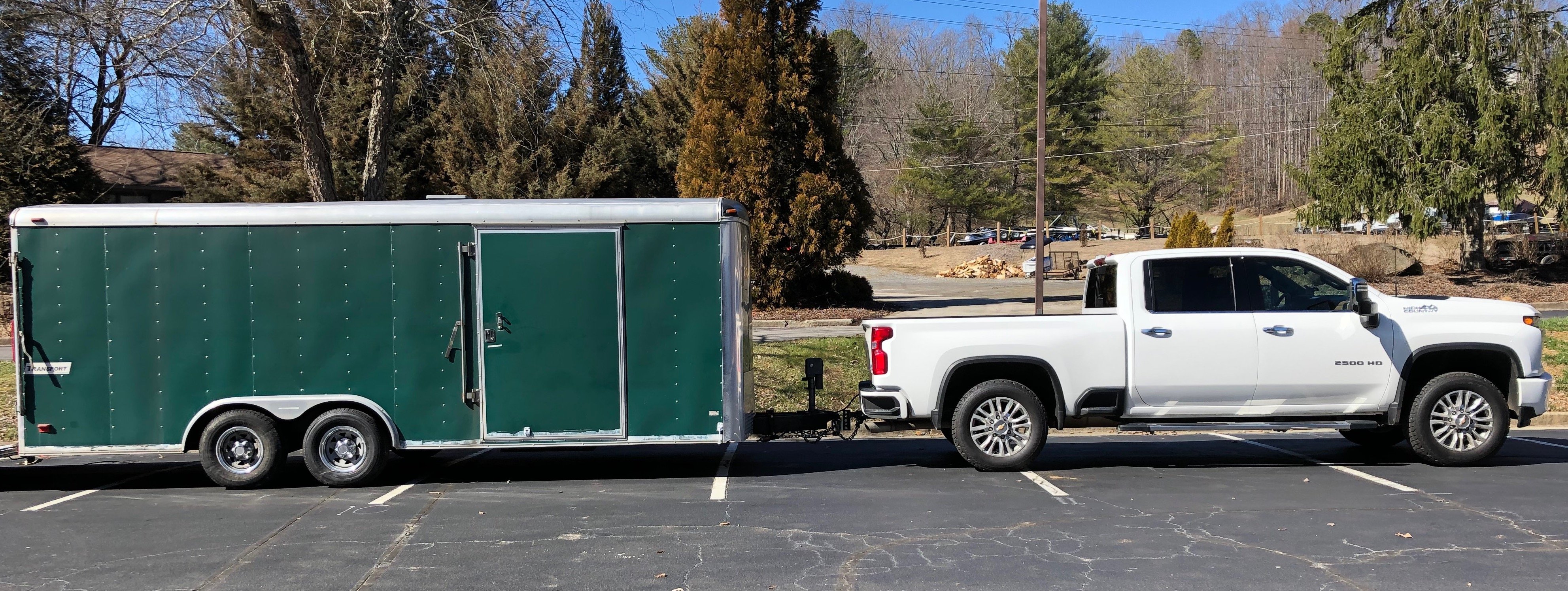
I have a 20' enclosed car hauler and it calibrated right up while driving the first mile or so. Double check your dimensions that you enter into the screen for that trailer. Based on the screen image, I think it uses the tailgate camera, not the bed roof camera.
-
Side camera calibration to align with front and back
Jim-GA replied to Jim-GA's topic in Troubleshooting, Warranty & Recalls
Thanks! My translation of "No calibration required" is "No provisions for calibration provided". My dealer's Tech actually DID reprogram the module, as if a new module was installed, but there was no change at all. It is not doing any self calibration. The Tech told me that GM is downloading a fixed set of calibration numbers to the module and that's all that is used. Until GM updates those numbers, so that the Tech can download and install them, there is nothing he can do. I have seen brand new 2500HD trucks on the lot, with no miles on them yet, show the EXACT same misalignment on their cameras that I see on mine. I suspect that they have used a single set of calibration numbers and applied them across the line to all trucks, assuming that they would be "close enough". They are not. It's one thing for GM to screw up so badly and not provide any provision to calibrate... it's another thing to lie about it. BTW, for comparison, the camera on the back of my trailer self-calibrates and stitches into the truck's rear-facing cameras perfectly to provide the "invisible trailer view" in the truck. -
Side camera calibration to align with front and back
Jim-GA replied to Jim-GA's topic in Troubleshooting, Warranty & Recalls
Sadly, no! I brought it to the dealer. They could do nothing. I asked them to escalate it with Chevy. They did. The engineers asked them to collect some more info off of the truck. Heard nothing since. My expectations are very low. From the research I have done, it looks like GM bought this system from an outfit in Austria. I would be willing to bet that no one in GM actually KNOWS how to fix it. They bought a kit and installed it. It's not like they built it and understand how to program or reprogram it. From further testing, I have determined that it is actually the FRONT and REAR cameras that need to be recalibrated to match the side cameras. The side cameras are correct. They show the lines and the curbs correctly. The front/rear cameras show the lines or curbs actually further away from the truck than they really are. It's bad because you think you have more space than you really do. You end up hitting the curb with the wheel. File a complaint through your dealer. The more of us that do, the higher probability GM might actually look into it and talk to the vendor about it. I'm not holding my breath. -
6.6L gasser MPG with new 10 speed Allison tranmission?
Jim-GA replied to campah's topic in 6.6L Gas V8 (L8T)
Well... stock factory tires. All stock. An error of 11% is kind of high to me. And of course it is an error to make the truck MPG look better than it really is. If the computer were reporting 11% lower than actual values, GM would demand their engineers fix it, to not make the truck look bad. -
6.6L gasser MPG with new 10 speed Allison tranmission?
Jim-GA replied to campah's topic in 6.6L Gas V8 (L8T)
Cool. And my '22 is way off. But I don't really care. I calculate my own and I know what it is. Peace. -
6.6L gasser MPG with new 10 speed Allison tranmission?
Jim-GA replied to campah's topic in 6.6L Gas V8 (L8T)
I assume these are the MPGs from the onboard computer. Have you run a few tank fulls and calculated the MPG yourself from miles between fill ups and gallons to refill the tank? My truck's computer is consistently 11% high on the reported MPG. When I calculate it myself, the number is quite lower. And it is consistently like this, on every fill up. I think GM is messing with us, trying to make us think the MPG is much better than it really is. -
2021 Silverado Truck Bed Power Outlet...
Jim-GA replied to Tucson Jack's topic in Troubleshooting, Warranty & Recalls
Only if you can find a 400W coffee maker. My wife's little Mr. Coffee draws 600W. This 400W outlet will recharge some cordless tool battery packs on the job. I use mine in the cab to recharge my laptop computer while driving between jobs. Pretty low watts makes it of low utility. -
6.6L gasser MPG with new 10 speed Allison tranmission?
Jim-GA replied to campah's topic in 6.6L Gas V8 (L8T)
Is that per the truck computer? Or did you calculate it the old fashioned way with miles driven and gallons pumped in to fill it up again? -
6.6L gasser MPG with new 10 speed Allison tranmission?
Jim-GA replied to campah's topic in 6.6L Gas V8 (L8T)
The scangauge is reading the data off of the GM computer. If the truck's computer is not capturing it correctly when it reports the MPG on the truck's display, won't the scan tool just be pulling the same faulty data? I was kind of shocked at the 11% error on my truck's computer. Maybe it's a bug just in the code for the year and engine I have. And, of course, it's high, making the trucks fuel economy appear better to the owner than it actually is. This, to me, is approaching fraud by GM. Dealer says there is nothing they can do to calibrate it. With all the electronic stuff crammed in the trucks today, everything with the dealer is a big ¯\_(ツ)_/¯ . How convenient. I wonder if a class action lawsuit would wake someone up at GM to figure out how to fix it... -
6.6L gasser MPG with new 10 speed Allison tranmission?
Jim-GA replied to campah's topic in 6.6L Gas V8 (L8T)
Have you verified those numbers against the old fashioned way of calculating MPG on a tank by tank basis (miles since last fill up, divided by gallons to refill tank)? Because when I do it the "old way", I find Chevy's computer reporting MPG is a whopping 11% higher than actual MPG. This is consistent over many tanks, not just a difference in how full the tank got this time, compared to the last time. YMMV. -
be careful with the software update tonight
Jim-GA replied to kickass audio's topic in 2019-2026 Silverado 1500 & Sierra 1500
So is the solution to block all OTA updates? I can delete my truck's login to my home WiFi and stop all of this nonsense. -
Safelite was able to source for me an OEM windshield for my 2012 Ford F-150 when it cracked a few years ago. It cost me a little extra but was quite easy to request and get installed.
-
There will be no negative effect on the truck if you do not relearn the tire positions. If a tire goes low pressure and you get a warning, the truck may not actually tell you the correct tire position that is low because it did not learn the new location after you rotated them. So be prepared to be confused about which tire exactly is low. Other than that, no harm
-
Transparent Trailer Camera
Jim-GA replied to sweatandsteel's topic in 2019-2026 Silverado 1500 & Sierra 1500
The tire is changing the camera's field of view. Do you have a cover on the spare tire? What color is it? Look in the truck display with the spare mounted and see what the tire looks like compared to the ground. You might be able to trick the camera into ignoring the tire if you cover it with something that looks like the ground (light grey, black, etc.). Or space the camera mount out away from the rear wall of the trailer a few inches, so that the camera does not see the tire? Try tipping the camera angle up a bit?


-
Forum Statistics
250.5k
Total Topics2.7m
Total Posts -
Member Statistics
342,982
Total Members8,960
Most Online
-
Who's Online 8 Members, 0 Anonymous, 470 Guests (See full list)