


ddc1279
-
Posts
16 -
Joined
-
Last visited
Content Type
Profiles
Forums
Gallery
Events
Articles
RPO
Store
Blogs
Everything posted by ddc1279
-
Audiofrog GS690s will most certainly fit in the door. I had them in my 22 refresh Silverado. I used the Metra adapter linked below. https://www.crutchfield.com/p_120823004/Metra-82-3004-Speaker-Mounting-Brackets.html Also, this wiring harness works so you don't need to cut wires (if you don't already have it). https://www.crutchfield.com/p_003SH3802/American-International-SH3802-Speaker-Wiring-Harness.html?tp=3097
-
Metra 72-4573 works on 2023 Silverado
ddc1279 replied to Mshawn's topic in Modifications, Wheels & Tires
Did you happen to put a bassblocker in-line on your install or just swapped the speaker? Any issue with chimes or anything being louder? -
I have an AudioControl D6.1200 amplifier I plan to install in my truck (2023 GMC 1500 w/ Bose). I am going to get the full integration harness from John at AIS. My question is in regard to wiring to the amplifier. Are the systems in these trucks 4-way or 6-way? Obviously I understand that there are 6 speakers (technically 7 with the sub) and this should indicate it is a 6-way system, but I am unsure if the dash and front door speakers are fed by the same wires from the stock Bose amp (thus 4-way). Basically, what it boils down to is... using the harness that I will get from AIS, how do I properly wire it to the amp? Also, do I need to get the ANC adapter? If I do, does it completely bypass all microphone usage or is there a separate mic used for voice commands in the vehicle (like hands free phone) vs OnStar? Hopefully all of these questions make sense and someone has some insight for me.
-
I'm hoping Newdude will chime in here with parts and part numbers for me... I have a 2023 Sierra 1500 SLT 2wd Crew Cab that has the single side exit exhaust and normal bumper (no hdmi cutouts). My question is, were I to get a chrome bumper with the cutouts, what other items would I need to be able to install a dual rear exit exhaust (Borla for instance)? Hangers, heat shield(s), etc? Could anyone help me and possibly provide a parts/part number breakdown of what would be required? I'm not overly worried about cost, I just want to get to the dual exit exhaust look (with hdmi bumper).
-
Sierra SLT with X31 package ride quality
ddc1279 replied to gmcsierra71's topic in 2019-2026 Silverado 1500 & Sierra 1500
I have a 2023 GMC Sierra SLT 2wd. Prior to that I was in a 2022 Chevy Silverado LT 4x4 and I notice the 2wd GMC is a little smoother ride. I wouldn't say that it is terribly noticeable though. The Chevy had Goodyear tires and the GMC has Bridgestone tires.. this could be another factor but Im pretty sure the size is the same between the 2 vehicle (both 20" wheels). I just happened to find a 2wd SLT and jumped on it because it offered me everything I was looking for at a great price to replace the Silverado that was totaled out due to an accident. If you aren't in need of the extras that the x31 package is going to give you (for the price of course), then get without if you can find. -
GMC App - Tire Pressure issue
ddc1279 replied to ddc1279's topic in Troubleshooting, Warranty & Recalls
Good to know this isn't an isolated thing. Thanks for the heads up. -
I received an alert this morning on the way to work that my tire pressure on my Sierra was critically low. Checked the tires and the dash shows 39 - 41psi on all four tires (I live in Florida so the pressure fluctuates). When I looked on the GMC App, I have a critically low warning for all four tires and the recommended tire pressures for front and rear shows 559psi. Is there a way to correct this in the app? I have not attempted uninstalling the app yet. I'm at work and work in a secure location so no phones allowed. Has anyone else experienced something like this?
-
Show us your 2022 refresh Silverado/Sierra
ddc1279 replied to mafd2's topic in 2019-2026 Silverado 1500 & Sierra 1500
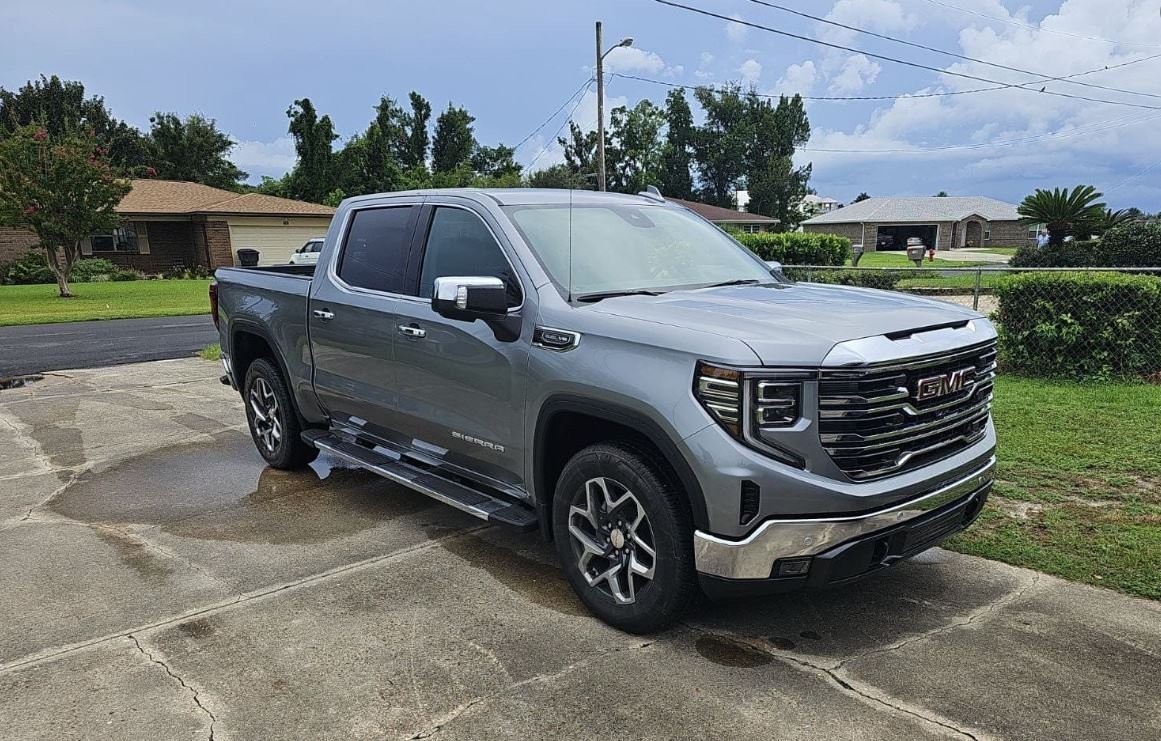
Unfortunately someone pulled out in front of me and totaled my 2022 Chevrolet Silverado LT. Picked up this 2023 GMC Sierra SLT to replace it.
-
Refresh Software update today
ddc1279 replied to jaxcam02's topic in 2019-2026 Silverado 1500 & Sierra 1500
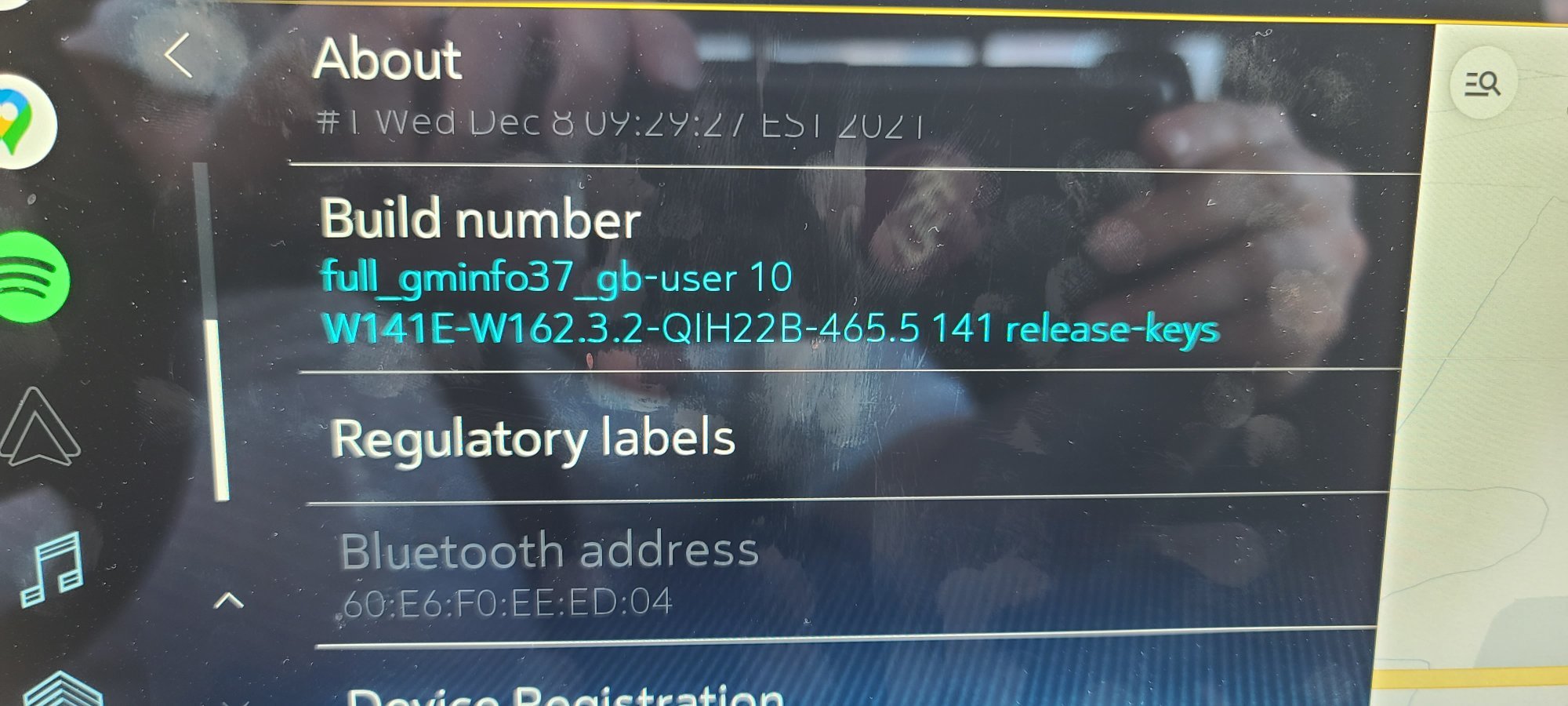
Apparently mine did not update to the latest version. I did get an update but our versions differ.
-
Vehicle off, drivers door open for 5 minutes. Supposed to be the "reset". OnStar had me do this when I contacted them for some troubleshooting.
-
Door Panel & Dash Speaker Removal
ddc1279 replied to mjonesjr84's topic in 2019-2026 Silverado 1500 & Sierra 1500
I swapped my front speakers out for Audiofrog 6x9" (GS690) and the rear speakers with Audiofrog 6" (GS62). I purchased from Crutchfield and the speaker adapter mounts and wire harness adapters for a 21 Silverado work the same. I have no swapped out the dash speakers yet, but do plan to. I just haven't gotten around to the having the time to deal with the dash and a-pillar removal. When I do, I will be putting Audiofrog GS25's in. So far, the front and rear door speaker swap has been good. I think I need to go back and put some sound dampening because I can generate a little rattle. Otherwise, the sound is great and it was a very easy install. I have noticed that the speakers I put in my truck do not show as fitting the 22 refresh on Crutchfield, I can assure you that is incorrect. The mount adapters and wiring harness are exactly the same. -
Door Panel & Dash Speaker Removal
ddc1279 replied to mjonesjr84's topic in 2019-2026 Silverado 1500 & Sierra 1500
for the door panels, it is essentially the same as taking off the 21 door panels (front and rear). On the front there are screws (7mm?) under a flap in the interior door handle and at the bottom of the door panel. Then pop the door panel and lift up. Same for rear but less screws. for the dash.. -
mafd, give this a look. I will probably try and swap my dash speakers out tonight once UPS delivers. Seems the entire dash panel piece comes off after the A-pillar covers are removed. Plastic pry tool I have from Crutchfield should pop the tabs loose. Will update once I have a chance to do the swap.
-
2022 At4x Heads up display issues
ddc1279 replied to Rockyah86's topic in Troubleshooting, Warranty & Recalls
Manny Man, Is there any way you can show pictures of what to do to remove the refresh dash area to get to the dash speakers? I want to replace my speakers but not 100% sure on what area needs to be removed. I would greatly appreciate a visual reference. -
I put some Audiofrog 6x9's in the front and 6" in the rear of my 2022 refresh LT. Problem I currently have is that I have no clue how to access the dash speakers so if anyone figures that out... Crutchfield provided adapters for the speakers that work decently well.
-
I have only had my 2022 (refresh) Silverado LT Crew Cab 4x4 for a month, and yesterday I started experiencing an issue with Google Maps that had me wondering whether there was an issue with my GPS antenna, or possibly the Infotainment system itself. For clarification, this is not in reference to Android Auto, but the actual Maps application and subscription you pay for to use in the vehicle. Anyway, the Maps application (both the actual full-screen and mini-map on the right side of screen when using other apps) refused to load. It would start up like it was going to load fine, then go back to the home screen (or black screen for mini-map on right side). After calling OnStar, they had me go through the radio reset process with them and that did absolutely nothing. The rep on the phone then requested I take the vehicle in to my local dealer. After getting off of the phone with the OnStar rep, I realized that this is essentially Android apps, so I was just going to delete the Google Maps application and reinstall it through Google Play to see if maybe that would clear whatever software issue it was having. As soon as I load into Google Play, it shows there is an update for none other than Google Maps "Well son of a ******... has it been an update issue this whole time?" Downloaded the update, turn off the truck and restart it (I work in IT so "turn it off and turn it on again"). Everything works again as intended! Be sure to check your apps in Google Play for updates if you are running a 2022 refresh!

-
Forum Statistics
250.4k
Total Topics2.7m
Total Posts -
Member Statistics
342,833
Total Members8,960
Most Online
-
Who's Online 4 Members, 0 Anonymous, 330 Guests (See full list)