
Leaderboard


.thumb.JPG.2c573de60d3a3a4407c7d92298db46dd.JPG)
Popular Content
Showing content with the highest reputation on 03/27/2026 in all areas
-
This isn't my k2 but I did it. I did a full stereo install on my coworkers silverado and the denali cluster.
 2 points
 -
Hey guys, wanted to just share something that ive been working on for the last couple weeks. I got my 2026 Silverado 2500 with the 6.6L Duramax. I previously came from a 2020 3500 with the 6.6L Gas motor. So far im loving the new truck and the Duramax. I wanted to get the iDash Pro for the truck but with the gauge and the pod, man it was pretty much over $600 after shipping. So instead i decided to try to build my own application that could display similar data on the trucks nice infotainment screen. There is tons more real estate there anyways. So thats what ive done. I bought the OBDLink MX+ to get data off the OBD-II CAN bus. I bought a small ESP32 dev board to interface with the OBDLink, and then i built an Android Auto app that i installed on the truck through a private Google Play release. So far everything is working great. Im still very heavily developing the software so there are lots of things i want to implement, but here is a screenshot of the screen so far. I have configuration screens and some other data that is not in the screenshot but this is the main area. I think im going to redo the way these gauges are shown and put more of the large gauges up instead of the 4 that i have now, with the smaller ones below. Has anyone done anything similar? Sorry for the finger prints all over the screen... ill get some better images later
1 point
-
Glad to join the group.
1 point
-
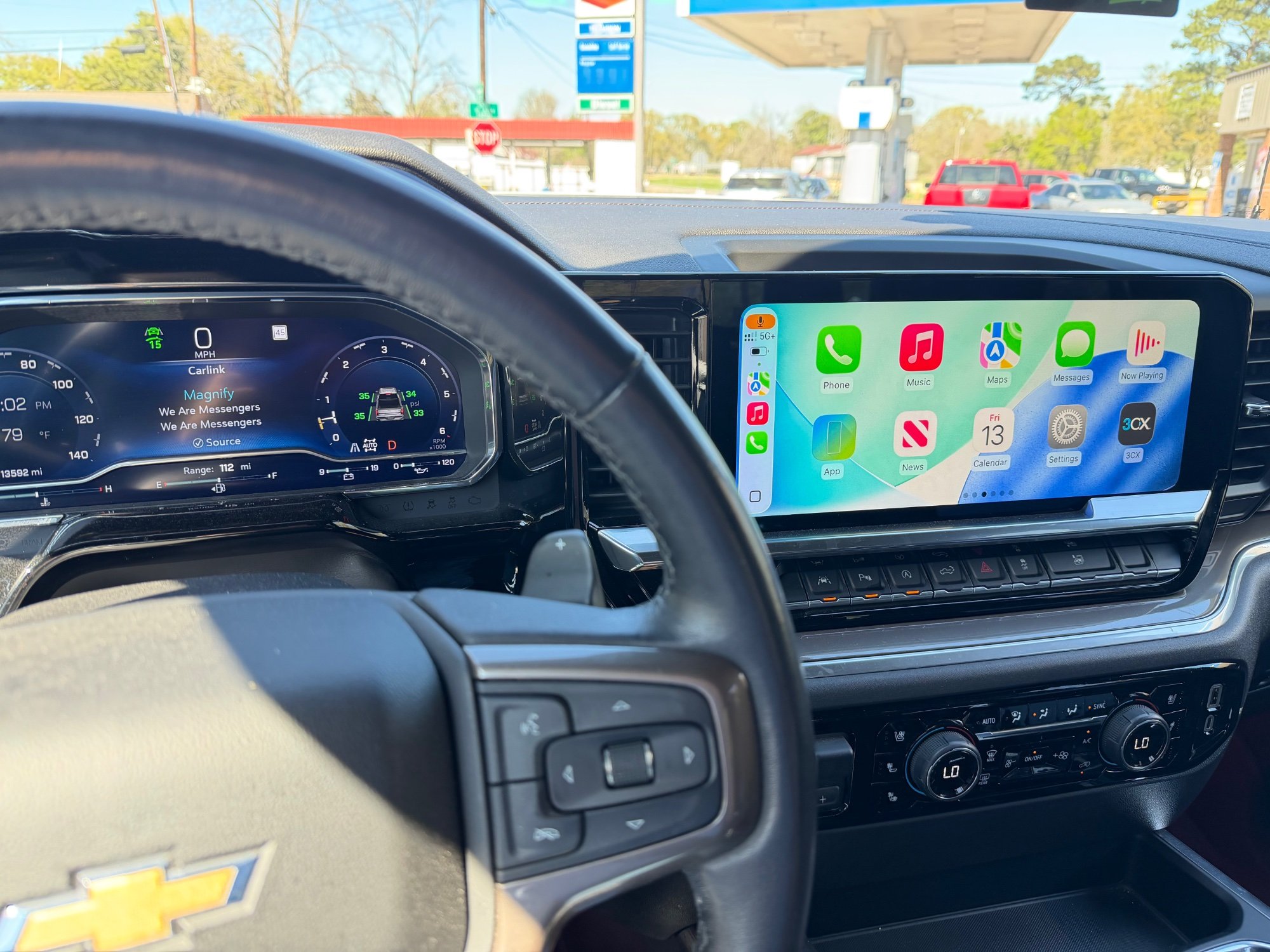
Hello everyone! I have discovered a way to get full screen CarPlay on refreshed Silverado/sierras. I can’t take the credit though. Ivalen91 on GitHub (https://github.com/lvalen91/carlink_native/blob/main/README.md) is the mastermind behind this. This post is a guide for everyone to know how to use his work in your own trucks. You’ll need a: Computer Carlinkit CPC200-CCPA Google Play Console account ($25 Registration) Prerequisites: Your truck MUST be running Android 12. GM’s Check for Updates screen is useless and never finds any updates. So, unless you want to pay for an expensive dongle and a license to GM’s Programming software, I highly recommend going to a dealership and asking for them to update your A11 Radios calibrations. Most techs will not understand someone saying update truck to Android 12 from Android 10, so you must tell them to check for calibration updates. You can tell them to check Bulletin 25-NA-318 for more information. Your Carlink dongle must be running firmware 2025.10. To be completely honest, I updated mine on my Mac using https://f-io.github.io/LIVI/ I have no clue on how to update the firmware any other way so I’m hoping someone can chime in here. LIVI does say it supports windows as a best effort but it might not work as well. Note: I use a Mac so I cannot assure you everything will be the same if you use Windows or Linux, therefore I will mostly likely not be able to provide support for any questions if you are not using a Mac. Hopefully, in the comments, someone will be able to answer your question if one arises. Let’s get started. Make sure your truck is on Android 12 by going to Settings>System. Scroll down to About and it should say your Android version. If 12, you can go to next step. If it is on Android 10, you must update to Android 12. More information available under the prerequisites section. Go to your computer and download Android Studio. Once downloaded, click File>New>Project from Version Control. Make sure Version Control is set to Git. In the url field, type the following: https://github.com/lvalen91/carlink_native Click clone. You will see a message saying Gradle project sync in progress. Wait for it to finish syncing before doing anything. In the left side bar, expand the Gradle Scripts arrow. Click on build.grade.it’s (Module :app) Scroll down to defaultConfig { Where it says applicationID, change it to something like “com.yourname.carlink.” It has to be unique. Sine your name could be taken, you could add your birth year or something if you want. Change the version name to 1.0.0. Whenever you recompile the app for future updates, you change that to 1.0.1 and so forth. In the left side bar, expand the manifests arrow and select AndroidManifest.xml then scroll all the way down the line 151 where it says Android:authorities=“com.google.android.apps.automotive.templates.host.ClusterIconContentProvider” Change it to something like com.yourname.google.etc… Basically just add your name or whatever you want somewhere in that text. Now, we need to create the app. On the menu bar, Click Build, then select Generate Signed App Bundle or APK. Click Android App Bundle then select Next. You’ll need to create a thing called a keystore. Click Create new, select a path, then type a password in both sections asking for a password. Under Certificate, you only need to fill in one of the fields. Make note of the key alias and password because you might need it for future use. Click Ok then Click Create. Congrats, you just made an App! On the notification that says the App bundle was successfully generated, click locate and note where the file was saved at. Now we need to create a Google Play Console account. Since I already created one, I’m not sure of the exact steps so I recommend just looking up how to create an account. I believe it can take a day for your account to be verified. Once your in, click Create App and enter all the details. On the left side of the screen, you should see a tab that says Monitor and Improve. Click that then Policy and Prograns then select App Content. Select the option for Privacy Policy then type in https://bit.ly/47iVQvI After that, on the left side of the screen, click Test and Release. Click it then click Testing, then Internal Testing. Click create New Release, then click Upload. Select the file (app-release.aab). The next thing to do is accept an invite. Unless you have an Android device, you must change your user agent on your browser to be an Android phone because Google only allows someone to accept the invite if they open that link on an Android device. After you do that, Under testers, click copy link and paste it into a new tab (or into an Android phone if you have one). It’ll ask you to sign in and if you want to join the beta testing. Next, go to your truck and open the play store. Remember that applicationID you came up with? Enter it in the search bar. For instance mine is com.evanstelly.carlink. It’ll show up with an (unreviewed) tag next to it. Click it and download it. Plug in your Carlink dongle and open the app. It should automatically find it. You will have to click Allow Carlink to access Auto Box everytime you open the app. Slight annoyance but worth it in my opinion. Open Bluetooth on your phone and select Carlink. Once it’s paired, you’re done. I personally dragged the icon to where the phone icon was on the sidebar so I can open it with ease.
1 point
-
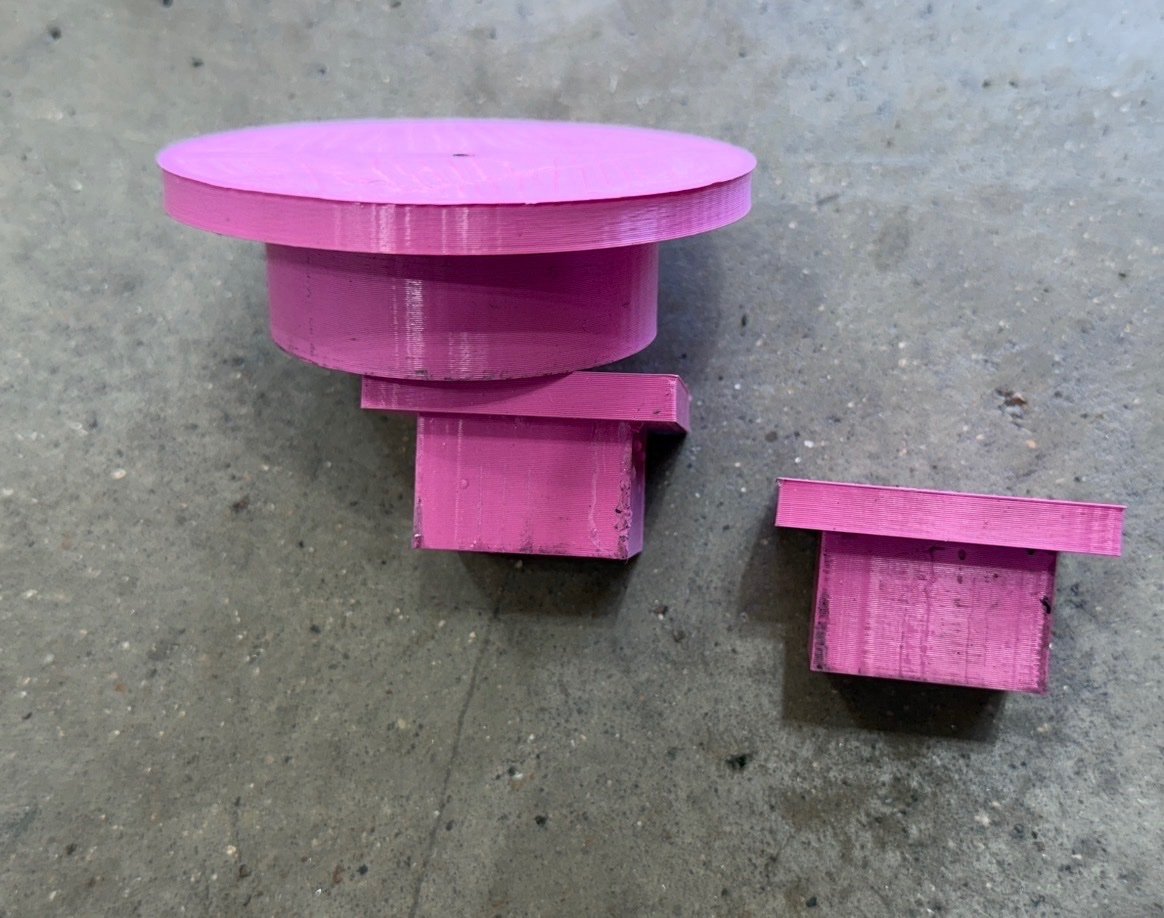
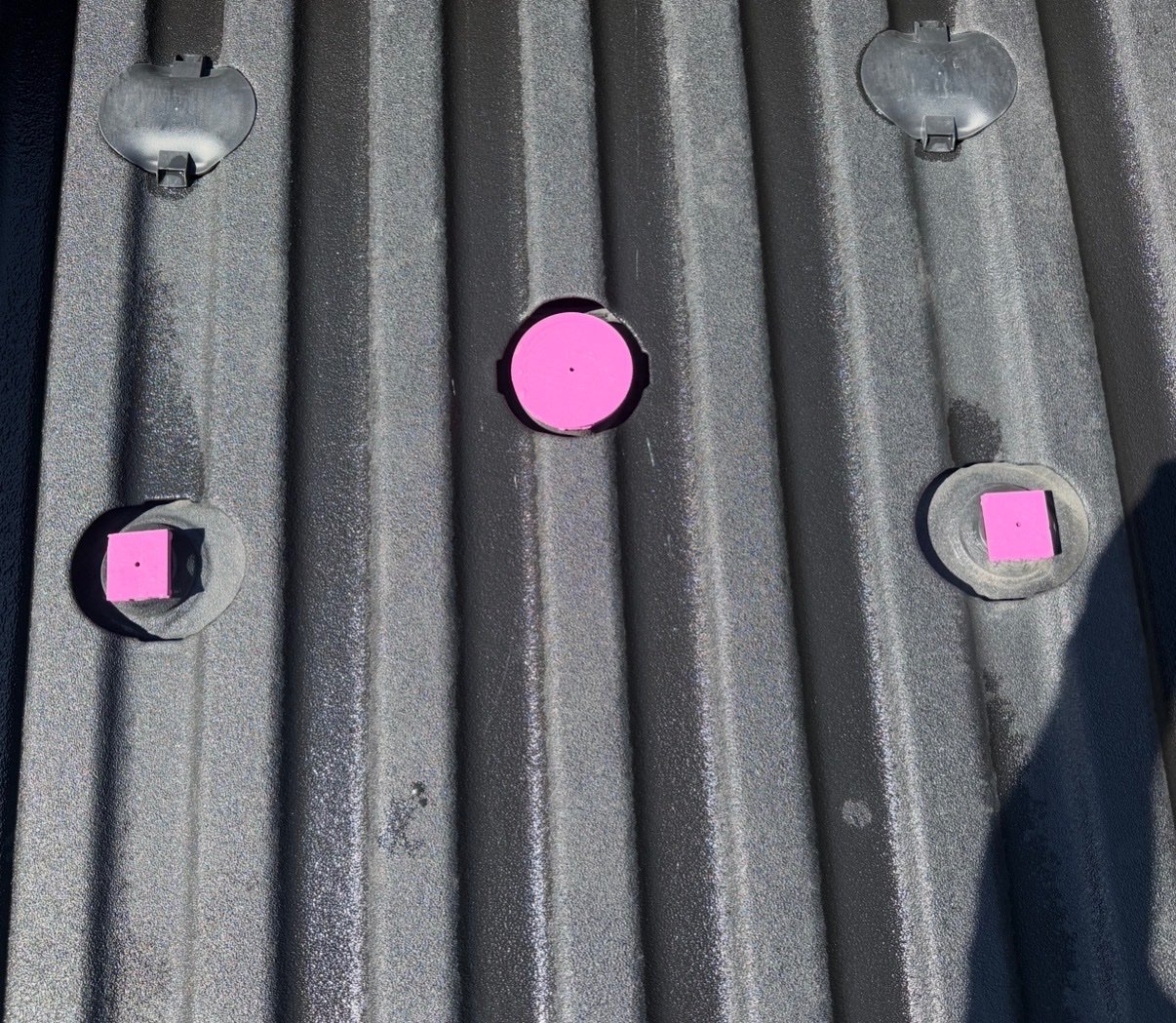
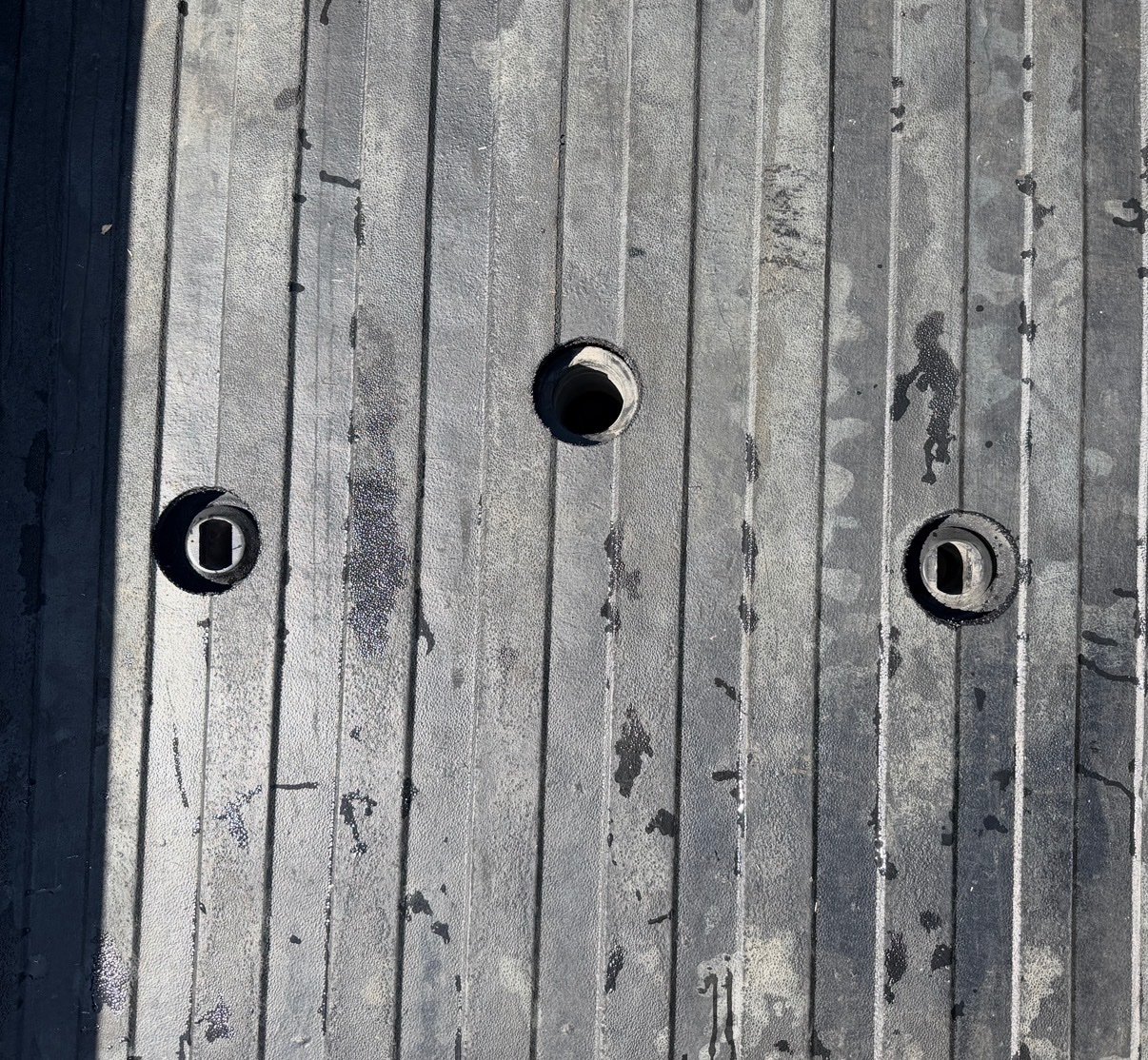
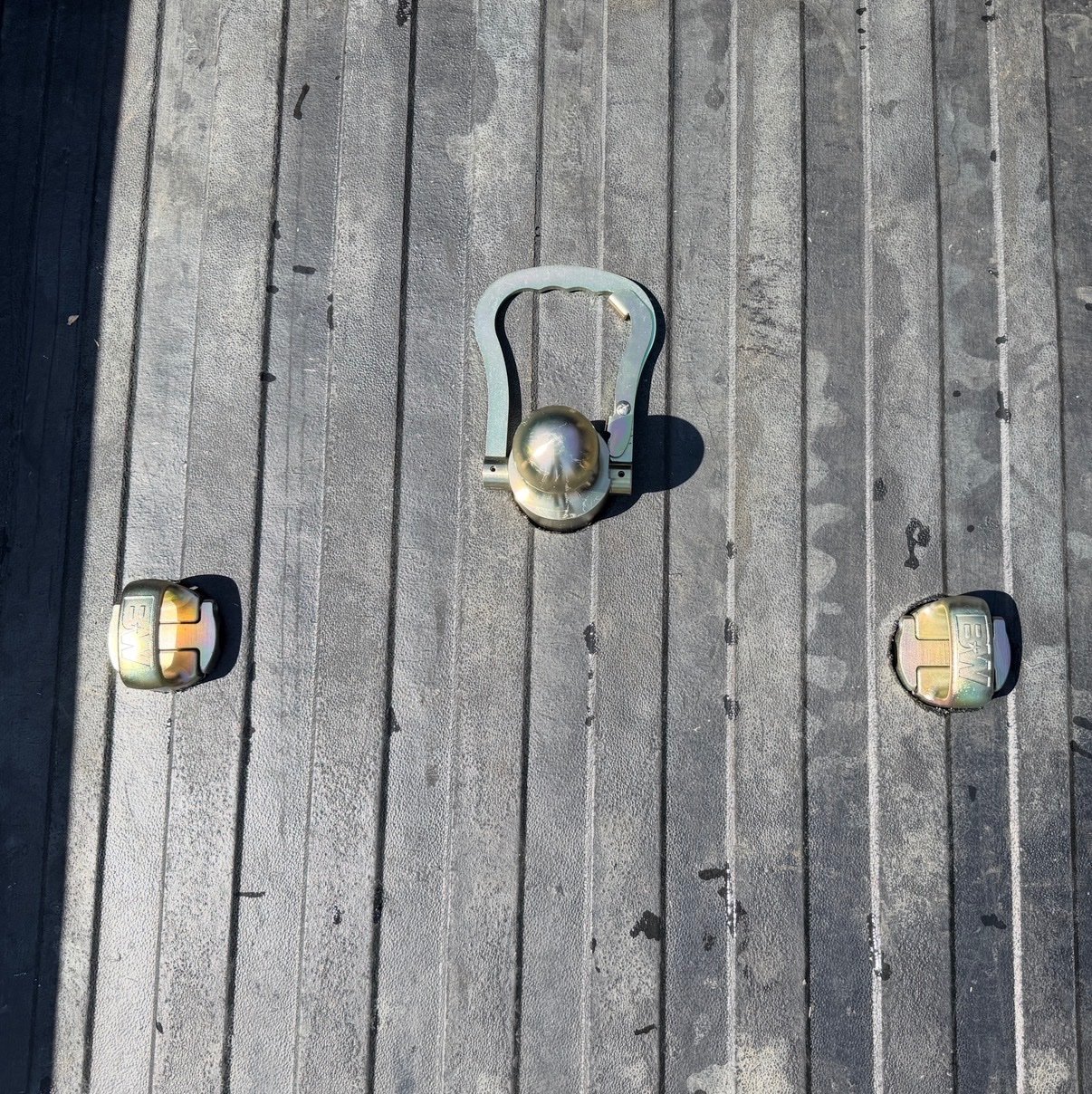
I finally have a need for my gooseneck ball and safety chain anchors. I have the GM bed mat. I didn’t want to roll the mat up to use the holes so I drilled some in the mat. I 3D printed some drill guides and drilled pilot holes up from under the bed. Then removed the mat and drilled 3.25” holes. Worked great.
1 point
-
The red lights are the Memphis 600.1 sub amp. The green kicker amp is a 800.8 marine 8 channel. This truck is a LT so no bose. I used the kicker keyloc to come from the head unit. I put that in the dash where the cd player was. We deleted the CD player because he is going to go the ipad route and push the factory radio back in the dash. The harness was a pac harness then ran 9 wire from amp back to head unit and tied into the door speakers. Isolated dash tweeters and the tweeters in the front of the center console sub box on their own channels the highs are all kicker ks series. 2.75 inch in the dash a set of 3.5's and a set of 6.5's in the center console. Front doors are 6x9's the rear doors are 6.5's. And a 12" Memphis sub running 2ohm1 point
-
This is why you can't trust AI searches and people should stop using them. N242454440 is the reprogramming recall for software to detect the valve wear sooner that causes the wheel lockup. It is NOT for replacing the valve body. N252536750 is ALSO reprogramming the TCM for better valve wear detection.1 point
-
Diesel at $7.09/gallon near Seattle. Know what's affected by the price of diesel? Everything. The more times we win this conflict with Iran the more the price of fuel seems to go up.1 point
-
Well, that truck is ancient history. After the endless list of problems and the utter frustration the A-hole engineering caused me over the 16 painful years & 134k miles, I couldn't take it anymore and finally dumped it 3 years ago. I bought this instead. Best thing I ever did for my mental health ... AND my wallet! https://postimg.cc/mzKr55sY https://postimg.cc/tnPgQNRH https://postimg.cc/jD9d51W51 point
-
Normalize your results. Divide PPM by K miles. Iron for example is 36 ppm / 7.5K miles = 4.8 ppm/K miles Not shabby for a Ecotec3 platform where 7 ppm/K is the universal average. Be happy, don't worry. BTW good choice IMO anyway. Try the 0W40 AZF1 point
-
I went ahead and ordered the AEV plate. I’m going to do some modifying to the plate and the differential this weekend to get it to fit, and I’ll get back to you. Stay tuned.1 point
-
This is not a GM support forum. You need to directly contact GM if you have concerns about what is and is not covered. Or maybe go to a different dealer,1 point
-
THIS. GM can't build oil cooler or transmission cooler lines worth a damn, since the 1990s. We're on the 4th set on our 09 Silverado. In our experience, they sweat in a year or two, and then immediately proceed to dripping and worse. If you have skid plates, they act as catch pans and help to hide the extent of the leaks. The NAPA ones last longer than the genuine GM parts.1 point
.jpg.8cf03079ad1fdb984c9a0d613dc103dd.jpg)
.jpg.db42f8ec4f5f7914857cdffd389b5076.jpg)
.jpg.1c4de44796cbe564459e63dfa2dd1733.jpg)







This leaderboard is set to New York/GMT-04:00