


rah7777777
-
Posts
459 -
Joined
-
Last visited
Recent Profile Visitors
9,143 profile views



rah7777777's Achievements

Enthusiast (5/11)
147
Reputation
-

2017+ Reverse Camera Dimmer Fix
rah7777777 replied to turbocdubs's topic in Modifications & Accessories
I'm about to do this, i'll be testing the 110v outlet, if it does shut that off, i'm just going to wire in an on/off switch so I can "connect" it all back to factory when I need the AC outlet (Rare). -
I had that done and it definitely helped back then. But I lived in the city with a lot of light out. Now I'm out in the country backing up on a long driveway and its pitch black at night and its back to too bright. I've just been covering the display up with my hands and using the mirrors for about 2 years now, telling myself each morning I need to look up that wiring mod to make it dimmer haha
-
Hello everyone, I haven't been on here much in a couple years. Long story short, there used to be a thread that had a wiring mod you could do to turn down the backup camera brightness. (2018 Silverado) When I search i'm only getting 1 result with each search, so I think its messed up. I'm hoping someone has a link or might know where this thread is talking about the wiring mod to reduce the backup camera brightness? I've done the TSB GM had for it and when I lived in the city it helped it enough, but now I live out in the country where it is pitch black when backing up in my long driveway and I have to cover the screen every morning as its still way too bright for me. THANK YOU!
-
I don’t like chrome myself. Unless it’s on an old car. so I say peel it all off. I got everything off my Silverado and peeled the chrome off the front bumper and running boards and then sprayed them with bed liner spray.
-
2018 Silverado rear differential mini spool
rah7777777 replied to Supercharged18's topic in Engines & Drivetrain
I put a TruTrac in my old 02 Silverado. I was blown away with how well it worked. Just fantastic in every aspect for my needs. worked much better than the g80 in my 2018 Silverado. -
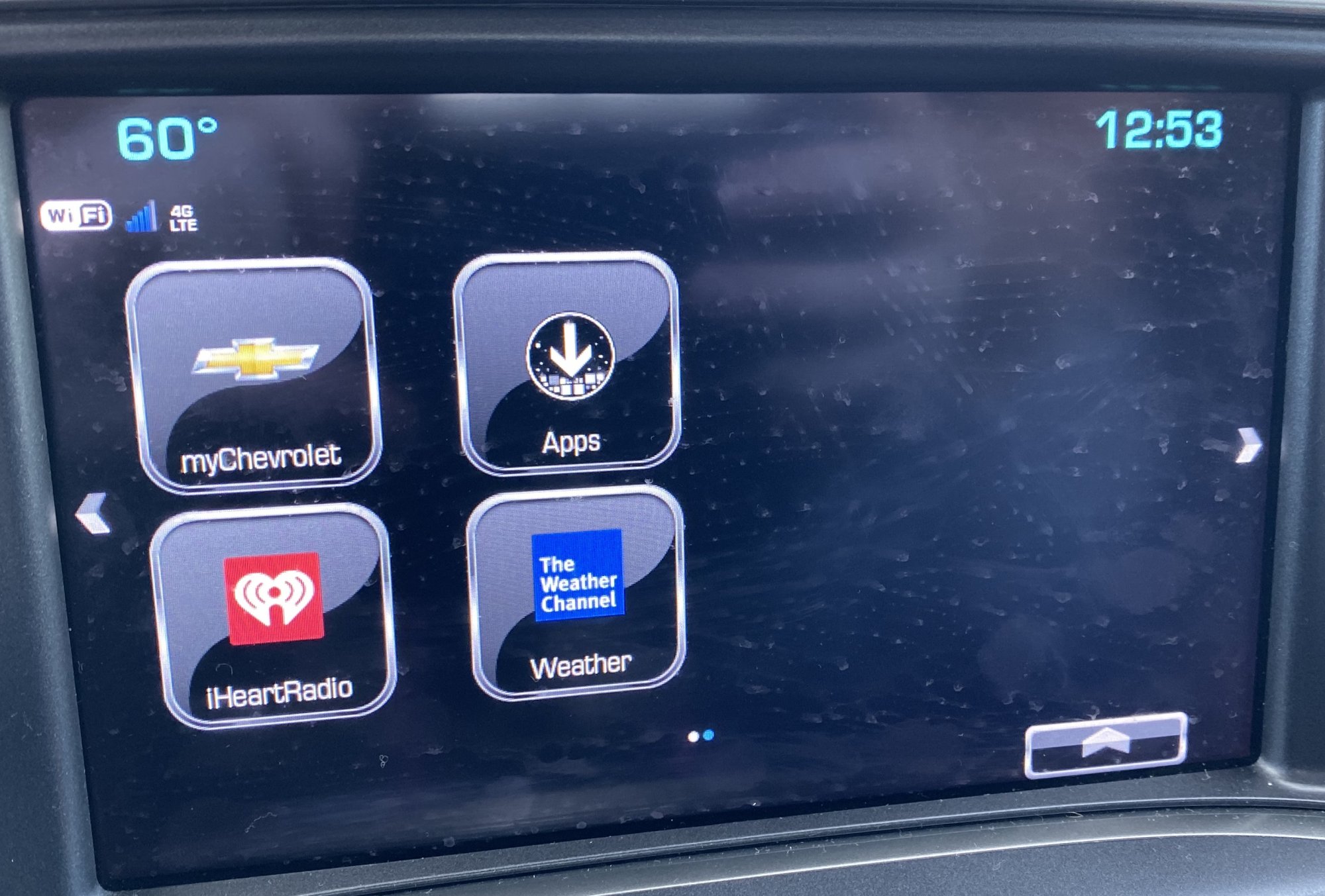
Update. After much more research.... I’ve found out 3 things. 1- I am in fact an idiot 2-GM’s literature is misleading 3-GM has the shittiest “App Store” in existence. The 14 apps that I can see on my screen are all I can get. Somewhere along the line they added Spotify, but must be after my truck was made and won’t backwards update to mine.
-
Pulled the battery for a few minutes to reset the radio and WiFi. now the radio shit the bed and won’t connect to anything. I do remember it taking about 2 weeks for pandora to work last time I disconnected the battery. I'm assuming there is a deeper radio issue going on here.
-
Then I gotta have a cable cluttering up my center console. if the truck has the option to make it easier, i'm going to go that route. ...... well if it would work anyhow.
-
I don't like to fool with my phone when I get in the truck. Like my pandora now, I downloaded that to the truck. So i get in, hit the pandora icon on the dash and it starts playing. and I don't have to jack with my phone or cords at all. What started all this is the wife wants to cancel pandora and get spotify and I was just trying to get the spotify app on my screen instead of pandora.
-
Hitting the + just opens that app. Marketplace is something to do with ordering food and what not. other stuff too, but once I realized it wasnt the "app" store, I left it alone. This morning my radio was freezing up, just a blank screen. Going to pull fuses later and see if that helps anything.
-
on GM's website, they claim there are 1000's of apps available to download that work on 2017 (or maybe it said 2016) and up models
-
I know you can download apps as I had to download pandora when I bought the truck. I want to search for spotify as I've seen that in another truck before, so I know GM has an app for it. Thats my issue, I can't get to the screen to search the apps that can be downloaded to my trucks radio.
-
I might be an idiot here... or just blind! I've searched and searched, even talked to GM support and they weren't helpful. On my 2018 Silverado (LT, Z71) with 8" mylink radio, I can NOT figure out how to download more apps. I DO NOT have On Star, but I do have the $20 a month unlimited data and it works as I use it for Pandora (That I did download when I bought the truck, just don't remember how and I did have the trial version of on star then). And my phone connects to the truck to use its wifi. I have the icon named "Apps", when I open it I can not see anything about the "store" to browse for more apps. Now, in a bunch of videos online, they have "store" or "shop" as the app on the screen, with the same icon my truck has for "apps". Can you not get to the "store" or "shop" if you do not have on star? (but do still have wifi?) If it matters, about 5 months ago I pulled the battery and after connecting everything back the wifi didnt work for about 2 weeks. and then 1 day just started working again. Thanks! And in the event someone comes back with a quick fix that I overlooked, I apologize for being an idiot!


-
Forum Statistics
250.5k
Total Topics2.7m
Total Posts -
Member Statistics
342,925
Total Members8,960
Most Online
-
Who's Online 9 Members, 0 Anonymous, 1,499 Guests (See full list)