

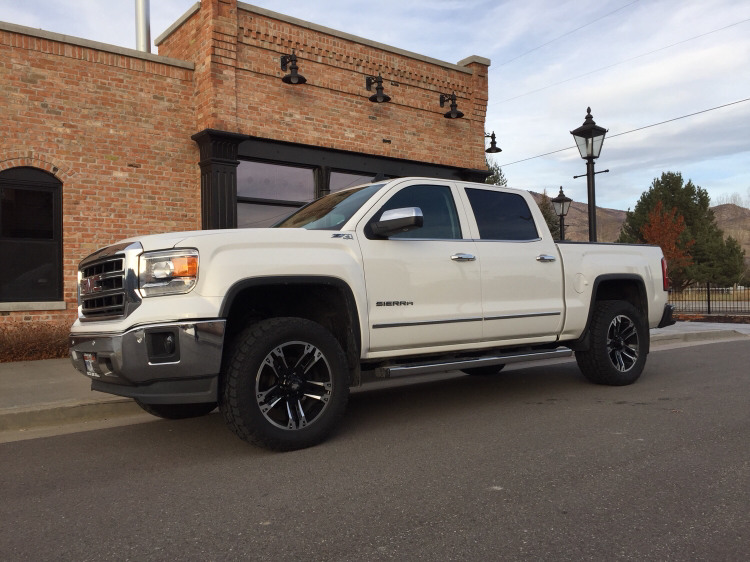
Bandit33x
-
Posts
65 -
Joined
-
Last visited
Recent Profile Visitors
4,029 profile views

.thumb.JPG.2c573de60d3a3a4407c7d92298db46dd.JPG)



Bandit33x's Achievements

Enthusiast (3/11)
10
Reputation
-
Can't Start Truck At All - Service Theft Deterrent System
Bandit33x replied to Bandit33x's topic in Troubleshooting & Recalls
I tried disconnecting both positive and negative cables of the HID system and leaving them off while trying to start and still didn’t work. Checked all fuses related to BCM, pulled and tested with meter and reinstalled. No Change -
Can't Start Truck At All - Service Theft Deterrent System
Bandit33x replied to Bandit33x's topic in Troubleshooting & Recalls
I’ve looked for a fuse that relates to the security system and have been unable to find it. -
2015 GMC Sierra 1500 SLT - 82,000 Miles - Original Owner Bought New Off Lot Was having some issues with the headlights turning on so I disconnected the ground cable from the battery to clean the connections for the HID system since wiggling it always fixed it before so I figured it was a bad wire or connection. After reconnecting the battery, Service Theft Deterrent System popped up and haven't been able to start it. - Never had this happen before. Have tried the following: Different Key - No Change New Key Fob Battery - No Change Disconnecting both Battery Cables for a few hours - No Change Disconnecting battery cables and touching + & - together for about a minute - No Change Reset 2015 GMC Sierra Theft Deterrent System Steps - No Change Unlock the driver's side door with the key and then lock it, and then unlock it again and the system should be cleared. Use Remote Start - Doesn't work Turn off and back on multiple times - No Change Reset Theft Deterrent Mode Steps (Similar steps from multiple Threads) - No Change (One Note: My Theft Deterrent Light Never goes off) Insert ignition key. Turn it to the on position. Attempt to start the engine. ... Leave the key in that position until the security light stops flashing. ... Once the light goes off, switch the ignition key to off. Wait about five seconds. Try to start the engine again. Repeat up to 2 more times - No Change Insert ignition key and turn to the “ON ” position. Do not attempt to start the engine. Leave the key in the “ON ” position for approximately 11 minutes. The security light will be steady on or flashing for the 11-minute period. - No Change Any help would be appreciated. Luckily it's at home and in the garage (After pushing it in. LOL) since it happened in my driveway.
-
Taking off RC 7.5 lift replacing with 7-9 Mcgaughys
Bandit33x replied to Zrodie21's topic in Modifications & Accessories
Sweet truck! You should be their truck mascot, you match their sign perfectly. Lol. Do you have spacers on with the stock rims? -
What have you done to your K2 today?
Bandit33x replied to block8head's topic in Modifications & Accessories
Well that looks easy. I was going to leave them on but didn’t really want to slip and cut the leather or plastic. Definitely just going to pull them. Now to decide which color to do. -
What have you done to your K2 today?
Bandit33x replied to block8head's topic in Modifications & Accessories
How did you get these off? Are they just clips? Or screws somewhere? -
I have a 3.5” Superlift. 3 MPG drop because of the tires. I ran the stock ones with the lift for about a year with no change in MPG. TOYO AT/2 305/55/R20 Maverick Ultra Wheels +18 offset (Didn’t come in 0 offset unfortunately, which is what I would have liked). Rubs only the sway bars on full lock.
-
Bandit33x changed their profile photo
-
Aftermarket push button start
Bandit33x replied to JudgeDredd's topic in Modifications & Accessories
This! It's not about the actual start button, it's the automated features that are associated with it. -
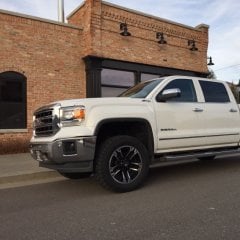
This is a cool looking stance! A little wider than I'm looking for but still cool! What's all the details on your tire and wheel setup?
-
This looks sweet! Is that a custom hood? And what kind of lights do you have?
-
2014+ Truck Bed / Tonneau Covers
Bandit33x replied to Green 1364's topic in Modifications & Accessories
I just installed the Truxedo Deuce. Full roll up cover with a front open option too. Install wasn't to bad and it looks good. They also have the Truxedo titanium buy it was an extra $400 and I didn't really feel like I needed it plus, I'm putting in the Truxedo tonneau mate and so I like the option of the access to the front without rolling the whole thing up. You do lose some security but I live/work in a good area so it's not a huge concern. -
For those of you with the RC 2.5" leveling kit, did you have any issues getting the camber back to where it is supposed to be? My shop guy is worried about getting the camber back to 0 (or whatever it is supposed to be) after the 2.5" Rough Country. I'm not sure if 0 is the right number, and I'm not really familiar with where everything is supposed to be. He's suggesting the Fabtech 2" and prefers Fabtech since he believes it is a better product. I really like the look of the 2.5", but am wondering if I should take his advice, even though lots of people in this thread don't seem to have any problems with there 2.5" kit.
-
-
-
Weathertec Floor Mats & Mudflaps
Images added to a gallery album owned by Bandit33x in General/Off Topic
WeatherTech Front and Rear Mudflaps http://www.weathertech.com/gmc/2015/sierra-sierra-denali/mudflap-no-drill-digitalfit/sierra-class/1500/sierra-dually/no/ WeatherTech DigitalFit FloorLiners http://www.weathertech.com/gmc/2015/sierra-sierra-denali/floorliner-digitalfit/sierra-class/1500/sierra-cab/crew-cab/sierra-console/non-flow-through-console/sierra-shifter/no/sierra-storage/no/ -
-
-

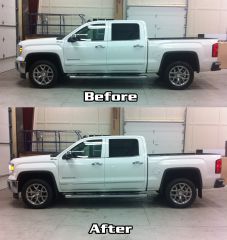
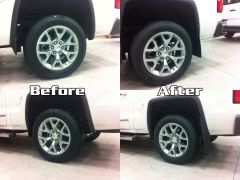
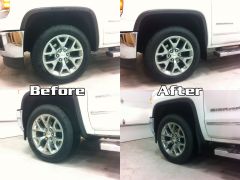
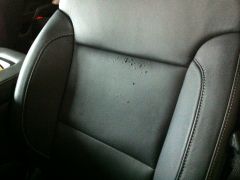
-
Forum Statistics
250.6k
Total Topics2.7m
Total Posts -
Member Statistics
342,992
Total Members8,960
Most Online
-
Who's Online 8 Members, 0 Anonymous, 682 Guests (See full list)