


Ryno12
-
Posts
243 -
Joined
-
Last visited
Content Type
Profiles
Forums
Gallery
Events
Articles
RPO
Store
Blogs
Everything posted by Ryno12
-

Dumb spare key for 2019?
Ryno12 replied to Philipgonzales3's topic in Troubleshooting, Warranty & Recalls
Yep, I have two fobs from the factory. I already purchased & programmed a third fob. Had I thought of programming these keys, I would’ve done that instead. Honestly, I didn’t even realize they were chipped when I bought them, until you said something now. My plan was to just use it for the tonneau cover. I’m glad you mentioned that to me, so thanks again. -
Dumb spare key for 2019?
Ryno12 replied to Philipgonzales3's topic in Troubleshooting, Warranty & Recalls
Awesome, glad it worked out for you! That’s a great idea to program the key. I didn’t even think of that. -
Dumb spare key for 2019?
Ryno12 replied to Philipgonzales3's topic in Troubleshooting, Warranty & Recalls
My truck is a 2020 2500HD but I’m assuming the key blanks are the same as your 2019. Keyless2Go New Uncut Replacement Transponder Ignition Car Key High Security Laser Sidemill B119 HU100 (2 Pack) https://www.amazon.com/dp/B00Y1HUMS8/ref=cm_sw_r_cp_api_i_C5tlEbRCGSRVZ -
Dumb spare key for 2019?
Ryno12 replied to Philipgonzales3's topic in Troubleshooting, Warranty & Recalls
I had bought an OEM GMC fob (as a 3rd spare) & two regular key blanks from Amazon for around $100. I took the 3 key blanks in to a local GM dealer to have cut. They charged me $12 total to cut all three. -
Dumb spare key for 2019?
Ryno12 replied to Philipgonzales3's topic in Troubleshooting, Warranty & Recalls
Yes, I have the same tonneau cover & had a full size key blank cut to match my fob key just to use on the Extang lock. I keep the key in my truck so I don’t always have to pull the key out of the fob. -
Your best 25/50/400 mpg
Ryno12 replied to AJE's topic in 2015-2019 Silverado HD, Sierra HD & Medium Duty
Yeah, you quoted me last month saying the same thing. I didn’t reply because I wasn’t buying it then & I’m still not buying it now. [emoji3] I guess if you’re coasting down the mountains it’s possible... -
Correct. I called them about a month ago & was told they are no longer adding the text app back. Basically, if you got it, you got it, if you don’t, you don’t. I’ve called and complained numerous times & I made my disappointment very clear on every survey they sent me. Hopefully if enough people complain, they’ll reverse their awful decision to remove the text app.
-
What Have You Done With Your T1 Today ?????
Ryno12 replied to Sierra Dan's topic in Modifications, Wheels & Tires
Added LED bed lights this weekend. -
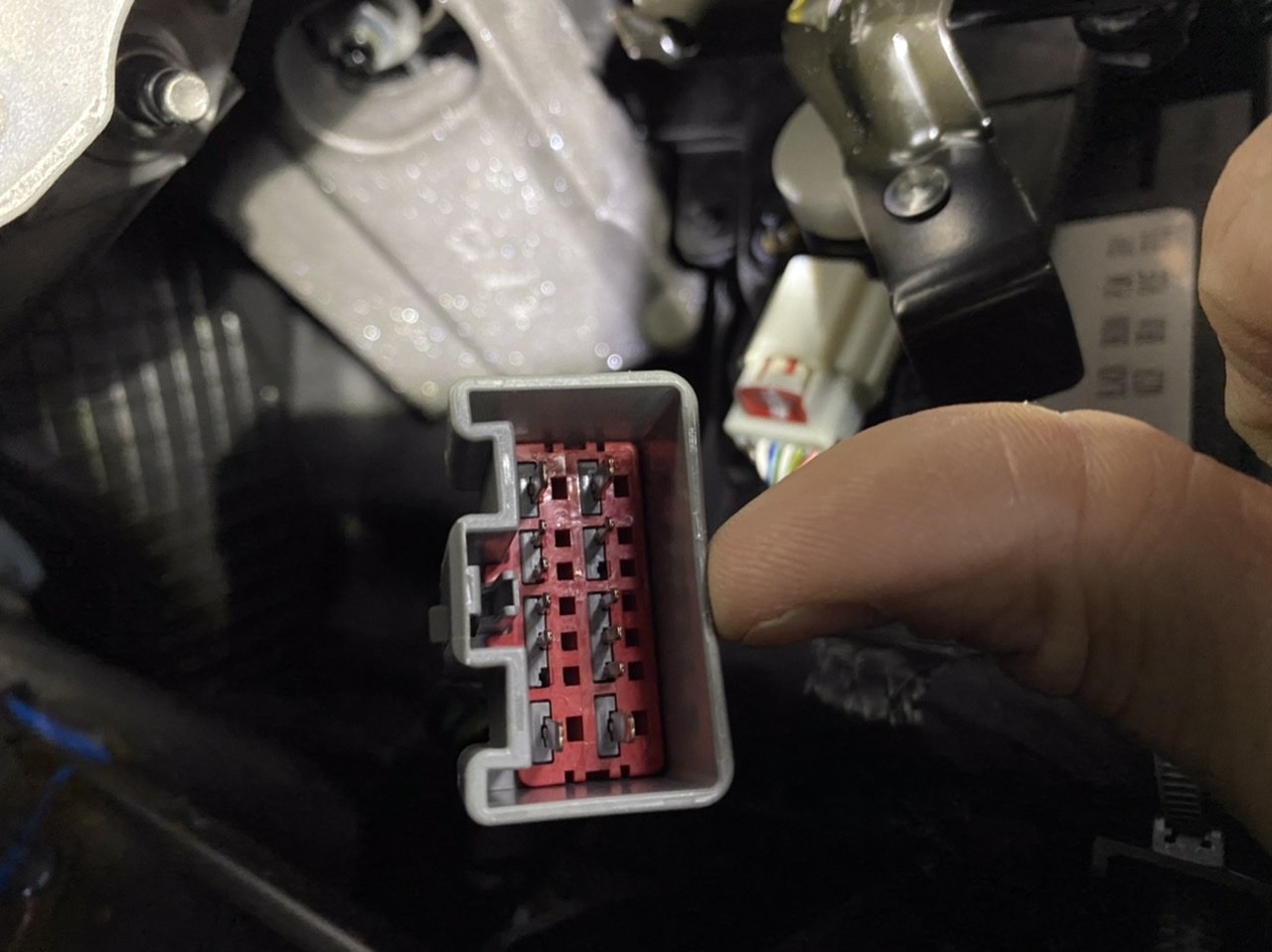
Bumping this thread & edited the thread title. Based on seeing very little information on the Rear Infotainment systems on this forum, wondering if anyone has info on wiring diagrams for the new 2020 HDs? I see plenty of electrical related mods here so I’m guessing someone has the info I need. I’m looking for the pin out info in the plug shown in the OP. Hoping to find one of the pins has constant power while the truck is running and/or in Accessory mode. Appreciate any help, thanks.
-
Should’ve bought the 2020 with the HD trailering system and its optional 8 cameras.
-
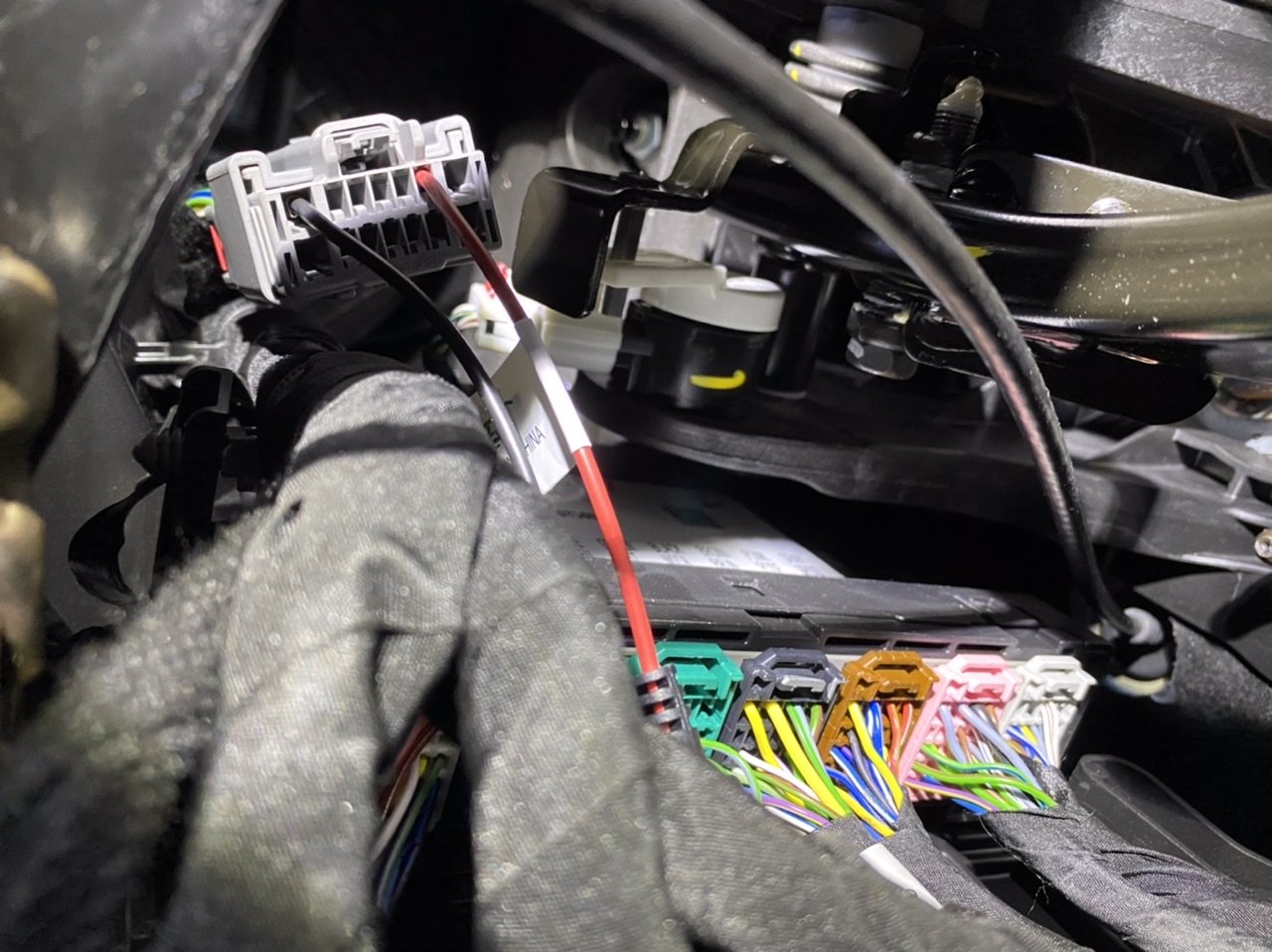
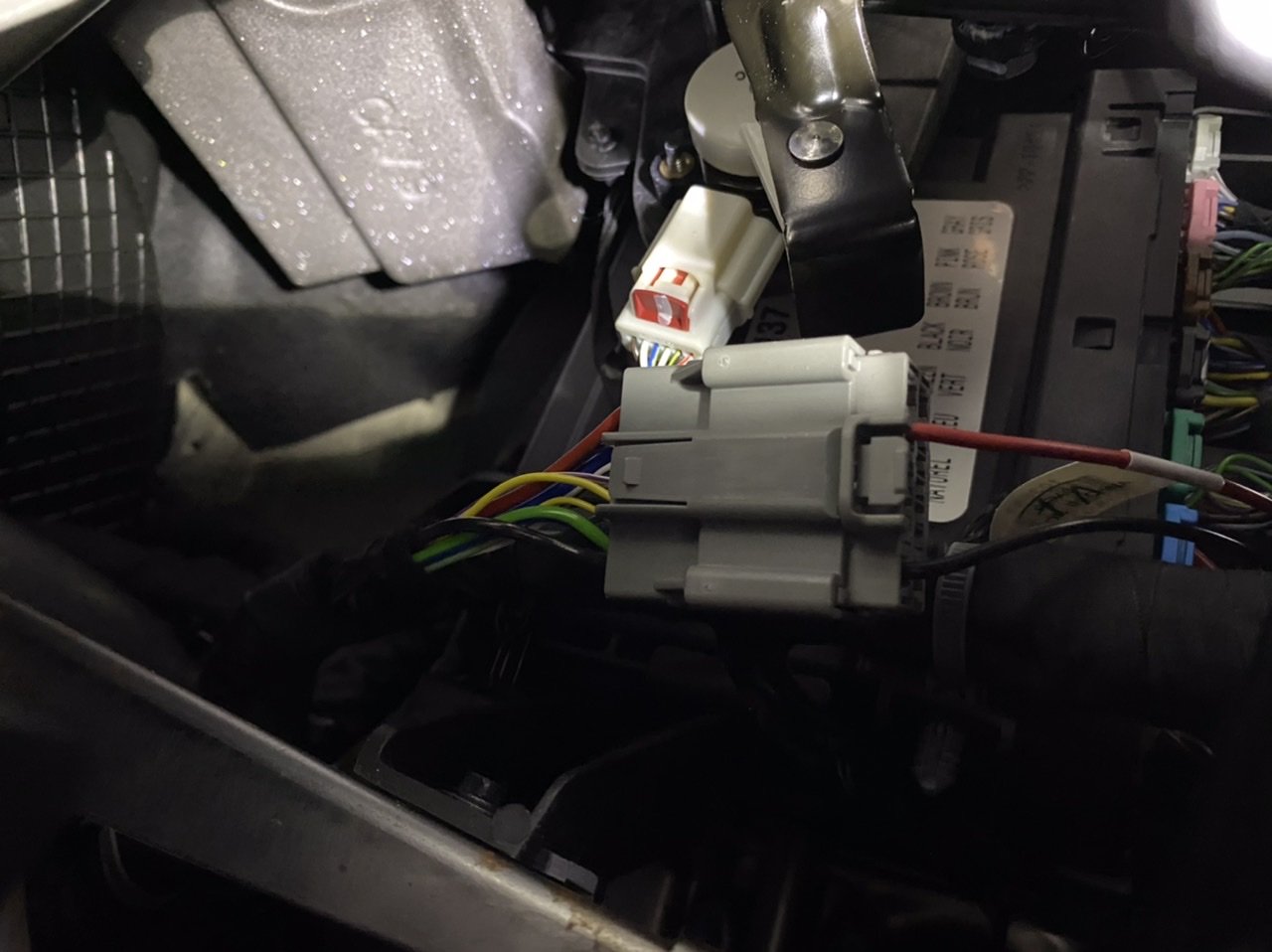
I had the GM Rear Seat Infotainment Headrest System (PN# 84556196, product link below) installed by dealer when I purchased a 2020 Sierra 2500HD. The issue I’m having is, the system completely turns off while the truck is running and whenever a door is opened then closed. Meaning, the truck will be running and in Park and the driver or passenger door is opened (system remains on) but the moment the door is shut, the system will shut off. The system will also shut off after about 5 minutes while the truck is idling. I would assume that the system should just work whenever the vehicle is running, regardless of the doors opening/closing and also while it’s idling. The only time it doesn’t shut off is while we’re actually driving. When the truck is not running but in accessory mode, the system will stay on for about 5 minutes then shut off even when the radio remains on and the truck is still in accessory mode. I’d think the system should remain on the entire time the radio stays on. I’ve discussed this with the dealer and they’re looking into it but haven’t figured it out yet. My suspicion is that the dealer didn’t tie the system into the correct accessory circuit. I’ve traced the wires to a plug under the dash on the driver’s (left) side, near the BCM. The red power wire from the RSI connects to the purple w/ yellow tracer in the plug. Does anyone here have a wiring diagram for the 2020 HDs that can confirm if that’s the correct connection? Or does anyone have the same RSI in their vehicle and see if their wiring is the same? Any help is appreciated. https://accessories.gmc.com/product/rear-seat-infotainment-system-with-dvd-player-in-jet-black-perforated-leather-84556196?year=2020&make=GMC&model=Sierra 2500 HD

-
Your best 25/50/400 mpg
Ryno12 replied to AJE's topic in 2015-2019 Silverado HD, Sierra HD & Medium Duty
Gotcha, no problem. I was thinking, damn, that’s impressive for an HD. -
That’s what I’ve been doing to compensate. I’ll just “Hey Siri...” and have her read/send texts for me. It’s less than ideal but at least it’s still hands free & through the vehicle speakers when connected via Bluetooth.
-
Your best 25/50/400 mpg
Ryno12 replied to AJE's topic in 2015-2019 Silverado HD, Sierra HD & Medium Duty
These can’t be HD numbers?! -
I’m having mine installed for $220 by the dealer. They said they have the install directions but they wouldn’t share them with me. You shouldn’t be paying $800. The install price is right on GM’s website.
-
Remote Start Heated Seat option
Ryno12 replied to riderguy57's topic in 2019-2026 Silverado 1500 & Sierra 1500
The heated seats will come on with a remote start when selected in the settings, however the indicator lights won’t be on. Also, as mentioned earlier, once the vehicle is started, the seats will turn off so you’ll need to turn them back on. -
Let's see your bed management system
Ryno12 replied to Jorge18's topic in 2019-2026 Silverado 1500 & Sierra 1500
I used Herculiner in a spray can. It’s a tad more expensive but it goes on thicker & doesn’t run as easy as the Rustoleum I’ve used before. -
Let's see your bed management system
Ryno12 replied to Jorge18's topic in 2019-2026 Silverado 1500 & Sierra 1500
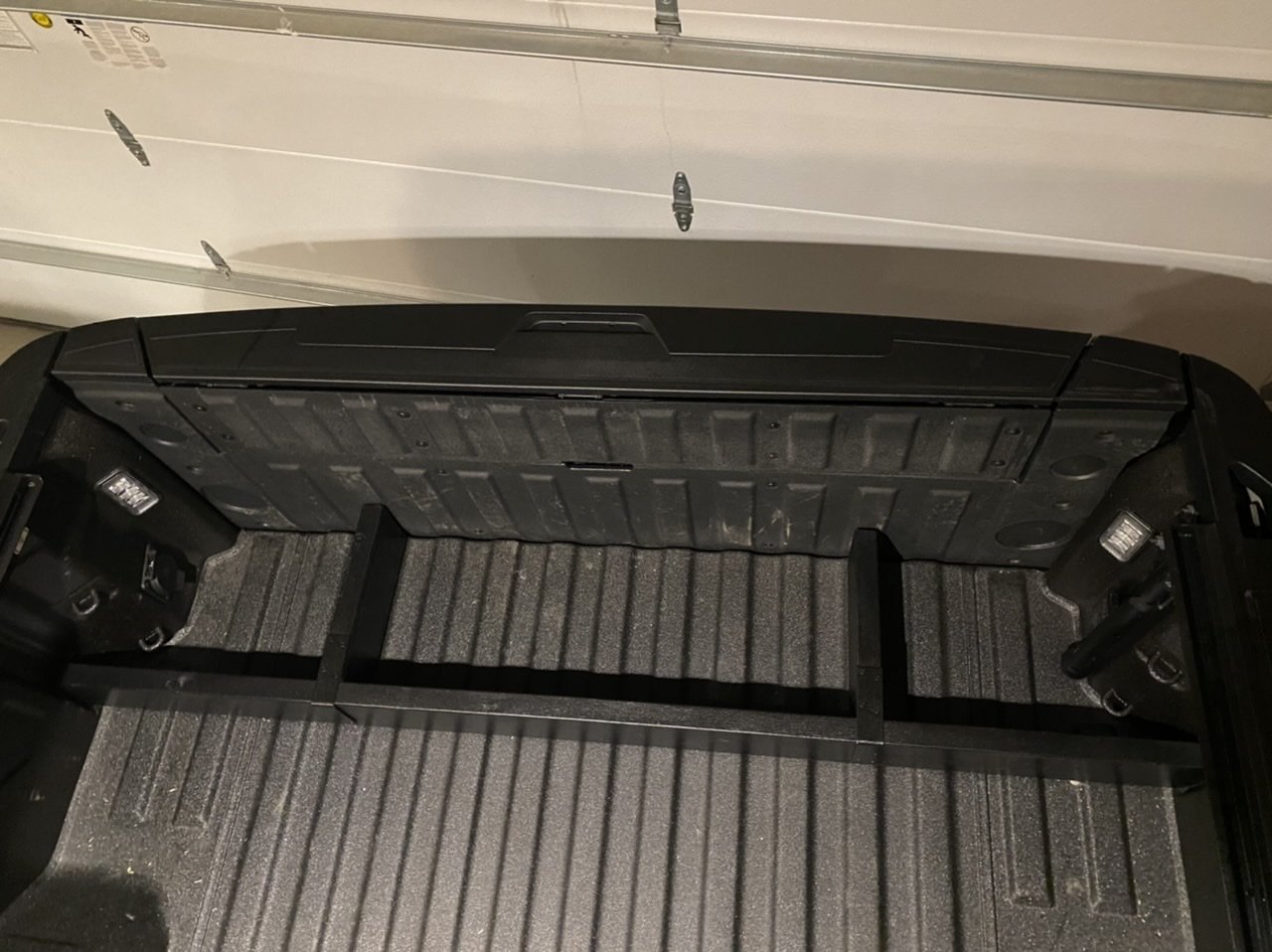
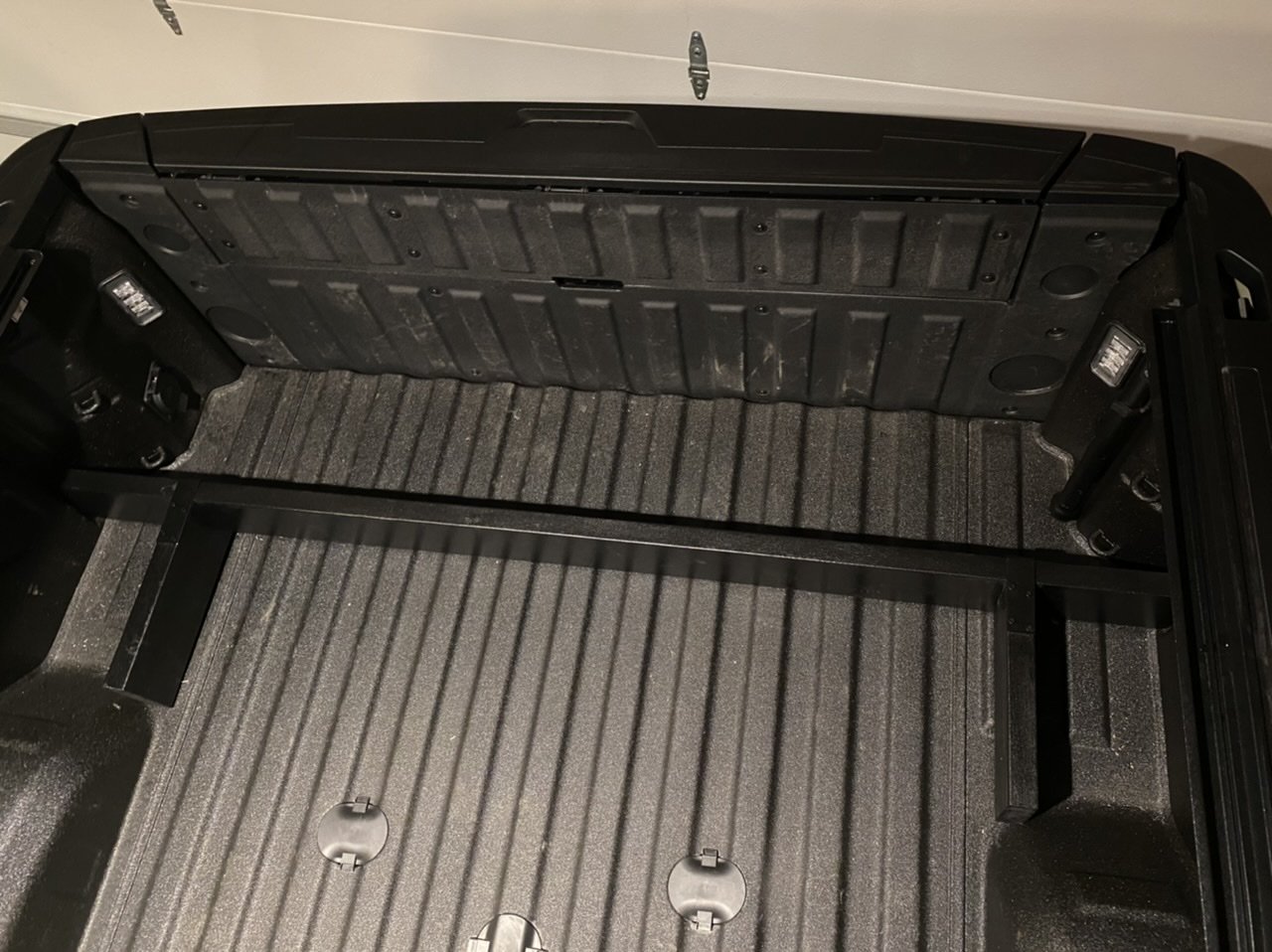
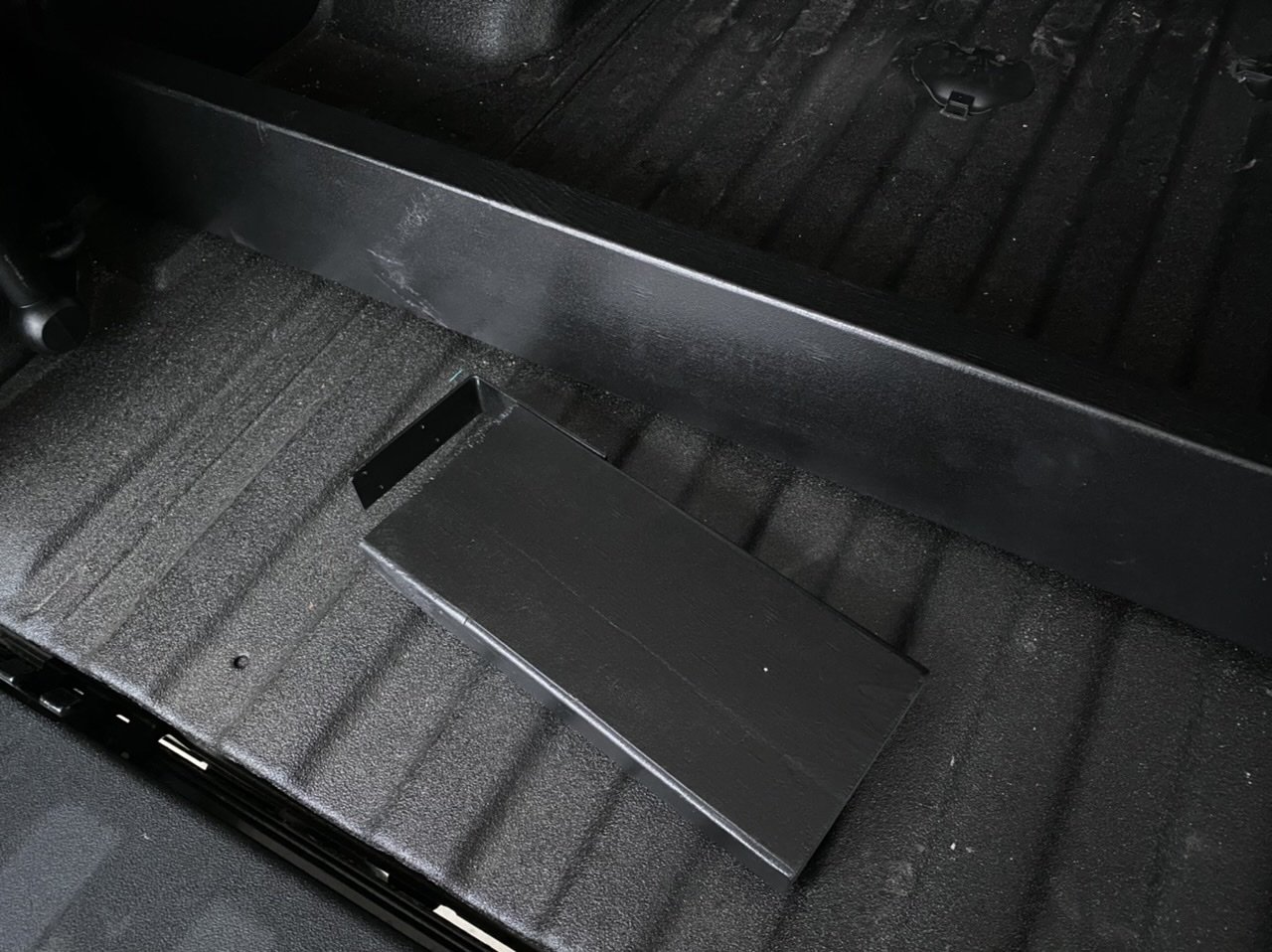
No problem! Hope it works out well for you. Here’s other pics I took with the tailgate closed & the divider up front. I’ll probably make longer pieces that fit better up front.
-
Let's see your bed management system
Ryno12 replied to Jorge18's topic in 2019-2026 Silverado 1500 & Sierra 1500
Thanks. On my 2500, the distance from the 2x6 to the tailgate is roughly the same as it is to the wheel well, so it works nice to create a contained space in both areas. I made a couple of the short pieces for both sides. I have a front accessible hard tonneau cover so I may do something similar in the front of the box also, to keep items from sliding back. -
Let's see your bed management system
Ryno12 replied to Jorge18's topic in 2019-2026 Silverado 1500 & Sierra 1500
Yep, I use a 2x6 also. I sprayed mine with bed liner coating and also made moveable pieces that prevent items from sliding side by side.
-
Good to know, thanks. I wasn’t aware that there was a time limit on how long it will idle, other than when remote starting. I’ve never had mine shut down on me but I don’t let it idle that long either. 5-10 minutes at the most.
-
Nope. You can leave the truck locked & running without the fob in it. I do it all the time.
-
I totally agree about leaving it running but you asked about leaving the fob in the truck while it’s running. Why not just take the fob with you & lock the truck while it’s running. It’s a nonissue then.
-
With the truck off, I can lock the fob in the truck. With it running, all the doors except the drivers door would lock. If I take the fob with me, I can lock the doors while it’s running. I noticed the truck can’t be remote started with the app & the fob left in the truck either. Why would you want to lock the fob in the truck while it’s running?







-
Forum Statistics
250.3k
Total Topics2.7m
Total Posts -
Member Statistics
342,719
Total Members8,960
Most Online
-
Who's Online 10 Members, 0 Anonymous, 718 Guests (See full list)