Search the Community
Showing results for tags 'USB', ' Glovebox' or ' Android Auto'.
Found 12 results
-
This started several GM updates ago. My Android phone says it is connected, but from the truck, it says it can't connect. I have deleted the phone and resynced it, I have done a hard reset on the infotainment system (works for a couple of starts), I have tried BT and USB.
-
 Hello, I have a 2020 GMC Sierre Crew Cab with the bench set flip up console. I want to add USB ports inside of it. Any ideas or suggestions?
 -
 My old F-150 had only the regular USB plugs so I used the slow-charging USB to USB-C cables. Since the charge was so slow, I had a QC 3.0 adapter plugged in the cigarette lighter if I wanted to charge it up quickly but would not be able to use Android Auto. When I saw that my new Silverado has USB-C plugs, I figured it was time to catch up and bought at least ten USB-C to USB-C cables. I also replaced all the USB plugs at home to USB-C. It's 2019, ya know? Now, I can quickly charge my phone with Silverado's USB-C plugs and be on Android Auto at the same time. The regular USB now charges my LED flashlight. I'm glad Chevrolet didn't make it all USB-C, I think the regular USB has a good fifteen more years to go before becoming obsolete. The regular USB can only go up to 2 or 3 watts, while USB-C can deliver up to 100 watts. My phone does up to 36 watts and I'm showing fast charging on my phone which is nice! No more deciding between two cables. If you're not sure why there's USB-C in your truck, now you have your answer. You may need to buy a USB-C to USB-C cable to fully benefit from it.
 -
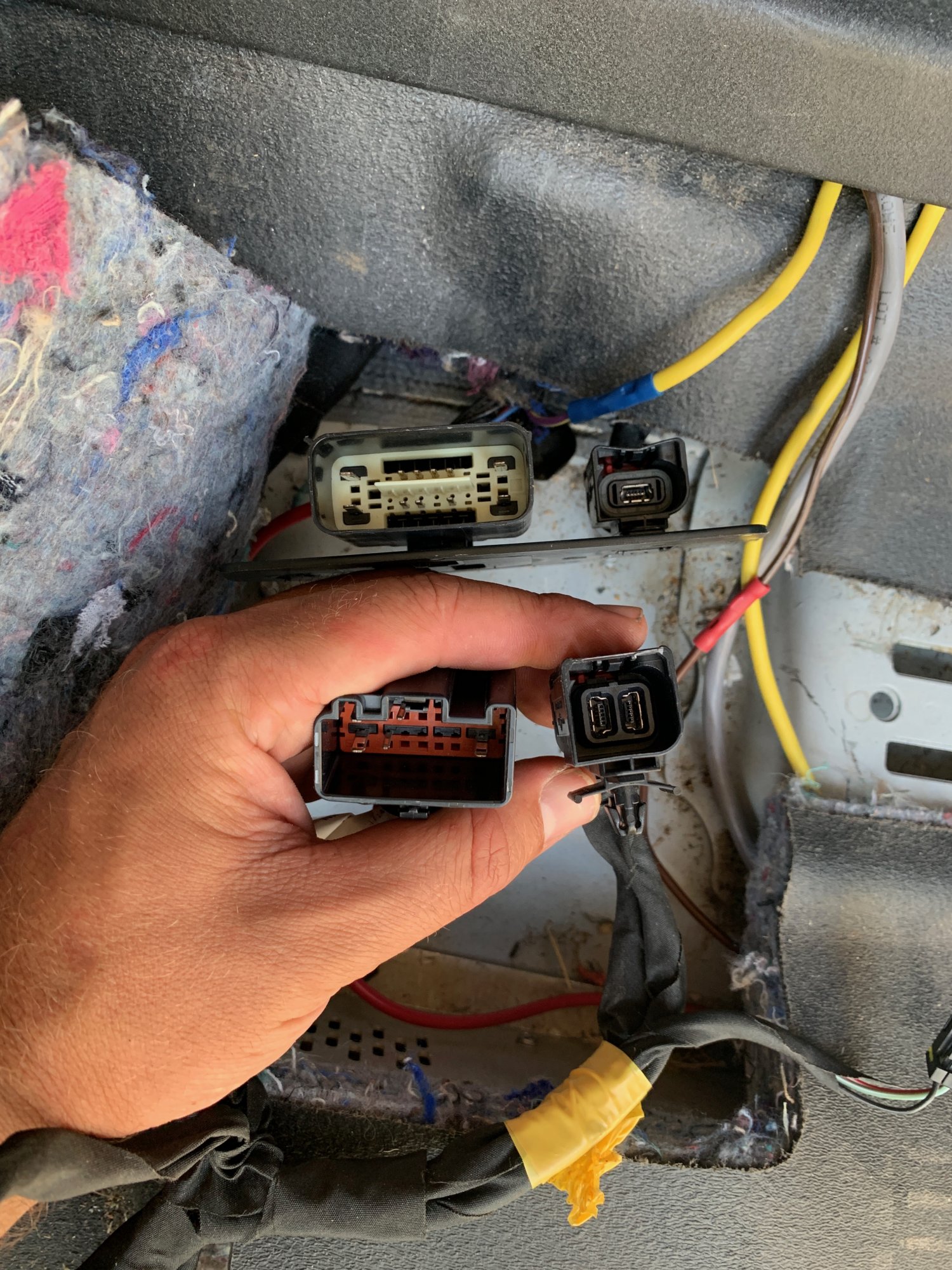
 I have a 2016 LS Tahoe patrol rig and the factory center console has been replaced with a Troy Products console. They did not add the USB media hub and I am trying to figure out how to install one so I can plug in my iPhone for music. I ordered a harness and hub off eBay but cannot figure out where to install it or if it is even what I need. There is a USB connector under the passenger seat but I can not find the correct cable/harness to run it to the USB hub. The top connectors are what is installed, the bottom is the harness I bought. Any help on what I actually need would be appreciated.
-
I having issues using usb drives. I purchased the first shipment to the dealers. Had issues with the display between the gauges, locking up and turned blank. After the software updates my usb drive does not work anymore. I was using a 32 gig original after the first update to then the display stopped blanking out but the usb stopped reading in either port. The dealers showed me a tech bulitin that stated not all usb will not work, but could not tell me what would. I went down to a 1 gig and it worked until the last update now nothing’s works. Any ideas
-
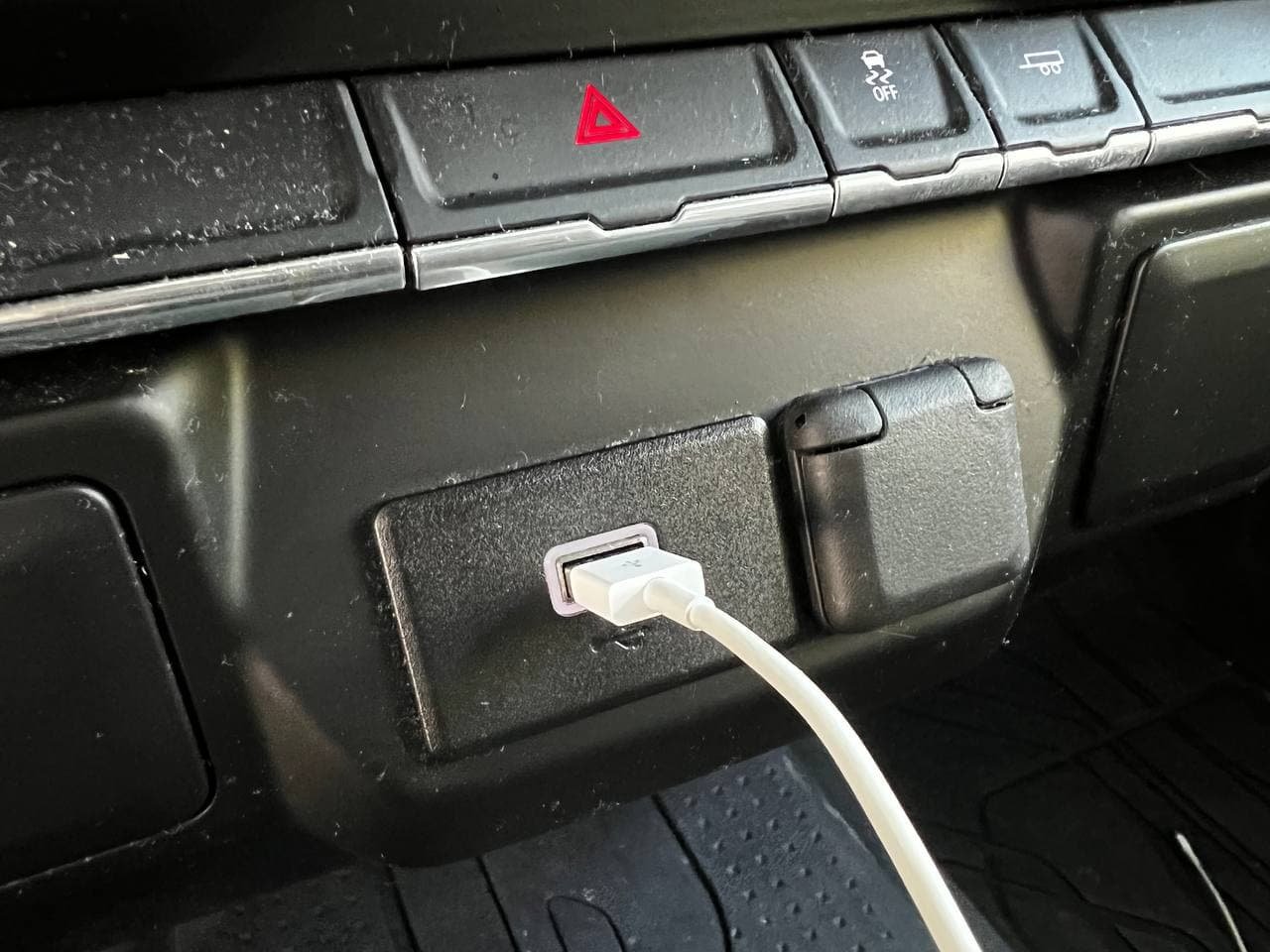
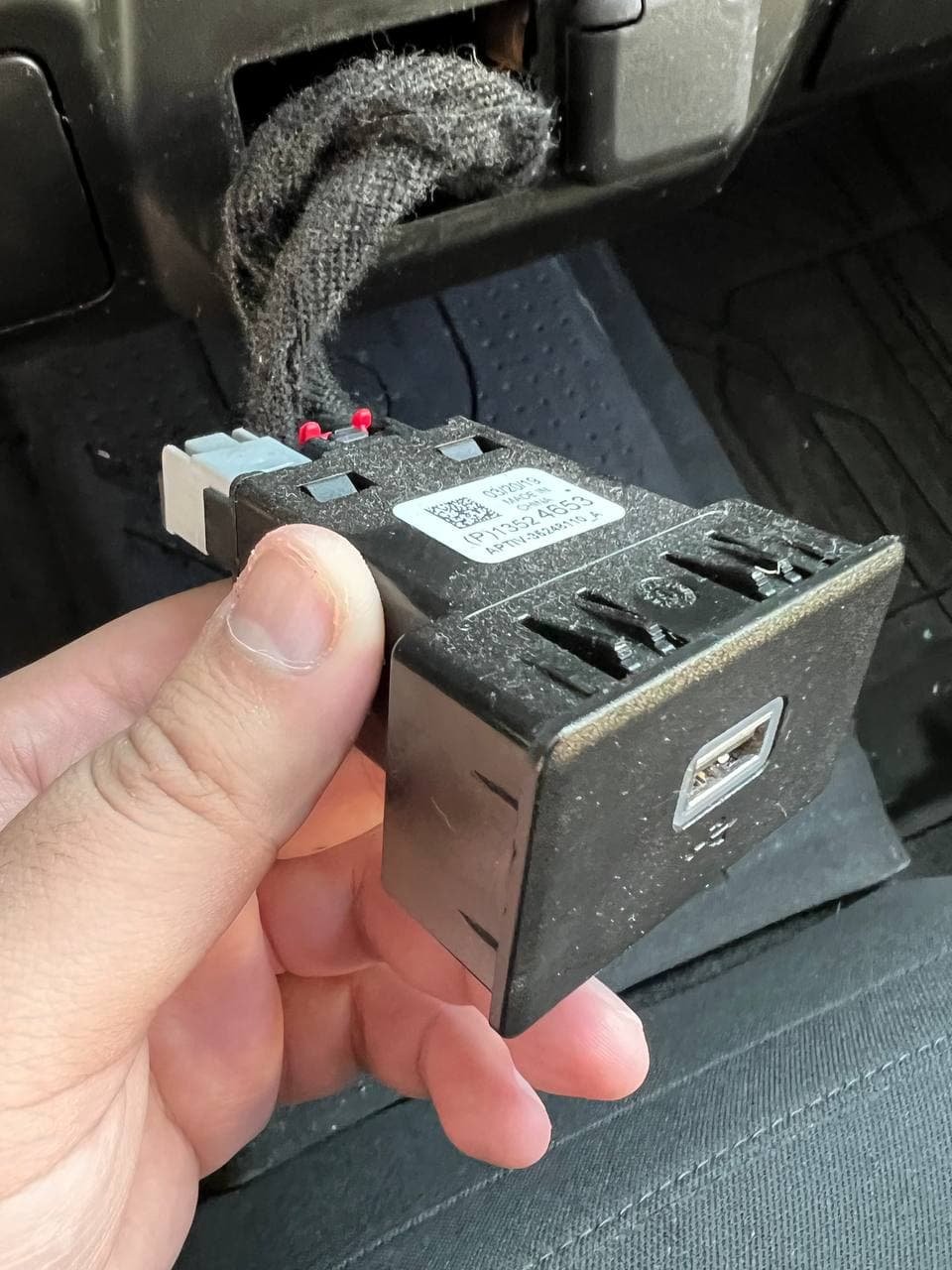
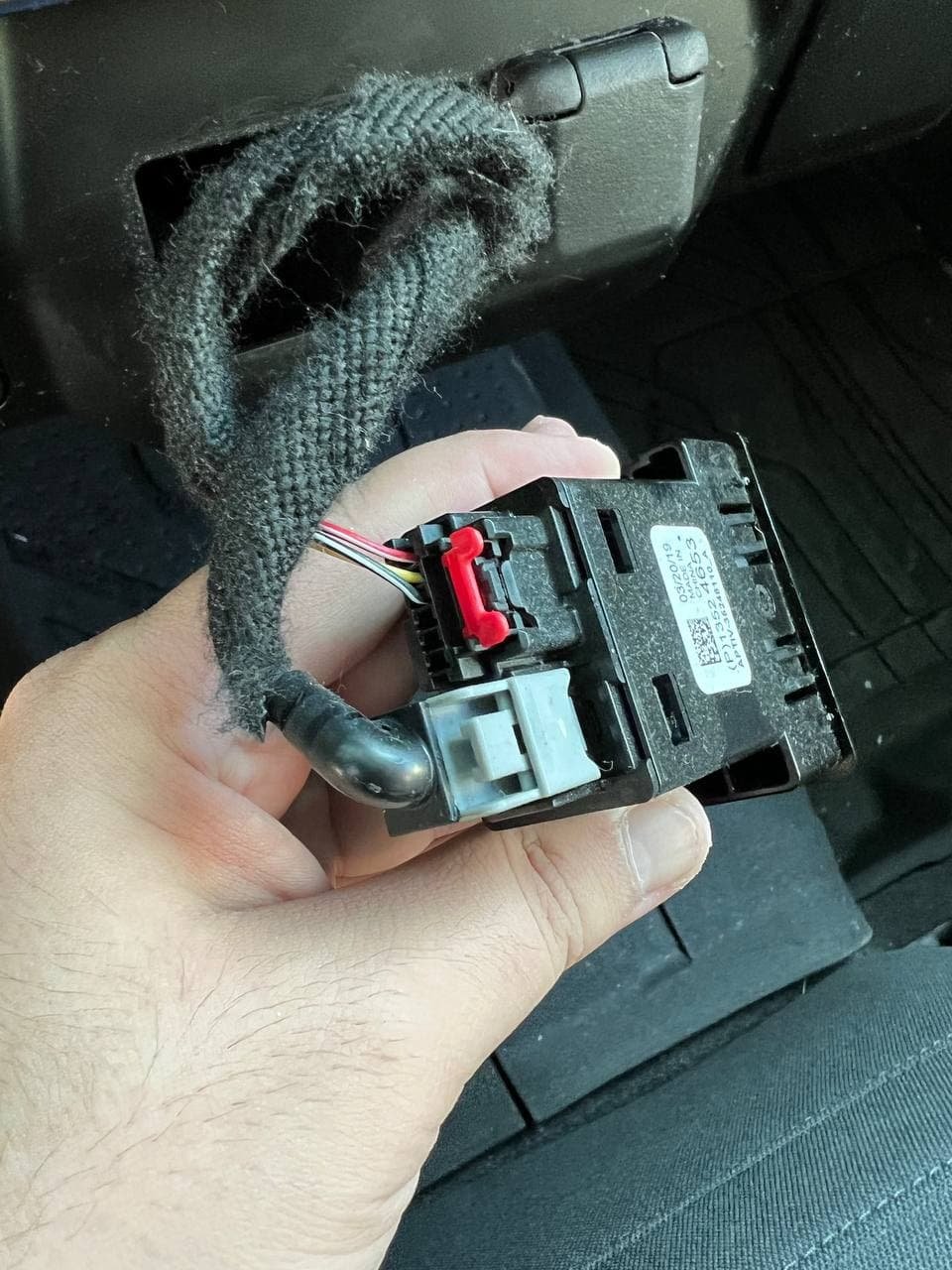
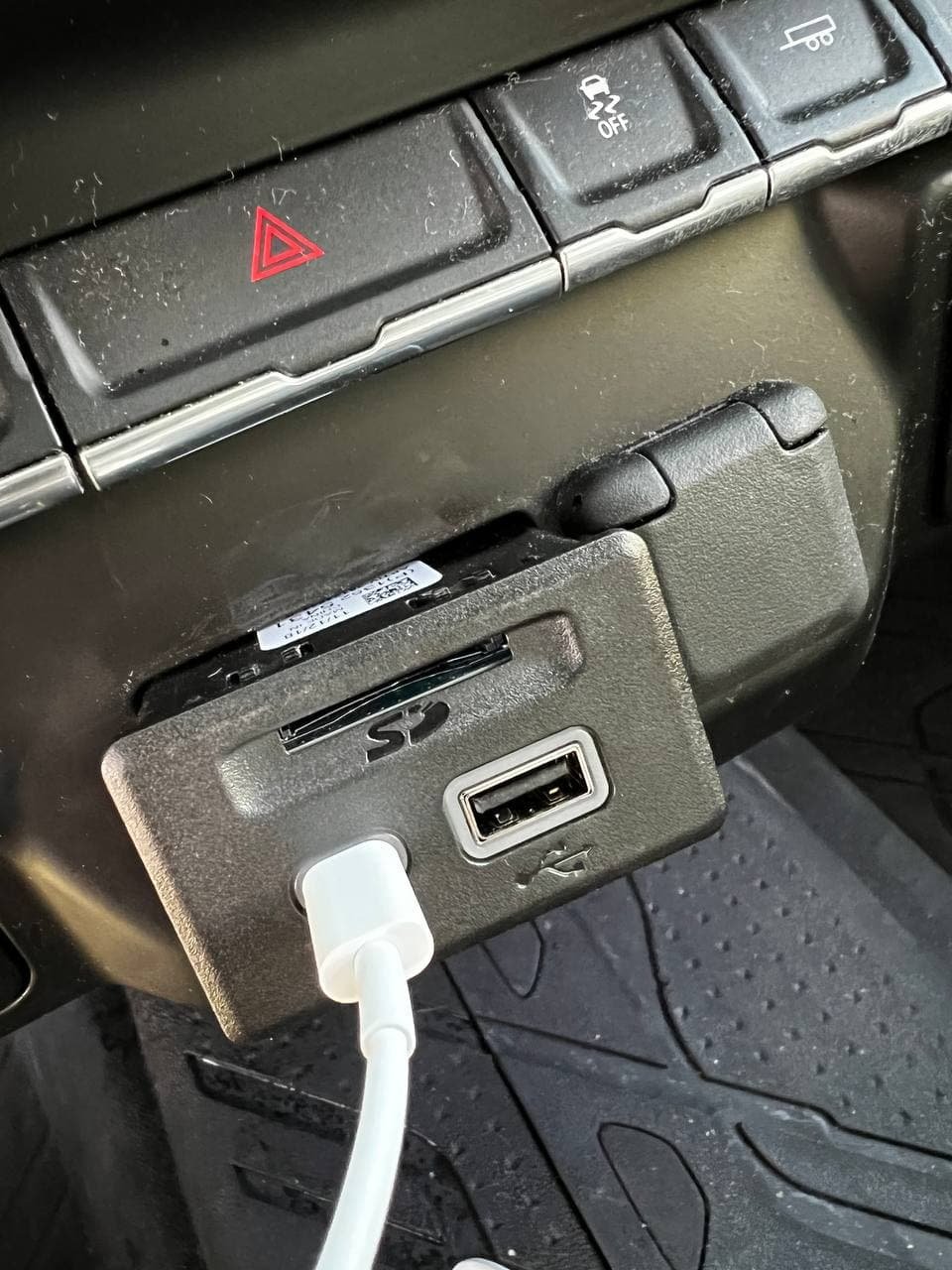
Part: GM 13525431, Receptacle Assembly, Multi Media *Jet Black Just posting a thread on here if someone who has a 2019 Silverado with the one USB type B port, you can easily upgrade to a module that has a USB-C, USB-B, and an SD card port very quickly and easily in under 5 minutes. I bought mine from eBay and it ran me $27.19 plus shipping. I bought a trim removal kit on Amazon and used the one circled to pry it from the bottom and when the bottom popped out a bit, I pried it from the left side and it just popped out very quickly. After that, just unplug the old one and plug in the new one. FYI, I also bought the module that just has just the USB-C and USB-B ports (without the SD card port) and I don't believe that one would work since it needs an extra cable to be plugged into and I was searching around and didn't find one -- you probably need a different harness for that one. What I've noticed so far is that Apple CarPlay will pickup my iPhone a bit faster, skip through the songs a bit faster, and it charges my phone a bit faster, as well. I haven't tried the SD card functionality yet but I can hope that it may be a necessary requirement for people that have IOR radios to upgrade to the IOS ones with navigation.
-
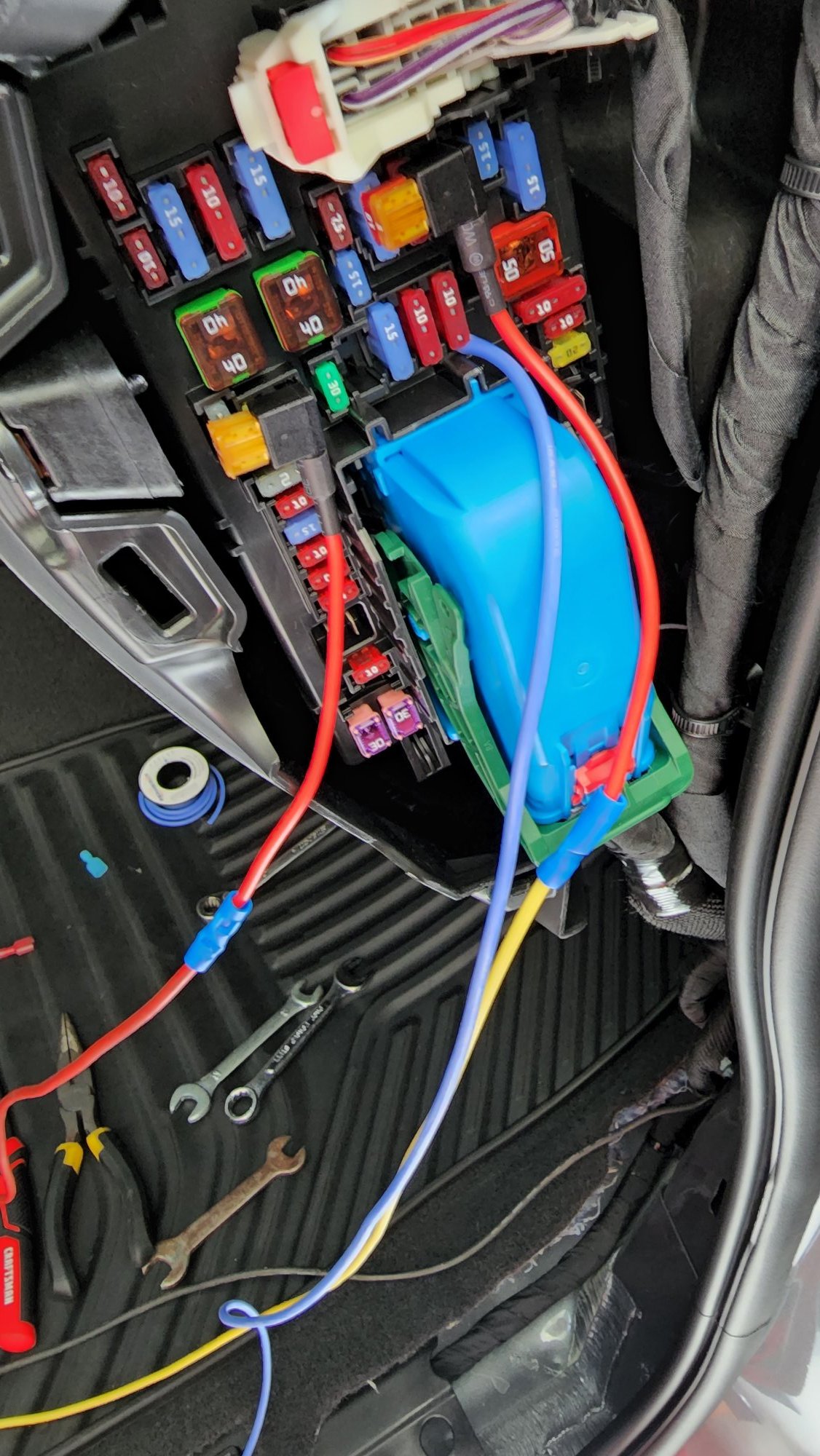
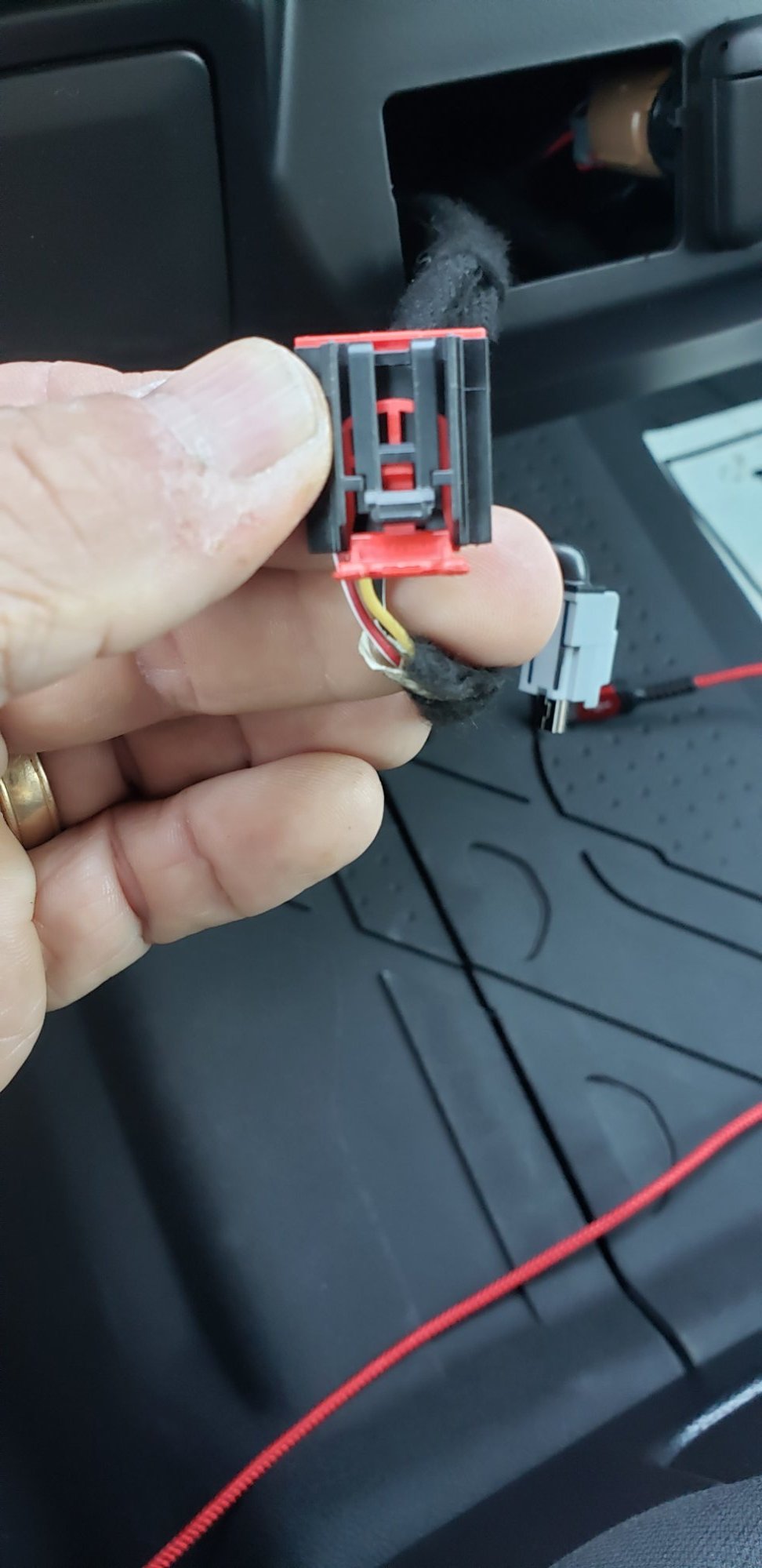
 Got my full console from Ebay used in like new condition. I did alot of research to figure out how to wire it so all the functions would work. I.e. wireless phone charger and usb/ cigarette liter ports for the rear passenger. I have a currently have a 22 2.7l Custom that doesn't have the required connection under the front passenger seat. After hours of looking at schematics and testing wires, I managed to hard wire my center console to the fuse box on the passenger side. Wire on the CC harness to Fuse box Both Red/white to F5 (Battery positive) Violet to F20 (Accessory on) Violet/yellow to F23 (Accessory on) BOTH Black to Ground below the Fuse box. The only section I wasn't able to get working yet is the USB in the middle of the console (the one with the map SD card). This one I believe needs to be connected to the radio that has the built in navigation. (once I get one I'll update this post.
-
Does anyone have access to GM harness schematics? Trying to find the correct harness that goes from the center console to the dash (infotainment system). Installed the center console with storage, cigarette lighters and USB ports and would like to use the factory harness without having to cut and splice. Or does anyone have access to just the plug and I can add my own pins?
-
 Hello everyone, I just purchased a used 2018 Chevy Silverado, After doing so research I found that the cup holders in this truck are not removable unlink its earlier models. I am looking for a way to hide the cable that is coming from the inside of the centre console to my phone, that sits in the little rubber holder but I want it to be clean and not have a wire just hanging all over. I have nothing online as to any sort of way to run that cable in such a way that it is hidden. Does anyone have any ideas as to how to accomplish this clean look? Thanks for any input SeekNDstroy2012
 -
 Hello everyone. I had such a hard time finding this info that I though I would make an account and share with you all. This is true for my 2016 Yukon Denali, so I assume it's the same for similar models. Here is the formats in order to use the Rear Seat Entertainment: Movie System Information Caution for Using Movie Files . Available resolution: Within 720 x 576 (W x H) pixels. . Frame rate: Less than 30 fps. . Playable movie file: .avi, .mpg, .mp4, .divx, .xvid, .wmv. --The playable movie file may not be played according to the codec format. . Playable codec format: divx, xvid, mpeg-1, mpeg-4 (mpg4, mp42, mp43), wmv9 (wmv3). . Playable Audio format: MP3, AC3, AAC, WMA. . Max video bitrate: - mpeg-1: 8Mbps - mpeg-4 (mpg4, mp42, mp43):4Mbps - wmv9: 3 Mbps - divx 3: 3 Mbps - divx 4/5/6: 4.8 Mbps - xvid: 4.5 Mbps . Max audio bitrate: - mp3: 320 Kbps - wma: 320 Kbps - ac-3: 640 Kbps - aac: 449 Kbps . Movie files to which Digital Right Management (DRM) is applied may not be played.
 -
I have a more uncommon configuration with the folding center console in the middle for a 6th passenger. Apparently, for the 2018 Sierra 1500, this configuration included a 3rd USB port in the glovebox. The glovebox USB port intermittently connects and disconnects when my phone is connected resulting in not being able to consistently use Android Auto apps, listen to anything from my phone, or even use the radio due to the sporadic disconnects and reconnects. My truck's still under warranty, and I keep being told that the glovebox USB port "doesn't support Android Auto" by the dealership, and then that same line is parroted by GM customer service. Does anyone know anything about this or is there a way to get GM customer service to take me seriously and actually do something to help resolve the issue? I've been through multiple new phones, multiple high-quality cables, and the issue is always the same. The ports in the center console work fine, but the one in the glovebox doesn't.
-
Plugged in a 2 GB USB into the standard radio and it worked, but a 256 GB wouldn't. Can't find any specs in the manual. Does anyone have an idea what the the radio supports.




.jpg.01a206de0642930ffff48c312b49a96d.jpg)