

JayTrailBoss
-
Posts
36 -
Joined
-
Last visited
-
Days Won
1
Content Type
Profiles
Forums
Gallery
Events
Articles
RPO
Store
Blogs
Everything posted by JayTrailBoss
-
2019 Silverado Backup Camera Problems
JayTrailBoss replied to JayTrailBoss's topic in 2019-2026 Silverado 1500 & Sierra 1500
FYI, taking my truck back to the dealer for camera issue glitching out still, brake life at 0% despite just being serviced, and check engine light on after engine/transmission began jerking at 60mph. Light went out but got the code ? Related to MAF sensor. The camera was looked at when I first got the truck, again when it was serviced about a month ago/7k miles but this time I said I'm not leaving with the truck until it's fixed. This is ridiculous and is a safety concern especially with 4 kids come on GM -
How to install a dash cam on a 2019 Silverado
JayTrailBoss replied to M3Master's topic in DIY Guides & Reference Library
So I tried to tap into the drivers side and passenger side fuse box for a dash cam but none of the open fuse ports have power with or without the ignition on? Any ideas as to why this is? I was trying to use an open port rather than tap an existing fuse. Thanks -
TrailBoss Driver's Seat Lift
JayTrailBoss replied to JayTrailBoss's topic in Modifications, Wheels & Tires
So far so good, my visibility is much better now and it's a more comfortable seating position. I kinda see what you're saying about the modifications, the safety pin is still set in place but it has not been tested hence why I only did it to my seat and not the passenger seat. I feel pretty confident that the amount of force to shear the bolts would be devastating regardless. Thanks for the input though. -
Blue screen and service rear vision system
JayTrailBoss replied to Radchad's topic in Troubleshooting, Warranty & Recalls
https://www.gm-trucks.com/forums/topic/223462-2019-silverado-backup-camera-problems/ Please file a complaint with GM and NHTSA, this seems like an ongoing issue with their backup cameras. Mine is constantly doing this, so frustrating. I also notified the attorney general's office since GM gave me a generic response. When someone gets hurt or killed they might respond with oh this is the first we've heard of it wow...frustrating! -
Anyone lost brakes besides me.
JayTrailBoss replied to midriv's topic in Troubleshooting, Warranty & Recalls
File a complaint with NHTSA and GM asap! Good luck man, that must have been scary. -
Back up camera fuzzy/lines
JayTrailBoss replied to tanner709's topic in Troubleshooting, Warranty & Recalls
See my post and please file a complaint with GM and the NHTSA...it is a safety issue for sure, wait til it glitches out when backing up and you can't see anything at all. This is going to cause an injury or death if GM doesn't fix it. See if it is when you step on the brakes, that's what mine does. It went blank twice this evening while backing up! So frustrating. https://www.gm-trucks.com/forums/topic/223462-2019-silverado-backup-camera-problems/ -
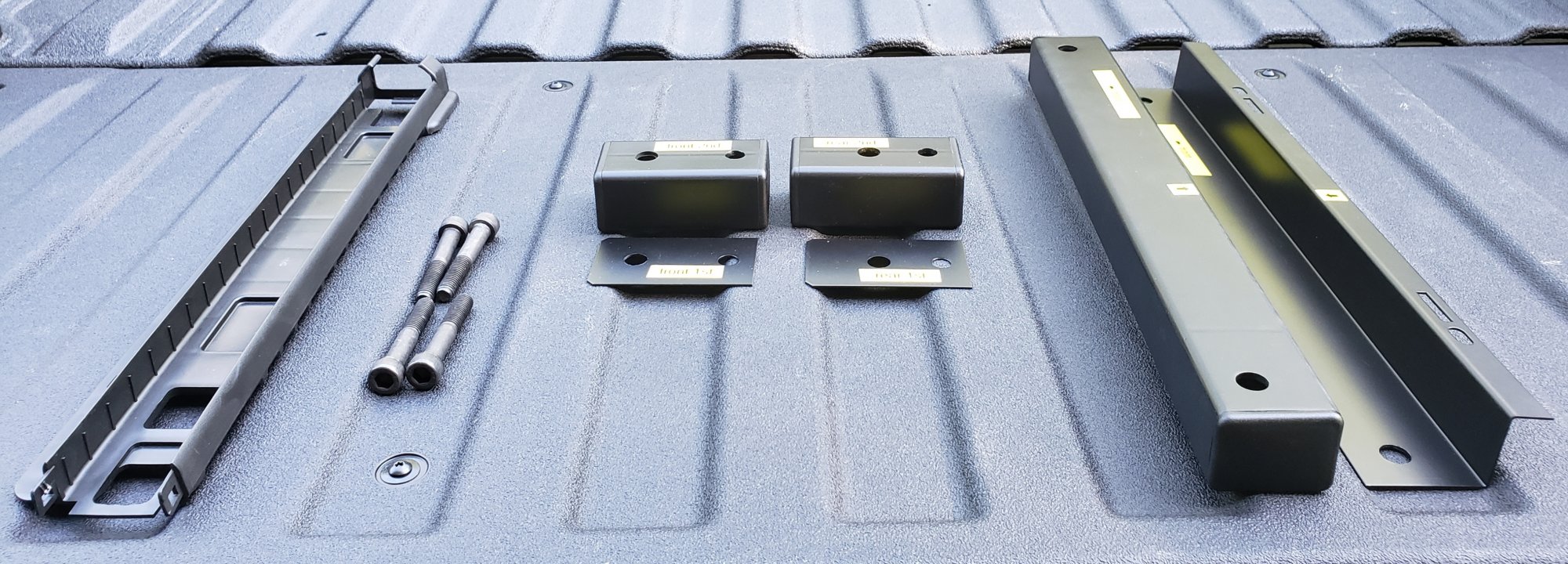
I worked with Randy over at Seating Solutions to get my driver's seat lifted up in the 2019 TrailBoss. I just felt the seat height was too low and my view over the dash wasn't that good. My wife also ran over a curb the first day I got it. After we talked back and forth about the seat and sent some pics, Randy developed a 1.5" lift kit. So I tried it out and it worked beautifully. The seat lift uses quality materials, it looks like factory, and I can see much better with a comfortable height. If interested in more pics of the install let me know. Hope this helps you all.

-
Custom Trail Boss headlights
JayTrailBoss replied to Ssfrantz5's topic in Modifications, Wheels & Tires
Thanks for sharing this! Do you have any night/dark pictures? -
Custom Trail Boss Console Upgrade?
JayTrailBoss replied to Texas_Trail_Boss's topic in Modifications, Wheels & Tires
I did but got "no image available"? -
Custom Trail Boss Console Upgrade?
JayTrailBoss replied to Texas_Trail_Boss's topic in Modifications, Wheels & Tires
There is no image of this part number so do you know what piece it actually is? Is it the top w/ storage and you keep the rest as is (with the seat still in place)? any images of this particular part # for reference? thanks for sharing! -
2019 Silverado Backup Camera Problems
JayTrailBoss replied to JayTrailBoss's topic in 2019-2026 Silverado 1500 & Sierra 1500
Funny, I worked on a rescue for 15 years and about 10 years ago a UPS truck backed up and hit a bicyclist...no backup camera on that truck. It's not the only method to backing up but it's a great tool. Kinda like can we make phone calls from our house sure but now everyone has a cell phone, it has become the standard/norm. -
2019 Silverado Backup Camera Problems
JayTrailBoss replied to JayTrailBoss's topic in 2019-2026 Silverado 1500 & Sierra 1500
No, I wasn't under the impression that ALL American vehicles are built here but I did think the trucks were built here...my last truck was a 94 Ranger. It's amazes me that Tundra is built here yet the Chevy isn't...regardless it doesn't change the underlying lack of ingenuity and engineering reflected on "an American company"...sad actually, it's just the way the USA is going, not many hard working people left that actually care. -
Tailgate not dropping
JayTrailBoss replied to BlancoSilverado's topic in Troubleshooting, Warranty & Recalls
So my truck did this to me a couple times however the times it did it, I was parked on a hill that sloped slightly down - so the tailgate was higher than the hood if that makes sense? When I park it flat it never has an issue? Just a thought .. -
2019 Silverado Backup Camera Problems
JayTrailBoss replied to JayTrailBoss's topic in 2019-2026 Silverado 1500 & Sierra 1500
I appreciate all the input. The fact that my camera still is not functioning properly and the way GM has handled it (or not handled it) makes me even more concerned. I am on vacation but received a voicemail from GM that incriminated themselves by saying there is no current fix but if enough people complain GM might do something about it. Now I paraphrased the message but that's what he said. The next step is the attorney general's office. I suppose I keep taking it to the deal and file a claim under the lemon law and get out of this vehicle. I don't want to because I really like it but GM is not being very accommodating here. Also, I am utterly annoyed that my Trail Boss was built in Mexico. Nothing political here just I thought American trucks were built in America...frustrating -
2019 Silverado Backup Camera Problems
JayTrailBoss replied to JayTrailBoss's topic in 2019-2026 Silverado 1500 & Sierra 1500
After playing phone tag with GM I finally spoke with the "senior advisor" in Michigan. She was seemingly disinterested honestly and offered no apology, rationale, or excuse. She merely said she was recording the conversation and taking notes. I made it explicitly clear that if there was any accident, injury, or death related to this backup camera not functioning properly that GM would be held grossly negligent...again I confirmed it was a recorded line and reiterated it several times. She said I could take it to another dealer if I wanted, but for what, there's no fix GM admitted that. Very very frustrating. I have GM a chance and even more of a kick in the b@//$ is the fact that my truck was built in Mexico!? I didnt realize this. The damn Tundra is built in the USA. Ughhh... -
My parking brake has enabled several times randomly and no pattern I can detect. Also, as for using the parking brake on my truck I don't but on the rescue I use it every time I park. It puts on the high idle we have Chevy and Ford.
-
Exactly, I wasn't going crazy the truck is new! Well I'll keep an eye on it. That's sucks your vacuum pump failed - at what mileage did that occur? Thanks for the input.
-
What Have You Done With Your T1 Today ?????
JayTrailBoss replied to Sierra Dan's topic in Modifications, Wheels & Tires
I raised the driver's seat 1/2". I put a 1/2" chrome spacer in the rear seat mounting bolts to give a little rise in back. I've been working with Randy at Seating Solutions so he can manufacture a riser kit. By the way Randy is a great guy and is going out of his way to figure out a way to.make this happen for the new Silverados so keep an eye out for this product when he gets it done. So far the 1/2" spacer helps a bit but he's looking at making a 1 1/2" - 2" riser kit that would help see over the hood much better.
-
I received the truck back today and no intervention was needed. They said it was due to offroading and the angles the truck was at maybe. I wasn't driving too hard and ¹¹ said it could come back on but aslong as it goes off there is no issue...so does this mean anytime I go off road the lights will come on, that seems crazy, the truck should be able to handle off road challenges it's a "trail boss"...
-
My wife and I were going to have a picnic by the ocean so went on a sandy (beach sand) road, meant for off road vehicles only. I switched to 4 Hi and while drove in the sand at less than 10mph. After about 5 minutes or so I had warnings of "service ESC" and "steering assist is reduced, drive with care". The truck, which is a 2019 Trail Boss, performed fine and I did not notice any difference in handling. I tried taking off the traction control, putting the truck in park, shutting the truck off for a while, but still the lights stayed on. The lights went off after driving about 5 minutes in 2 Hi. I also recieved emails from OnStar "there is an issue with the ABS system" and "there is an issue with Stabilitrack traction control". I don't think this is normal so it is at the dealer now. They said the initial results are the yaw sensor triggered for some reason...I don't think this is normal, the truck has 800 miles on it, but any ideas what this is or what it means? Thanks.
-
2019 Silverado Backup Camera Problems
JayTrailBoss replied to JayTrailBoss's topic in 2019-2026 Silverado 1500 & Sierra 1500
It's frustrating, I was advised that screens having the issues are the non HD "cheaper" screens. The dealer said the upper level trim models do not have the issue. It would be good if everyone started filing complaints with GM by calling the 800-222-1020 number and contacting NHTSA https://www.nhtsa.gov and click report a problem or call them 1-888-327-4236 to file a complaint and they can sign you up for any recalls on your vehicle. Just have the VIN number and tell them the issue. Someone has to advocate for us this is a safety issue for sure. I will, depending on what they say next week, also file a complaint with the attorney general's office. I have kept a log of any interactions I have had. Let us know what happens if anything. Take care.
-
2019 Silverado Backup Camera Problems
JayTrailBoss replied to JayTrailBoss's topic in 2019-2026 Silverado 1500 & Sierra 1500
Here is where I am at so far with the issue: Initially contacted GM they said to being the truck to the dealer. Truck goes to the dealer who is able to replicate the issue on my truck and several others with the same trim. They say no fix available at this time. Filed a complaint with NHTSA and opened a case. Contacted GM again today and they said the issue will be escalated to a "senior advisor" and I will receive a call back by Monday. I told GM and NHTSA this could turn into a fatal problem, having kids if I am backing up and the camera goes blank it could be catastrophic! I won't tolerate GMs disregard for safety. I was reluctant to go from Toyota to Chevy so I hope I don't regret this decision. I would say for everyone to complain to GM and to NHTSA to get this resolved. Thanks. -
2019 Silverado Backup Camera Problems
JayTrailBoss replied to JayTrailBoss's topic in 2019-2026 Silverado 1500 & Sierra 1500
Thanks, I know that's what they said - the HD model is not having this issue it's just the "lower end" model screens!? The dealer said there is nothing they can do with it at this point though...any ideas for follow up action plan? -
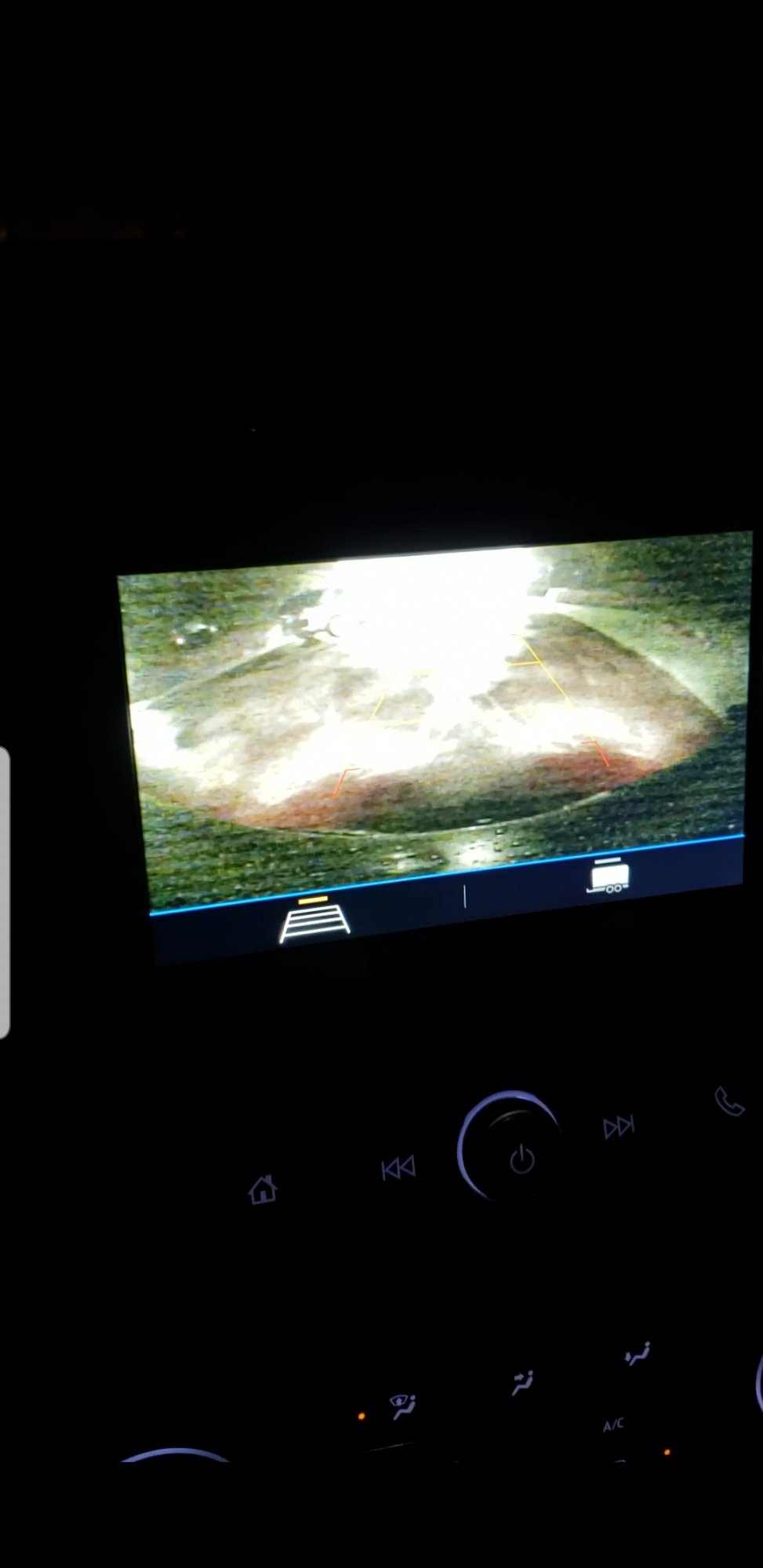
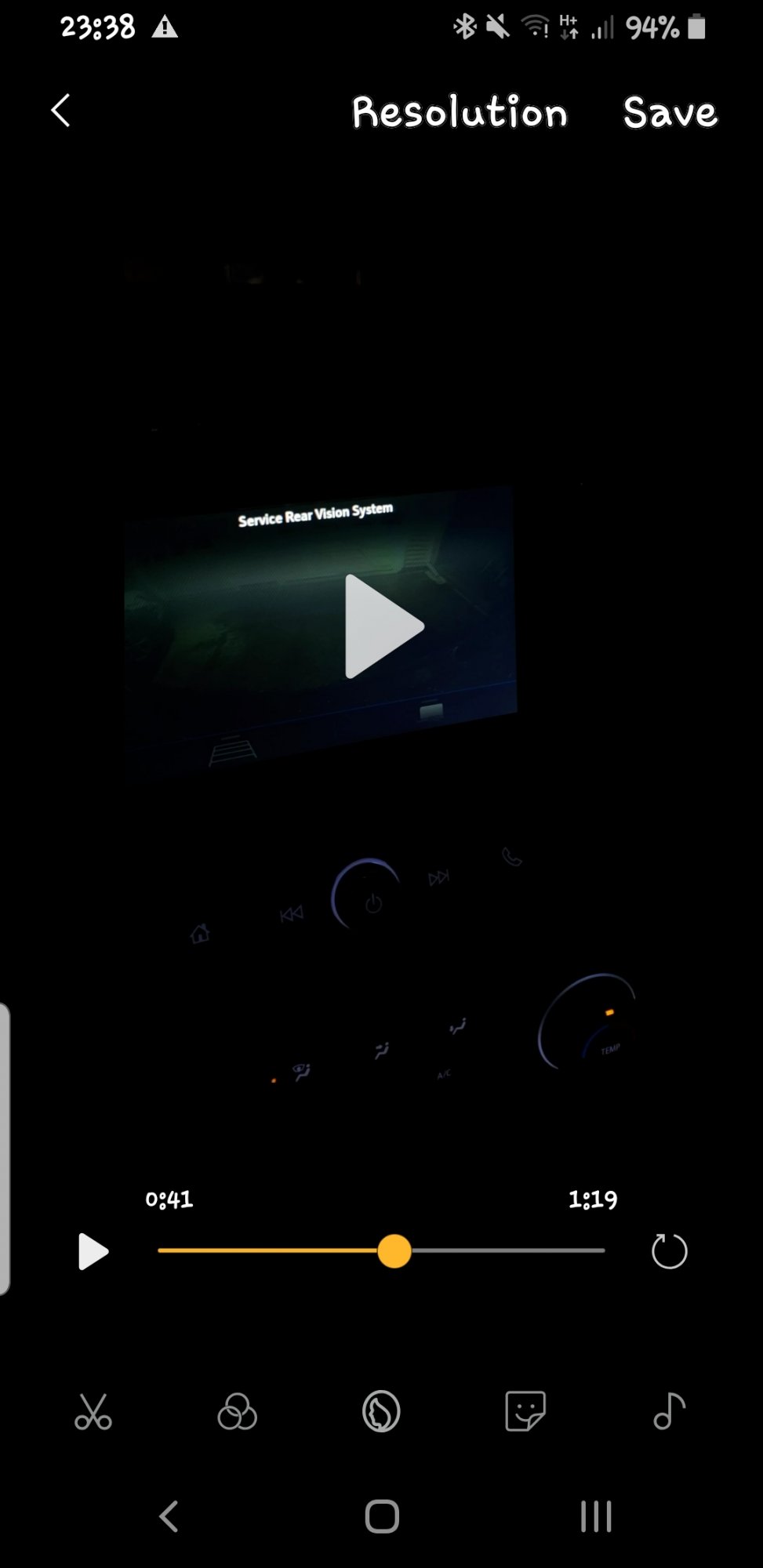
I purchased a new 2019 Silverado Trail Boss on 4/26/19. When I got home, with approximately 20 miles on it, I went to backup in the driveway and the camera became "fuzzy" with lines through it every time I touched the brake pedal. So I tried backing up several times and it repeatedly got "fuzzy" with lines running through the screen. After being in reverse for about 30 seconds or so the screen went blank and an error message appeared "service rear vision system". Within a moment or so the camera came back on however the guidelines for backing up where not there. I tried tapping the screen and hitting the home button but the only thing that got the guidelines to come back was to shift into park or drive then back into reverse. I called GM and they said to bring it to the dealer. I went back to the dealer and was given a loaner (2019 Silverado not the Trail Boss but with the same base package). I noticed this truck did the same thing. The dealer was able to replicate the issue in my vehicle as well as in several other similar model vehicles but stated at this time everything seems to being working "normally for this vehicle" and no issues were found. I find this to be alarming especially with 4 kids who could be at risk if the camera shuts down while backing up. I emailed GM my concern and received a rather generic response so I contacted the NHTSA and filed a formal complaint as this is a major safety concern. It appears that there are postings online about this issue from as far back as 9/2018 but the only thing GM has done is issue TSB's without an actual resolution. The dealer stated the common denominator was the trim level with the "cheaper smaller screen" and that the upper trim models didn't seem to be having this same issue. It would be beneficial for anyone else having this problem to contact the NHTSA with a formal complaint so that GM is forced to fix the underlying problem before someone gets hurt or killed. I was nervous switching from a Toyota to GM and this is my first "American Truck" since 1994 so it's not starting off well but I do like the truck otherwise. Thanks. Here is the link to file a complaint and the phone number to file a complaint is 1-888-327-4236 https://www-odi.nhtsa.dot.gov/VehicleComplaint/
-
Show Us Your 2019 & Up T1 Pictures !
JayTrailBoss replied to Sierra Dan's topic in 2019-2026 Silverado 1500 & Sierra 1500
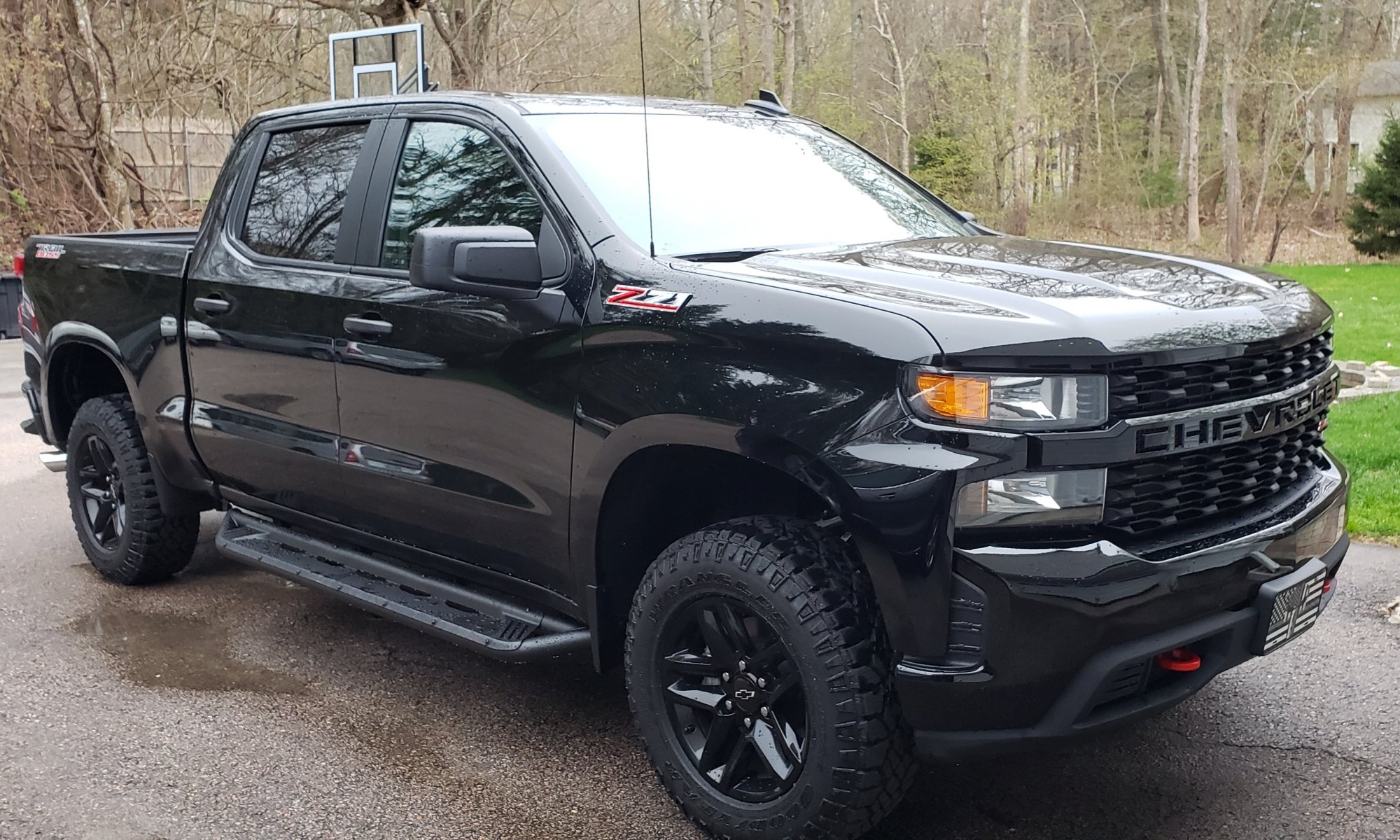
2019 Trail Boss 4.3L V6 Black



-
Forum Statistics
250.6k
Total Topics2.7m
Total Posts -
Member Statistics
342,992
Total Members8,960
Most Online
-
Who's Online 4 Members, 2 Anonymous, 732 Guests (See full list)