

tbarn
-
Posts
1,950 -
Joined
-
Last visited
-
Days Won
3
2 Followers

Recent Profile Visitors
20,681 profile views





.thumb.JPG.2c573de60d3a3a4407c7d92298db46dd.JPG)
tbarn's Achievements

-
 Above the rearview mirror attached to the windshield.
 -
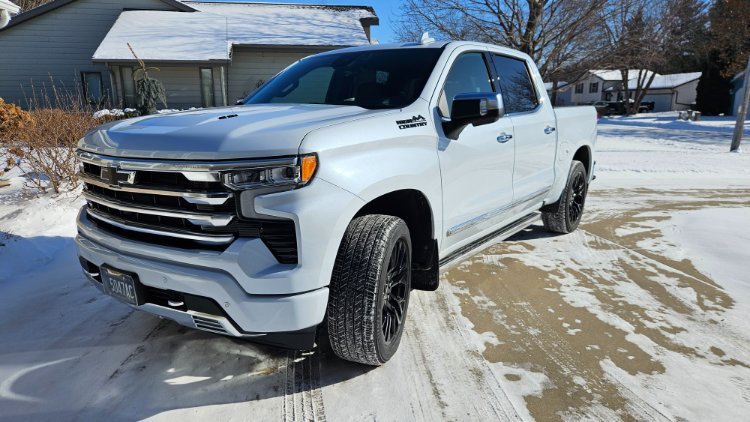
tbarn changed their profile photo
-
His work after Helene cannot be emphasized enough. God or Karma sure has a funny way of saying thanks.
-
The Official 2025 Merry Christmas & Festivus thread
tbarn replied to txab's topic in The Off-Topic Bar
Merry Christmas and lets not forget Fesivus. -
Dual mode exhaust calibration
tbarn replied to Glava2876's topic in 2019-2026 Silverado 1500 & Sierra 1500
How the hell does gm backorder a software update? -
Same here. Has rain sense wipers if that matters.
-
Dual mode exhaust calibration
tbarn replied to Glava2876's topic in 2019-2026 Silverado 1500 & Sierra 1500
I found it. Works on model year 2025 and up. -
Dual mode exhaust calibration
tbarn replied to Glava2876's topic in 2019-2026 Silverado 1500 & Sierra 1500
Hmmmm. haven't heard of that availability. Keep us posted. -
Heated only seats (KA1) have the module under the passenger seat. Heated/cooled (KB6) seats are controlled by each individual blower assembly.
-
Need to remove door panel and inner trim that goes from front corner up , back and down to rear of the door. 2 screws and a retainer to remove.

-
New bulletin/Campaign 6.2 L87
tbarn replied to tbarn's topic in 2019-2026 Silverado 1500 & Sierra 1500
Nope -
Ideal conditions to reduce the time needed for the Video Processing Control Module to complete the calibration include: Note: It may be helpful to select the surround vision overhead view while having the vehicle in a parking lot with straight or grid line markings. If an area of the overhead image displays skewed lines, this can indicate there may be an issue with the respective camera’s mounting condition or orientation. Note: In the rare event of an unsuccessful calibration event, it may be necessary to drive vehicle at 5-8 kph (3–5 mph) to allow calibration to complete successfully. Note: In the rare event of an unsuccessful calibration event, it may be necessary to drive vehicle on a road or parking lot without curbs or lane marking lines near the vehicle to allow calibration to complete successfully. All moving points of vehicle access (doors, trunk/liftgate, fuel door, hood, etc) of the vehicle Must be closed and the corresponding vehicle access systems functional (no DTCs, etc). No vehicle body or structural damage that may affect proper camera mounting or line of sight All surround vision cameras properly mounted, fully connected, and appropriately connected to the proper terminal of the Video Processing Control Module. Vehicle driven reasonably flat and straight for at least 5 minutes. Vehicle speed between 32-40 kph (20–25 mph) Steering wheel angle less than 15° It is a good practice to wipe camera lens’ clean prior to alignment Vehicle should not be within 1.5 meters (5 feet) of a curb or roadside Dry weather, cloudy but bright sky
-
The calibration procedure is needed to have the Video Processing Control Module learn new cameras and their positions. The calibration is performed automatically by the Video Processing Control Module. If any one of the cameras is replaced on the Surround Vision Camera System, the camera image needs to be calibrated to the system. For this reason, the Video Processing Control Module performs a calibration during its power up and initialization during each ignition cycle in order to maximize the surround vision image quality. A new Video Processing Control Module will have built-in default values for camera learn. However, the Video Processing Control Module will automatically calibrate in order adapt to the vehicle. To allow the Video Processing Control Module to complete calibration, drive the vehicle. Driving the vehicle in the conditions listed below will reduce calibration time.
-
New bulletin/Campaign 6.2 L87
tbarn replied to tbarn's topic in 2019-2026 Silverado 1500 & Sierra 1500
Don't know of any issues like that. Don't see any bulletins/campaigns. -
New bulletin/Campaign for '21 -"24 Silverado, Sierra etc with 6.2 L87 engine. Has to do with engine sudden stop (blown). Very early. No parts available at this time. NOT ALL 6.2's are involved. Which ones is unknown. Dealers have a list of inventory to inspect and stop sale if inspection fails. No much of an inspection though. Check for P0016. If it is there then stop sale. If not then change oil and filter to 0-40, change oil fill cap to reflect new oil grade, send it. Again NO PARTS at this time.
-
It is highly unlikely a ground issue. P0641 involves an issue with a 5v reference circuit. Involves the PCM and between 5 to 12 sensors, depending on which engine.



.png.1a63ef3c0997e2dd3889f9f91010b7a8.png)
.png.c2796bd29c60298d76fb268ad84dcc5c.png)
.png.c857095bee9a523ae2ae2c226b2548f0.png)
-
Forum Statistics
250.5k
Total Topics2.7m
Total Posts -
Member Statistics
342,937
Total Members8,960
Most Online
-
Who's Online 11 Members, 2 Anonymous, 597 Guests (See full list)