

-
Recently Browsing 0 members
- No registered users viewing this page.
-
Forum Statistics
250.6k
Total Topics2.7m
Total Posts -
Member Statistics
343,002
Total Members8,960
Most Online
-
Who's Online 4 Members, 1 Anonymous, 1,283 Guests (See full list)
-
Latest Articles
-
Posts
-

-
That's always been the rule with prices at the pump. Rockets and feathers. This week's/last week's spike, well.. the doctor said if your excursion lasts longer than 4 months, it's just a war. There's active conflict in the Strait again.
-

-
.thumb.JPG.2c573de60d3a3a4407c7d92298db46dd.JPG)
-
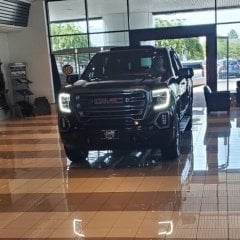
By calgator73 · Posted
yes....if they are reacting to something. Could be a little mud/snow build-up..(triggers mine at slow speeds) but often I'll just get a front sensor blocked message. Maybe a park sensor starting to flake out?
-
-
GM-Trucks.com Clubs
-

Black Truck Club
Open Club · 613 members
-

White Truck Club
Open Club · 381 members
-

Canadian Owners Club
Open Club · 282 members
-

Red Truck Club
Open Club · 158 members
-

diesel 3.0
Open Club · 281 members
-

Texas Owner's Group
Open Club · 371 members
-

NorthSky Blue Club
Open Club · 118 members
-

Midwest Owner's Group
Open Club · 213 members
-

2015 Custom Sport Club
Open Club · 5 members
-

GM Snow Plowing Club HD
Closed Club · 14 members
-
-
Popular Contributors
-


Recommended Posts
Archived
This topic is now archived and is closed to further replies.