

-
Recently Browsing 0 members
- No registered users viewing this page.
-
Forum Statistics
250.5k
Total Topics2.7m
Total Posts -
Member Statistics
342,972
Total Members8,960
Most Online
-
Who's Online 2 Members, 0 Anonymous, 417 Guests (See full list)
-
Latest Articles
-
Posts
-
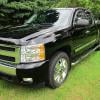 Even tougher is the 5.0 / 302. That's what this one has. https://postimg.cc/Z9XRrCSg https://postimg.cc/4n3F3yzY Just realized I had the airbox removed in the engine pic, lol.
 -
 Yep! This should be a pin somewhere as @pgamboa really dives into all of this. Thanks for reposting the link!
 -
.thumb.JPG.2c573de60d3a3a4407c7d92298db46dd.JPG)
By Grumpy Bear · Posted
I did the new thermostat after doing a 'flip' for a year. Runs as cool one way as the other in the summer but in the winter there is a bit of a floor. Yellow with the new 70 C thermostat. My data over the life of the unit to date. Still need more cooler. Anyway that floor helped both winter fuel economy and shift quality in the winter. I found it a good balance. -
By Grumpy Bear · Posted
Evan Williams Bottled in Bond So pouring the last of a bottle of Evan Williams Black label last night I set off the the state store for a refill only to be denied the by an empty shelf. Rats. What the did have was a bottle of Evan Williams Bottled in Bond. 100 proof. Hum, a few bucks more but a known distiller. Lets have a swing at it. ( I have before ) Cracked it open and pour a serving over ice. Hum.... more heat, yes. More alcohol naturally. But the barreling not the proof brings the taste and this one came up short. Oh is was familiar but the heat ran the barrel over like a Peterbilt runs over a squirrel. Could use a heavier toasting of the oak me thinks or perhaps a longer barreling. Who knows. But what I can say is ice or a water back isn't the answer. What kills one kills them both. Sad. It is a pleasant drink....if you have little to compare it to. -
By Grumpy Bear · Posted
I've had exactly one set of Bridgestone. Lasted five year and 125,000 miles and had I known better 15oK would have been a cake walk. I would have bought a like set had they not tripled in price since the first set. I removed them at said mileage with 5/32" remaining in dead even wear all four. They were fuel efficient, quite, comfortable and predictable. Early on I got a very good alignment checked at least once a year, sometimes twice; kept the tires properly inflated, balanced and rotated. And I've found that many a tire issue can be avoided with great maintenance practices. Lot's of tire dealers will do rotation and balance (simple) for free for as long as you own the tire they sold you so no excuse not to. Bead prep, alloy integrity and stem health have a huge impact on inflation stability. There are more mountings done poorly that perfectly. Finding a good tire guy is gold and as important as finding a tire you like. That 3X price increase now two sets of "other tires' later is starting look like a bargain. Bad maintenance kills more tires than bad tires.
-
-
GM-Trucks.com Clubs
-

Black Truck Club
Open Club · 613 members
-

White Truck Club
Open Club · 381 members
-

Canadian Owners Club
Open Club · 282 members
-

Red Truck Club
Open Club · 158 members
-

diesel 3.0
Open Club · 281 members
-

Texas Owner's Group
Open Club · 371 members
-

NorthSky Blue Club
Open Club · 118 members
-

Midwest Owner's Group
Open Club · 213 members
-

2015 Custom Sport Club
Open Club · 5 members
-

GM Snow Plowing Club HD
Closed Club · 14 members
-
-
Popular Contributors
-




Recommended Posts
Archived
This topic is now archived and is closed to further replies.