

-
Recently Browsing 0 members
- No registered users viewing this page.
-
Forum Statistics
250.5k
Total Topics2.7m
Total Posts -
Member Statistics
342,972
Total Members8,960
Most Online
-
Who's Online 5 Members, 0 Anonymous, 979 Guests (See full list)
-
Latest Articles
-
Posts
-

-
First time poster here, recently bought some tow mirrors off of my buddy and installed them on my 2014 Silverado 1500 ltz, my stock mirrors have the light in the lenses for your blinker with heat, power adjust, memory, and power fold. I noticed the mirrors I got have 3 total connectors but my stock mirrors only have 1. I plug the new mirrors in and the only function I have is the power adjust. No lights no fold nothing. I’m guessing I need to wire something or repin the connector, any info out there on how to do so? The pictures attached include a picture of my oem connector with only 1 connector, and the aftermarket ones with 3 connectors. I apologize if I post this in the wrong section
-
 Yeah, cartridge filter on this one. I actually ran R&P when I first bought it and didn’t see anything in it. But it was a fairly short run so we’ll see. Of course!
 -
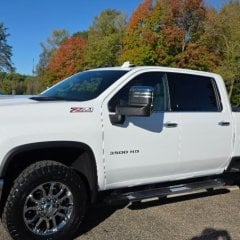
By dieselfan1 · Posted
Not sure if this got posted yet but TFL got hp numbers. 5.7 is 400 hp 6.6 is 475 hp -
 Do not assume any updates apply to your vehicle. Maybe the best thing to do is, leave well enough alone. I was at the Cadillac dealer once for a system software update fix (not a recall) for a known issue with fuel gauge inaccuracy in some CTS+4. Supposed to take 30 min. but as I was talking to a person in the showroom I spotted them pushing my car outside. Just about then the SM came over and said, while we were running the update the cpu froze up and we have to get a new CPU. I'm getting you a loaner, we hope to have a new one over night and I 'll have them bring the car to you when its ready. Came in at 9am Thursday, left with a 4 yr. year old DTS and got my car back late Friday, good as new. I was under the 3yr B>B warranty. Imagine the cost if not covered by warranty?
-
-
GM-Trucks.com Clubs
-

Black Truck Club
Open Club · 613 members
-

White Truck Club
Open Club · 381 members
-

Canadian Owners Club
Open Club · 282 members
-

Red Truck Club
Open Club · 158 members
-

diesel 3.0
Open Club · 281 members
-

Texas Owner's Group
Open Club · 371 members
-

NorthSky Blue Club
Open Club · 118 members
-

Midwest Owner's Group
Open Club · 213 members
-

2015 Custom Sport Club
Open Club · 5 members
-

GM Snow Plowing Club HD
Closed Club · 14 members
-
-
Popular Contributors
-


.thumb.JPG.2c573de60d3a3a4407c7d92298db46dd.JPG)

Recommended Posts
Archived
This topic is now archived and is closed to further replies.