

-
Recently Browsing 0 members
- No registered users viewing this page.
-
Forum Statistics
250.5k
Total Topics2.7m
Total Posts -
Member Statistics
342,975
Total Members8,960
Most Online
-
Who's Online 11 Members, 1 Anonymous, 668 Guests (See full list)
-
Latest Articles
-
Posts
-
.thumb.JPG.96e5ac8c60641f8011665a2c92c083f2.JPG)
-
 If it won't pull it, then it won't pull it. You'd have to use one of those sites where you can buy a reprint.
 -
 I never liked the choppiness of AFM (or DFM) in my '15 and '20 Silverados and IMO it's worth disabling just for the driving experience alone. I wonder what the actual failure rate of AFM/DFM is.
 -
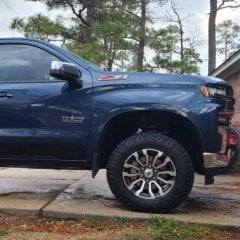 186K miles on my 2020 8-spd. Butter smooth shifts.
 -
 Im unable to pull up the sticker for my 21 Sierra. It worked fine for my 19 Silverado... Can someone pull the sticker for me Please? 3GTU9FET6MG179370
-
-
GM-Trucks.com Clubs
-

Black Truck Club
Open Club · 613 members
-

White Truck Club
Open Club · 381 members
-

Canadian Owners Club
Open Club · 282 members
-

Red Truck Club
Open Club · 158 members
-

diesel 3.0
Open Club · 281 members
-

Texas Owner's Group
Open Club · 371 members
-

NorthSky Blue Club
Open Club · 118 members
-

Midwest Owner's Group
Open Club · 213 members
-

2015 Custom Sport Club
Open Club · 5 members
-

GM Snow Plowing Club HD
Closed Club · 14 members
-
-
Popular Contributors
-
.thumb.JPG.2c573de60d3a3a4407c7d92298db46dd.JPG)


Recommended Posts
Archived
This topic is now archived and is closed to further replies.