

-
Recently Browsing 0 members
- No registered users viewing this page.
-
Forum Statistics
250.6k
Total Topics2.7m
Total Posts -
Member Statistics
343,003
Total Members8,960
Most Online
-
Who's Online 8 Members, 0 Anonymous, 1,203 Guests (See full list)
-
Latest Articles
-
Posts
-
By JimCost2014 · Posted
Have you tried cycling them 3 times to reset? Fold, open x 3. -
By Patrick Fergy · Posted
I just bought a 2015 Silverado Z71.LTZ 5.3, the power Sideview mirror is working properly on the passenger side. However, the driver side does not fold in like the passenger side. I tried it both on the door panel and using the key fob with no luck. Is there any other suggestions what I can try? Thank you in advance. -

By jagabom (Esquire) · Posted
2011 GMC Sierra. Had to do some work under the passenger seat. Have no idea what those fancy bolts and nuts are called. Had to take the seat off it's mounts. Somewhat of a commotion. Front nuts are 15mm or 9/16. 9/16 fits a little better. Rear bolts are 7/16 and fit good. Problem with the rear is that they go right through the body and are exposed to the elements. Got them off though. -
 Hanging around $4.00 for 87 octane. Diesel is spiking fast, truck stop is $5.94 now. Going to be over $6 soon from the looks of it.
 -
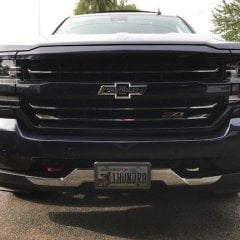
 A custom aluminum or stainless skid plate would look good and cover most of your hitch.
-
-
GM-Trucks.com Clubs
-

Black Truck Club
Open Club · 613 members
-

White Truck Club
Open Club · 381 members
-

Canadian Owners Club
Open Club · 282 members
-

Red Truck Club
Open Club · 158 members
-

diesel 3.0
Open Club · 281 members
-

Texas Owner's Group
Open Club · 371 members
-

NorthSky Blue Club
Open Club · 118 members
-

Midwest Owner's Group
Open Club · 213 members
-

2015 Custom Sport Club
Open Club · 5 members
-

GM Snow Plowing Club HD
Closed Club · 14 members
-
-
Popular Contributors
-
.thumb.JPG.2c573de60d3a3a4407c7d92298db46dd.JPG)




Recommended Posts
Archived
This topic is now archived and is closed to further replies.