Jump to content

Recommended Posts

Posted

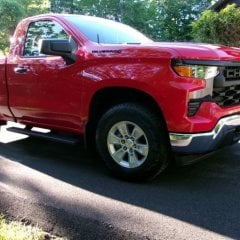
'22 Sierra HD.


Know pretty well nothing in this area, so not even sure if I am asking the right question(s).


When I first set up system, was able to use Google Maps/Waze without having to hardwire iPhone. Just kept phone on hip. Of course, also able to access telephone contacts etc.


However, have discovered that the phone really loses power, and have read somewhere that Google Maps etc work in the background, even when not visible on the  dash and draw iPhone power as a result.


I do not use Google Maps/Waze much (use OEM navigation) and only in some rare cases may use either.


A while ago, I thought I read a forum post (which I can't find or even recall which forum it may have been) about being able to disconnect the use of Maps/Waze wirelessly, but being able to access either by just plugging in the phone, and that prevents the constant power loss. And, of course, the phone gets powered while plugged in.


Tried reading the Manual on this, but it all read like Greek to me.


So, is there a way to have Maps/Waze available only through wired connection and not wirelessly. Or is it an all or nothing arrangement?


The wife had me turn off a number of things on the phone, but when I turn on the truck, I still get the "Apple CarPlay Connected" and I can access Google Maps without plugging in the phone.


Marv

Posted
9 hours ago, marpel said:

'22 Sierra HD.


Know pretty well nothing in this area, so not even sure if I am asking the right question(s).


When I first set up system, was able to use Google Maps/Waze without having to hardwire iPhone. Just kept phone on hip. Of course, also able to access telephone contacts etc.


However, have discovered that the phone really loses power, and have read somewhere that Google Maps etc work in the background, even when not visible on the  dash and draw iPhone power as a result.


I do not use Google Maps/Waze much (use OEM navigation) and only in some rare cases may use either.


A while ago, I thought I read a forum post (which I can't find or even recall which forum it may have been) about being able to disconnect the use of Maps/Waze wirelessly, but being able to access either by just plugging in the phone, and that prevents the constant power loss. And, of course, the phone gets powered while plugged in.


Tried reading the Manual on this, but it all read like Greek to me.


So, is there a way to have Maps/Waze available only through wired connection and not wirelessly. Or is it an all or nothing arrangement?


The wife had me turn off a number of things on the phone, but when I turn on the truck, I still get the "Apple CarPlay Connected" and I can access Google Maps without plugging in the phone.


Marv

I don’t know if I fully understand the question but I’ll give it a whirl. I use my iPhone for everything. When traveling I use Gps navigation and IHEART radio on my phone through Bluetooth. The phone is plugged in. I also click it over a vent to keep it cool because they get hot. I ran a cord for charging out of the way. My favorite spot is to the left of the steering wheel. I don’t use my cars navigation. Non are as accurate as WAZ or my standard iPhone navigation. IHeartRadio doesn’t have station fading like standard FM. I don’t eliminate my icons when done I just x or swipe off. 

Posted

Waze is famous for draining your phone battery and running it hot. I didn't think Waze, Google Maps and Apple Maps (my new favorite of the 3) would load and run on your phone unless you select them from the CarPlay screen or launch them on the phone while connected to CarPlay.  If they're running in the background on your phone, try killing them before connecting to CarPlay.

Posted

Thanks very much for the replies.


As a result of some, fairly regular, travel outside cell coverage (mostly during trips to/from Vancouver, BC and Denver, Co), I got used to using the OEM Navigation, but still have occasion to use Google Maps and Waze within the greater Vancouver area and/or Metro areas. So would still like access to both, and currently have the Apps downloaded on my phone.


When not in the vehicle, I have noticed a much less power drain on the phone and when in the vehicle, especially on long drives, the phone uses more power, even when not using Maps/Waze. When I drive, even locally, I don't use any extraneous Apps and in fact, very very rarely even turn on the radio. I usually have OEM Navigation running. Because this power usage seems to be associated with using the truck, I merely thought there was a (wireless) connection between it and Google Maps/Waze, even though they are not visible on the dash screen (playing in the background??).


So, as initially stated, I was wondering if these Apps could be set up on the phone, so they will not wirelessly operate in the background (if that is actually what is happening), but would be accessible if I plugged the phone in to the USB port in the truck. What I would prefer is not having to go into my phone settings and turn things off/on each time.


So Njmurvin, is that what you mean by "try killing them before connecting to CarPlay."?


Thanks for any added advice.


Marv

Posted
On 9/7/2022 at 8:08 PM, marpel said:


So Njmurvin, is that what you mean by "try killing them before connecting to CarPlay."?


Thanks for any added advice.


Marv

What I meant by killing them is force-closing them. Depending on the phone you have it's either a double click of the home button or, if you have a later phone with no home button, it's a up swipe from the bottom of the screen. Apple tells you that these apps don't use any resources or drain battery but my experience in the past with Waze tells me otherwise. As a result, I make it a habit to force-close Waze after I arrive at my destination whenever I use it.

  • Like 1
  • 1 month later...
Posted
On 9/9/2022 at 10:24 PM, marpel said:

Thanks very much Njmurvin. I will give that a try.


Marv


Killing the app will help but not much. What's eating up the battery is because your phone is connected to the infotainment wirelessly even though you are not accessing Apple CarPlay on the infotainment. If you only want Apple CarPlay to be connected through the USB cable then you need to go to Settings on the infotainment then Phones and delete your iPhone listed there.  You will also need to delete on the iPhone in the Bluetooth settings the GM app.

The downside of doing this is you will no longer be able to stream your iPhone music to the radio. Everything will now ONLY be accessible through the USB cable when plugged in.

  • 4 weeks later...
Posted

I do like NJmurvin does on my android phone:  Force close the apps after getting into the truck and starting it.  Works great.  👍

Then to use the app connected to the truck I simply start the app on the phone.  Hope it works the same for you with the iPhone.


Happy Trails! :cheers:

  • 1 month later...
Posted

A few things to try,my android phone allows me to turn off auto start of andriod auto or not allow it to start when phone is locked. I also have a button to allow wireless android auto. When i use it in the truck, I have the console which has the wireless charger in the mat where I lay the phone. That keeps it charged. If you have a lower optioned truck, they make an aftermarket charger that will retrofit into the center handrest. So i never have the phones plugged in. 

  • 2 weeks later...
Posted

Late to the conversation but I'm not seeing this answer anywhere here.....


There are three ways to connect your phone to your truck; USB, Bluetooth and WiFi.

If you're seeing Waze in Car Play and your phone is not plugged in, you're connecting through WiFi. This combined with Location Services (GPS) used by Waze WILL pull your battery down faster. I suspect that Car Play is starting the Waze app even if you had it shut down before starting the truck.


To stop doing this, Go to your phone's WiFi networks and delete / forget the trucks WiFi network. Doing so, you will loose wireless Car Play services like Waze but you can still play music and take phone calls. And Bluetooth has a much lower demand on the phone battery. If you really want Waze or other car play services, you can always plug the phone into the truck's USB.


One more thought about your truck's USB. It only provides the 2.5 watts of power specified by the USB 2.0 specification. That means your phone will only have the slow charge option available and the combination of GPS and WiFi will consume a significant portion of that. Unfortunately, it appears that the USB C outlet has the same limitation.


Hope this was helpful to someone.

Create an account or sign in to comment

You need to be a member in order to leave a comment

Create an account

Sign up for a new account in our community. It's easy!

Register a new account

Sign in

Already have an account? Sign in here.

Sign In Now
  • Recently Browsing   0 members

    • No registered users viewing this page.
  • Forum Statistics

    250.4k
    Total Topics
    2.7m
    Total Posts
  • Member Statistics

    342,804
    Total Members
    8,960
    Most Online
    LCH14
    Newest Member
    LCH14
    Joined
  • Who's Online   1 Member, 0 Anonymous, 1,589 Guests (See full list)

  • Latest Articles

  • Posts

    • The 92-95 SCPI spider injectors are notoriously problematic and hard to source new replacements. I’d pull the intake manifold first to inspect cracked lines and brittle plastic legs before dropping $350 on a rebuild. The 1.5 OBD system only offers limited data, no misfire tracking, which is normal for this 1995 model. Enjoy the project!
    • Yea a fluid change is in order here. Honestly, your transmission didn’t even get hot. During the summer in stop and go traffic I’ve seen my 8l80 get up to 216 and it was still shifting smoothly. 
    • I'd change the fluid and start there.   198F is nothing for the 8L90.  They typically operate 180-200F stock.  
    • Looking for help!   2019 GMC Sierra 1500 - 5.3l 4x4 8l90 61k miles - truck is in Arizona, was over 110 outside on Monday when this whole situation transpired. Never had any major issues with transmission until this point:   Truck sat outside my construction office for approx 1 hour idling before I realized, ran around the job site wrapping some things up for the day and then left. Went to get food and sat in the drive through for approx 30 minutes idling. As soon as I pull out of the drive through and onto the main road, rear tires lock up and feels like transmission fell out of the truck. Shifted to park, shut the truck off and tried again, same thing happened. Was able to reverse into parking lot (truck slammed into reverse). Let the truck sit turned off for 10 minutes before trying again, but it continued to happen. Towed truck back to my house. Highest the trans temps reached was 198.   Friday, after work I start looking into the situation. Truck sat in my driveway untouched all week. Truck is now driving like normal, transmission doesn’t get over 185 degrees when trying to heat it up. Got up to 60 multiples times with no issues, no issues accelerating, only down shifted hard into first one time at 185 degrees. Does anyone have any insight? Never through a code or a check engine light. Truck has never been used to tow either. No transmission services at this point.
    • Atlas won.   I know better, but I did it anyway. I took a compressed air line with a chuck and rubber tip and jammed it in the open EGR port. The port was clear as far as I could see, and as far as I could poke with a flexible wire, but that doesn't mean it's not clogged.   Compressed air blew back at me along with a cloud of black. Oops. I didn't have the rubber tip seated in there all the way. Jammed it up in there some more and squeezed the chuck. PSI was set to 120. Poof! It blew back at me again. Third time...pfffffttssssssspffffffsssfffffff, face full of carbon, and then, kind of a thud..and the air stopped spraying back at me. It was now exiting the exhaust with a low shhhhhh sound as it flowed through the pipe. Something broke free. I pressurized the port again, and air flowed.   Made my day.   Long story short on this problem, it's fixed. Something was really blocking the EGR passages down low, and compressed air blew it apart. I don't recommend this as who knows what debris was sent where. But it's allowed me to move forward, mentally, and onto the next problems I need to get this little S-Blazer going down the road properly again.  
  • GM-Trucks.com Clubs

  • Popular Contributors

×
×
  • Create New...