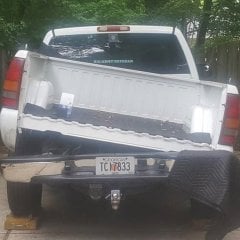
7milesout Posted July 14, 2022 Posted July 14, 2022 I know this is not the typical thread. But I'm wondering if there is a way to cancel the cruise, other than the brake pedal tap, or switch off the cruise. Sitting in a parking lot yesterday with windows behind me, I tapped the brake pedal the same way I tap it when cancelling the cruise and it saw in the reflection from the windows that it blinked the brake lights. I don't want to blink / flash my brake lights when I cancel cruise. And flipping it off loses the set speed memory. There's got to be another way. I seem to remember years ago that I found another way of canceling the cruise, but either I remember wrong or it now escapes me.
KARNUT Posted July 14, 2022 Posted July 14, 2022 8 minutes ago, 7milesout said: I know this is not the typical thread. But I'm wondering if there is a way to cancel the cruise, other than the brake pedal tap, or switch off the cruise. Sitting in a parking lot yesterday with windows behind me, I tapped the brake pedal the same way I tap it when cancelling the cruise and it saw in the reflection from the windows that it blinked the brake lights. I don't want to blink / flash my brake lights when I cancel cruise. And flipping it off loses the set speed memory. There's got to be another way. I seem to remember years ago that I found another way of canceling the cruise, but either I remember wrong or it now escapes me. You could always hold down the cruise button. That lets it slow without brake lights and not turn off. Then tap the resume button however many times back to the desired speed. One of my vehicles you can double click to resume the last set speed. I found by accident. Can’t remember which one.
newdude Posted July 14, 2022 Posted July 14, 2022 Yea. Tap the brake pedal. No need to try and re-invent the wheel here. 2
MaverickZ71 Posted July 14, 2022 Posted July 14, 2022 4 hours ago, 7milesout said: I know this is not the typical thread. But I'm wondering if there is a way to cancel the cruise, other than the brake pedal tap, or switch off the cruise. Sitting in a parking lot yesterday with windows behind me, I tapped the brake pedal the same way I tap it when cancelling the cruise and it saw in the reflection from the windows that it blinked the brake lights. I don't want to blink / flash my brake lights when I cancel cruise. And flipping it off loses the set speed memory. There's got to be another way. I seem to remember years ago that I found another way of canceling the cruise, but either I remember wrong or it now escapes me. 1) Cut big hole in floorboard 2) Drag feet (works best with shoes) 1
It's Tim Posted July 15, 2022 Posted July 15, 2022 (edited) A tap on the button at 9 o'clock will cancel the cruise control without activating the brake lamps. Pressing "res +" will resume the previous set speed so long as the vechicle has not been turned off. Edited July 15, 2022 by It's Tim 2
7milesout Posted July 15, 2022 Author Posted July 15, 2022 Tim - Mine is either older or a lower trim level. It only has the old-school blinker stalk controls. No controls on the steering wheel.
shakenfake Posted July 15, 2022 Posted July 15, 2022 @It's TimHe has a GMT-800. That cruise style is a GMT-900
It's Tim Posted July 15, 2022 Posted July 15, 2022 20 minutes ago, 7milesout said: Tim - Mine is either older or a lower trim level. It only has the old-school blinker stalk controls. No controls on the steering wheel. My bad. I'm afraid you'll have no choice but to tap the brake pedal then. But it's cool to tap that button and watch the rearview... then the tailgaters get all worked up about it.
stu_pidasso Posted July 18, 2022 Posted July 18, 2022 (edited) Your options are to touch the brake to cancel it, or turn it off to cancel it. You can set the cruise at 60mph to unload yourself of a lot of work, and the truck will sit there all day at 60mph until theres no gas left. The truck half drives itself and this is your complaint? Reminds me of the Louis CK bit on flying. Edited July 18, 2022 by stu_pidasso
Recommended Posts
Create an account or sign in to comment
You need to be a member in order to leave a comment
Create an account
Sign up for a new account in our community. It's easy!
Register a new accountSign in
Already have an account? Sign in here.
Sign In Now