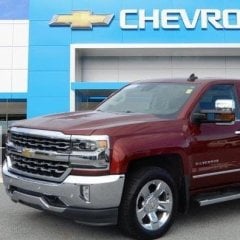
OneSicSierra Posted June 15, 2016 Posted June 15, 2016 Just purchased a 2016 Sierra on Saturday and have about 400 miles on it. No problems until now. I decided to try the onstar app and used the app to unlock the doors. When I proceeded to start the engine the GMC logo came on the screen and then the touch screen goes blank. The hard buttons do not work also. I can however control the radio through steering wheel. The screen does flicker one ina while with the XM radio screen saying something about account ID. It is also changing radio stations randomly. It has been over 3 hours now and I have tried to restart multiple times with no luck. Anyone have any suggestions? I would hate to have to bring to dealer so soon after purchasing.
Brianibew Posted June 16, 2016 Posted June 16, 2016 Try disconnecting the negative battery cable for 15 min and see if it resets.
smurfy71 Posted June 16, 2016 Posted June 16, 2016 Just purchased a 2016 Sierra on Saturday and have about 400 miles on it. No problems until now. I decided to try the onstar app and used the app to unlock the doors. When I proceeded to start the engine the GMC logo came on the screen and then the touch screen goes blank. The hard buttons do not work also. I can however control the radio through steering wheel. The screen does flicker one ina while with the XM radio screen saying something about account ID. It is also changing radio stations randomly. It has been over 3 hours now and I have tried to restart multiple times with no luck. Anyone have any suggestions? I would hate to have to bring to dealer so soon after purchasing. I would have pulled right back into the dealer lot and said fix it now. For the price of these trucks, you shouldn't be troubleshooting.
O_J_Simpson Posted June 16, 2016 Posted June 16, 2016 (edited) W_rr_nty I'd like to by a vowel! Edited June 16, 2016 by O_J_Simpson 1
OneSicSierra Posted June 16, 2016 Author Posted June 16, 2016 Well I just went through a few things. Contacted the Onstar infotainment dept and they reset the radio. That did not resolve it. Also disconnected the negative terminal on the battery for 15 minutes. That did not work either. I guess it's off to the dealer now. Pretty bad that it's this new and have to bring it in already. Sent from my iPhone using Tapatalk
OneSicSierra Posted June 17, 2016 Author Posted June 17, 2016 Brought to the dealership today. There saying it's the HMI Module. Parts on order and coming in tomorrow. Crossing my fingers that this will fix the trouble.
OneSicSierra Posted June 22, 2016 Author Posted June 22, 2016 So it did turn out to be the HMI module. Took them about two hours to replace.
20L8TSierra24 Posted June 22, 2016 Posted June 22, 2016 I've had 3 friends with 16's all have their Mylink screens go blank. 1 Silverado, 1 Sierra, and a Camaro...
mookdoc6 Posted June 22, 2016 Posted June 22, 2016 Sucks bro! Oh well they will fix it and hopefully just a one-off! I have 2016 Sierra and no problems!
vikas Maan Posted November 19, 2021 Posted November 19, 2021 if you can control the icons with the buttons, then the issue is probably with the digitizer , which is the screen on top of the LCD screen . I have taken the whole thing apart including the screen . Disconnected the ribbons , cleaned them with alcohol , reconnected . My problem is that the screen goes crazy , with blips every few seconds, on an on ..... The main control module is a Bosch. The screen setup is made in China. I am on my way to get a refurbished screen unit...
2016 gmc 1500 Posted March 11, 2024 Posted March 11, 2024 Have a 2016 gmc 1500 and radio keeps jumping from station to station. How do I reset radio thx
Recommended Posts
Create an account or sign in to comment
You need to be a member in order to leave a comment
Create an account
Sign up for a new account in our community. It's easy!
Register a new accountSign in
Already have an account? Sign in here.
Sign In Now