
Can't download apps on trucks radio. Am I an idiot??

-
Recently Browsing 0 members
- No registered users viewing this page.
-
Forum Statistics
250.4k
Total Topics2.7m
Total Posts -
Member Statistics
342,778
Total Members8,960
Most Online
-
Who's Online 9 Members, 0 Anonymous, 1,305 Guests (See full list)
-
Latest Articles
-
Posts
-

-
 The Denali Ultimate's grille is tinted, but the "regular' Denali has a bright chrome grille like the current models.
 -
 Because that is IDIOTIC, much like this question. They've already been forced to do it by past administrations - why would you roll that back when it's a GOOD thing? WHO IS ARGUING FOR LOWER MILEAGE???? 😂 NOBODY IS!! I'm certainly not! What I want is RELIABLE vehicles again that are worth the price paid! I don't get your logic here ... In 2003 I paid $2,200 for our '86 Grand Marquis. It's STILL running and I've never been inside the engine, aside for the timing cover since it was leaking, so I threw a new timing set in since that makes sense. Transmission is ORIGINAL. Electric pump in the gas tank is ORIGINAL. Rear end is ORIGINAL. I'd have to hit my head REAL hard to want to pay $60k or more for a car that still can't come close to the comfort, seating and storage space, or reliability of this one. Nothing is even in the ball park! Hundreds of thousands of brands and models have been built and sent to the crusher while this one keeps on going! https://postimg.cc/Z9XRrCSg I've got a whole fleet of cars, motorcycles, and a truck close to this age for summer and winter. No one could pay me enough to buy anything built this century. I have zero use for any it.
 -
Since I'm the one who has to fix them when they break, I'll take vehicles over 30 years old all day, EVERY day, over ANY modern crap. Have you attempted any repairs on anything built after 2006? It's a friggin nightmare, and gets worse the newer the model year. If I had the will or desire, I can make any car of any age outside of a Model T (I don't have THAT much will ...) just as powerful, comfortable, and have all the tech the new stuff does, and get pretty close in mileage, too. I prefer SIMPLICITY. The less the vehicle has, the less to fix WHEN it breaks, not IF. I'm glad you snot-nosed punks don't like them. More for us, plus that keeps the prices from climbing more than they already have.👍
-
By cautious optimist · Posted
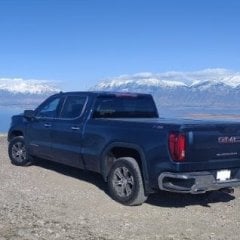
Bringing this thread back on topic. I just noticed the incredible lack of bright chrome across the entire new lineup. Even the Denali has tinted the brightwork in the grille and has none elsewhere. None of them have chrome bumpers. As far as I can tell there aren't even chrome mirror caps. I'm curious if this also happens out back? Are there no chrome rear bumpers either? This is quite the departure for GMC.
-
-
GM-Trucks.com Clubs
-

Black Truck Club
Open Club · 612 members
-

White Truck Club
Open Club · 380 members
-

Canadian Owners Club
Open Club · 282 members
-

Red Truck Club
Open Club · 156 members
-

diesel 3.0
Open Club · 279 members
-

Texas Owner's Group
Open Club · 371 members
-

NorthSky Blue Club
Open Club · 118 members
-

Midwest Owner's Group
Open Club · 212 members
-

2015 Custom Sport Club
Open Club · 5 members
-

GM Snow Plowing Club HD
Closed Club · 14 members
-
-
Popular Contributors
-
1

-
2
.thumb.JPG.2c573de60d3a3a4407c7d92298db46dd.JPG)
-
3

-
4

-
5
-
-

Recommended Posts
Create an account or sign in to comment
You need to be a member in order to leave a comment
Create an account
Sign up for a new account in our community. It's easy!
Register a new accountSign in
Already have an account? Sign in here.
Sign In Now