
I added Wireless Android Auto to my truck

-
Recently Browsing 0 members
- No registered users viewing this page.
-
Forum Statistics
250.4k
Total Topics2.7m
Total Posts -
Member Statistics
342,769
Total Members8,960
Most Online
-
Who's Online 15 Members, 1 Anonymous, 1,147 Guests (See full list)
-
Latest Articles
-
Posts
-

By William Aldrich · Posted
NewDude, thank you for the suggestions! I did follow up and the dealer indicates he has an open CX case and is working with DPAC (Dealer Parts Assistance Center). Per the dealer, GM has had a quality spill and is not providing an update for when a replacement engine will be available. -

By Silver Yeti · Posted
That's interesting. There was a factory wire-hole in the back, top of the rear cab, which had a wire for the third brakelight assembly running through it, as well as several holes (10 of them I believe) for all of the studs coming off of the 3rd brakelight assembly itself. I sealed all of those holes with RTV/silicone as well. I found it kind of odd, that none of those holes, were sealed with any kind of sealant by the factory - if there was any there, it wasn't very much. That said, I've been out in heavy rain and have ran the truck through high-pressure car-washes a few times now and she has been 100% water-tight to this point. I feel very confident in the repair, we'll see how it holds up. -
By Jay-22-2500 · Posted
I bought a used 2022 2500hd with 6.6L in February. In March took a 2200 mile trip towing our 6500 lb trailer. Changed the oil day before leaving and when we were arriving at our 1st destination, low oil light came on (roughly 1000 miles) it was 2 qts low. Now it towed like a dream, no issue there, and we did go through the mountains of TN, but still, 2 qts! Luckily I did purchase an extended warranty. Brought it to the dealership in April, oil change and consumption test. Brought it back last week, 1300 miles, no towing, and no oil showing on the dipstick. GM is reccomending a new engine (cheaper than them rebuilding), we'll see if the warranty company comes through. -
 T3's and Ibuprofen. I do have a cryotherapy unit (ice machine) and a lift chair that will allow me to raise my legs above my heart. There are topicals that I can use once the wound is fully healed.
 -
By Jus Cruisin · Posted
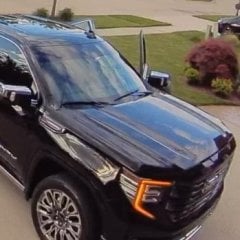
The 2027 Ultimate is my #2 choice,as long as they will offer the painted wheelwell flairs. #1 is the Yukon Ultimate. The new gas engines don't matter to me. I'll go diesel either way.
-
-
GM-Trucks.com Clubs
-

Black Truck Club
Open Club · 612 members
-

White Truck Club
Open Club · 380 members
-

Canadian Owners Club
Open Club · 282 members
-

Red Truck Club
Open Club · 156 members
-

diesel 3.0
Open Club · 279 members
-

Texas Owner's Group
Open Club · 371 members
-

NorthSky Blue Club
Open Club · 118 members
-

Midwest Owner's Group
Open Club · 212 members
-

2015 Custom Sport Club
Open Club · 5 members
-

GM Snow Plowing Club HD
Closed Club · 14 members
-
-
Popular Contributors
-


.thumb.JPG.2c573de60d3a3a4407c7d92298db46dd.JPG)


Recommended Posts
Create an account or sign in to comment
You need to be a member in order to leave a comment
Create an account
Sign up for a new account in our community. It's easy!
Register a new accountSign in
Already have an account? Sign in here.
Sign In Now