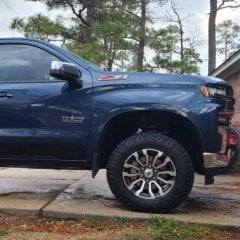
jawsmon Posted August 24, 2022 Posted August 24, 2022 I have a new to me 2020 GMC Sierra 1500 Denali with 23K on the odometer. I set up various profiles for the different trailers that I tow occasionally. Today I was trouble shooting the lights on my small cargo trailer and the trailering app failed to initialize. I let it rest for a short while and tried again but the problem didn't go away. The third time the display said not available, try again later. Any thoughts anyone?
jawsmon Posted August 24, 2022 Author Posted August 24, 2022 6th try was the charm. The trailering app just started working all of a sudden. There must be a electronics gremlin lurking in the background just waiting to mess with my truck. I hope this is just a one-time event.
cltsig Posted August 24, 2022 Posted August 24, 2022 Mine can be hit or miss. I haven't towed in a few months but I recall it doesn't do a heckuva lot anyway.
EddDe Posted August 25, 2022 Posted August 25, 2022 I have 2020 Silverado 1500 and my Trailering App is also intermittent. I've been to two dealerships, center display software has been reinstalled multiple times, I opened a customer service case and even had a tech service case opened that simply told tech to reset console to factory defaults. Unfortunately, nothing improved the App, it's hit or miss. I'm still under warranty and will be taking it back again soon. One tech told me it is a software anomaly that will probably never be resolved.
jawsmon Posted August 25, 2022 Author Posted August 25, 2022 That's discouraging news. It's like they are in so much of a rush to get this to production that it's not thoroughly tested before hand. Then once it's out the door they are on to bigger and better so it's left in the dust.
GMCustomerService Posted August 26, 2022 Posted August 26, 2022 On 8/23/2022 at 8:36 PM, jawsmon said: I have a new to me 2020 GMC Sierra 1500 Denali with 23K on the odometer. I set up various profiles for the different trailers that I tow occasionally. Today I was trouble shooting the lights on my small cargo trailer and the trailering app failed to initialize. I let it rest for a short while and tried again but the problem didn't go away. The third time the display said not available, try again later. Any thoughts anyone? This is certainly not what we like to hear, jawsmon. Please know, customer satisfaction is extremely important to us. Our team would be more than happy to take a closer look into the concerns with your 2020 GMC Sierra 1500 Denali. To do so, please send an email to [email protected] with ATTN: jawsmon/GM Trucks in the subject line. Please include your contact information, VIN, a brief description of your concern, and the name of your preferred dealership. We look forward to hearing from you. To learn more about GM’s privacy policy, please visit https://www.gm.com/privacy-statement.html. Privacy Statement | General Motors Your privacy is important to General Motors. This Privacy Statement addresses the personal information GM collects and how GM handles that personal information. www.gm.com
jawsmon Posted August 31, 2022 Author Posted August 31, 2022 (edited) It continues to be very sporadic. Sometimes it works and other times it refuses to initialize. I have a towing job this evening. Hopefully it will work then. I like having the profile of the different trailers that I tow because it will remember the brake gain settings and remind me to use the tow/haul mode. The light test feature is great as well. I love the way it's integrated into the blind spot camera so when I turn on the turn signal that sides blind spot camera come on automatically. It sure makes towing a lot easier. I would just like it to be reliable and not be so hit and miss. Edited August 31, 2022 by jawsmon
Greyhound6.2 Posted September 10, 2022 Posted September 10, 2022 I have had the trailer app not start a few times, I just get a blank black screen when I go to that screen. probably works fine 95% of the time
jawsmon Posted September 10, 2022 Author Posted September 10, 2022 I hear ya. That's exactly what mine does. The local dealership is aware of the problem but didn't volunteer a solution. Also, I get a message sometimes when I go to engage the cruise control that says 'adaptive cruise control not available' . This is a little frustrating especially since I use it all the time, even in town.
GMCustomerService Posted September 23, 2022 Posted September 23, 2022 On 9/10/2022 at 1:08 PM, Greyhound6.2 said: I have had the trailer app not start a few times, I just get a blank black screen when I go to that screen. probably works fine 95% of the time This is certainly not what we like to hear, Greyhound6.2. Please know, customer satisfaction is extremely important to us. Our team would be more than happy to take a closer look into the concerns with your 2020 Sierra SLT. To do so, please send an email to [email protected] with ATTN: Greyhound6.2/GM Trucks in the subject line. Please include your contact information, VIN, a brief description of your concern, and the name of your preferred dealership. We look forward to hearing from you. To learn more about GM’s privacy policy, please visit https://www.gm.com/privacy-statement.html. Privacy Statement | General Motors Your privacy is important to General Motors. This Privacy Statement addresses the personal information GM collects and how GM handles that personal information. www.gm.com
buelldude Posted November 14, 2022 Posted November 14, 2022 It would be nice if this problem would get fixed, I have had it for the life of my truck so far. Hampton Chevrolet has replaced the screen, same day I came out after shutting down and still had the problem???? It works when it wants to. Updates anyone?
EddDe Posted November 14, 2022 Posted November 14, 2022 No solution either, for my 2020 Silverado. Trailering App randomly does not start (blank screen) whether connected to 7-pin travel trailer or 4-pin fishing boat. It's about a 50/50 chance it will work. Dealership asked me to bring truck and travel trailer in to check and reloaded some kind of software. But, just like you said, I started truck the next day with trailer connected and app screen was blank.
jawsmon Posted November 14, 2022 Author Posted November 14, 2022 My truck acted the same way for a short period of time but for the past several months it's worked flawlessly. I just finished a 2,600-mile trip pulling a cargo trailer and everything worked correctly. I hope this problem has corrected itself.
GMCustomerService Posted November 18, 2022 Posted November 18, 2022 On 11/14/2022 at 12:43 PM, buelldude said: It would be nice if this problem would get fixed, I have had it for the life of my truck so far. Hampton Chevrolet has replaced the screen, same day I came out after shutting down and still had the problem???? It works when it wants to. Updates anyone? This is certainly not what we like to hear, buelldude. Please know, customer satisfaction is extremely important to us. Our team would be more than happy to take a closer look into the concerns with your 2020 Silverado. To do so, please send an email to [email protected] with ATTN: buelldude/GM Trucks in the subject line. Please include your contact information, VIN, a brief description of your concern, and the name of your preferred dealership. We look forward to hearing from you. To learn more about GM’s privacy policy, please visit https://www.gm.com/privacy-statement.html. Privacy Statement | General Motors Your privacy is important to General Motors. This Privacy Statement addresses the personal information GM collects and how GM handles that personal information. www.gm.com
GMCustomerService Posted November 18, 2022 Posted November 18, 2022 On 11/14/2022 at 2:44 PM, EddDe said: No solution either, for my 2020 Silverado. Trailering App randomly does not start (blank screen) whether connected to 7-pin travel trailer or 4-pin fishing boat. It's about a 50/50 chance it will work. Dealership asked me to bring truck and travel trailer in to check and reloaded some kind of software. But, just like you said, I started truck the next day with trailer connected and app screen was blank. This is certainly not what we like to hear, EddDe. Please know, customer satisfaction is extremely important to us. Our team would be more than happy to take a closer look into the concerns with your 2020 Silverado 1500. To do so, please send an email to [email protected] with ATTN: EddDe/GM Trucks in the subject line. Please include your contact information, VIN, a brief description of your concern, and the name of your preferred dealership. We look forward to hearing from you. To learn more about GM’s privacy policy, please visit https://www.gm.com/privacy-statement.html. Privacy Statement | General Motors Your privacy is important to General Motors. This Privacy Statement addresses the personal information GM collects and how GM handles that personal information. www.gm.com
Recommended Posts
Create an account or sign in to comment
You need to be a member in order to leave a comment
Create an account
Sign up for a new account in our community. It's easy!
Register a new accountSign in
Already have an account? Sign in here.
Sign In Now