

-
Recently Browsing 0 members
- No registered users viewing this page.
-
Forum Statistics
250.5k
Total Topics2.7m
Total Posts -
Member Statistics
342,875
Total Members8,960
Most Online
-
Who's Online 7 Members, 1 Anonymous, 645 Guests (See full list)
-
Latest Articles
-
Posts
-
Hello all, sorry if something similar has been posted before. I have this clacking noise on my truck after an AFM delete. Went back in with an GM L8T cam, DELPHI LS7 lifters, and upgraded but stock length pushrods (7.850). I have double and triple checked everything is torqued down correctly in regards to the rocker arm bolts. When I touch a stethoscope to the fuel line that goes underneath the intake manifold and to the HPFP the noise is clear as day and very loud. I installed a new cam follower when did the rebuild. What could this noise be? Is it normal? I’ve been losing my mind trying to figure it out. And yes I remembered to put the foam cover back in underneath the intake manifold. here is a link to a video of the sound:
-
 On the other hand, GM is offering 0% for 5 years on various models including the 2026 Silverados. That's significant savings with current interest rates and average borrowing terms. While I don't doubt the truthfulness of the article, it's worth pointing out that fullsize trucks aren't exactly flying off the shelf right now with the highest and longest-sustained gas prices, lowest consumer confidence, and one of the periods of highest economic uncertainty. A certain level of incentive is still required to support sales at current pricing, even if GM's incentives are less than industry average. The article points out inventory is down 3% YOY and supports its 50-60 day target. The visual impact of this, or, maybe it's another factor entirely, is stunning. Local dealerships simply don't have rows and rows of Silverados in every color and configuration imaginable anymore. A local dealer I recall having "normal" inventory of about 50 Silverado 1500's on its lot now regularly only carries about 10-20. The inventory reduction seems more than just a few percentage drop, but maybe that's recurring over several years.
 -
-
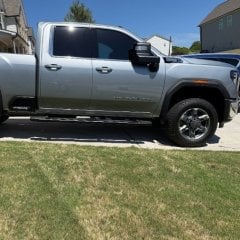
 That’s what I thought. I guessed there would be switches/buttons and lights for the traction control. I don’t have that.
 -
-
-
GM-Trucks.com Clubs
-

Black Truck Club
Open Club · 612 members
-

White Truck Club
Open Club · 380 members
-

Canadian Owners Club
Open Club · 282 members
-

Red Truck Club
Open Club · 157 members
-

diesel 3.0
Open Club · 281 members
-

Texas Owner's Group
Open Club · 371 members
-

NorthSky Blue Club
Open Club · 118 members
-

Midwest Owner's Group
Open Club · 213 members
-

2015 Custom Sport Club
Open Club · 5 members
-

GM Snow Plowing Club HD
Closed Club · 14 members
-
-
Popular Contributors
-
.thumb.JPG.2c573de60d3a3a4407c7d92298db46dd.JPG)



Recommended Posts
Create an account or sign in to comment
You need to be a member in order to leave a comment
Create an account
Sign up for a new account in our community. It's easy!
Register a new accountSign in
Already have an account? Sign in here.
Sign In Now