

-
Recently Browsing 0 members
- No registered users viewing this page.
-
Forum Statistics
250.3k
Total Topics2.7m
Total Posts -
Member Statistics
342,710
Total Members8,960
Most Online
-
Who's Online 3 Members, 0 Anonymous, 834 Guests (See full list)
-
Latest Articles
-
Posts
-

-
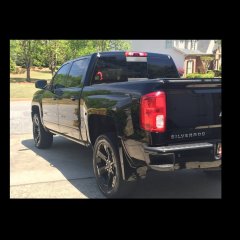 At least 150,000 miles. How long do I think one is capable of without AFM? On par with Gen III and IV LS’s; 200,000+miles.
 -

By 3CarSeatDad · Posted
Thank you for sharing! I reached out to the dealer of the cars you highlighted. They said the same thing. You cannot have 8 seater bench and MagRide/Adaptive suspension both. -
 I have a 2012 GMC Sierra 1500 Crew Cab 4WD and a few severe storms recently passed through with very heavy rainfall and winds. Now, when I drive, I heard fluid/water sloshing around!!! The bed is dry :-(. Are the 3rd Brake Lights an issue with these trucks? I've only had the vehicle for a few months and have barely driven, so I'm still not that familiar lol. In my mind the obvious are the rear windshield and the 3rd brake light gasket...
 -

By Another JR · Posted
I view every visit to the dealer’s service department has a significant risk that they will do something wrong, use the wrong fluid, or change software without permission. Sometimes it’s unavoidable, and usually everything is fine (other than you never know what fluids they used), but I definitely try to minimize my exposure by doing everything I can on my own. I make them put on the work order that software is not to be updated without documented permission from me. Definitely inspect their work after fluid changes for loose plugs and filters, and incorrect levels. I have had all of these things happen over the years. I even had a dealer leave a connector disconnected after a minor fuel vent system filter recall on my Chevy Volt that bricked the car on the freeway when the lithium battery was depleted and the gas motor should have taken over. In another case, a friend coming over for dinner arrived at my house and I pointed out the trail (not drops) of oil behind his truck and noted oil still pouring out under the truck. He had just had his oil changed at the dealer and drove 20 miles to my house. We followed the trail back and found his oil drain plug a half block back along the road. If it had fallen out a mile sooner he would have gotten the red light and may have ruined his engine.
-
-
GM-Trucks.com Clubs
-

Black Truck Club
Open Club · 612 members
-

White Truck Club
Open Club · 380 members
-

Canadian Owners Club
Open Club · 282 members
-

Red Truck Club
Open Club · 156 members
-

diesel 3.0
Open Club · 279 members
-

Texas Owner's Group
Open Club · 371 members
-

NorthSky Blue Club
Open Club · 118 members
-

Midwest Owner's Group
Open Club · 212 members
-

2015 Custom Sport Club
Open Club · 5 members
-

GM Snow Plowing Club HD
Closed Club · 14 members
-
-
Popular Contributors
-
.thumb.JPG.2c573de60d3a3a4407c7d92298db46dd.JPG)




Recommended Posts
Archived
This topic is now archived and is closed to further replies.