
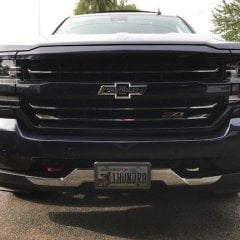
usb port in floor center console on my 2016 LTZ/Z71.
-
Recently Browsing 0 members
- No registered users viewing this page.
-
Forum Statistics
250.4k
Total Topics2.7m
Total Posts -
Member Statistics
342,765
Total Members8,960
Most Online
-
Who's Online 14 Members, 1 Anonymous, 1,439 Guests (See full list)
-
Latest Articles
-
Posts
-

-
By asilverblazer · Posted
Yes. Yes. We might be intermingling ideas with the term 'severity', in one of my past vehicles it could pull up DTC via the vehicles own user interface, at any given time when one would do this there would be an assortment of codes that were 'trivial' including 'communication' issues. This would generate a bunch of, potentially false alerts or some many that they would get ignored. Which you mentioned earlier. You also mention several things that might be redundant with the vehicles own systems or indicators: The truck has an oil pressure gauge, monitoring it via this other system wouldn't be a priority except in comparison to other values or if there is an actual oil pressure problem. Same thing for miss-fires or other problems, the MIL already signals the operator to an issue... ...to the point about what one wants to see first, if there is a miss fire detected, I want to see miss fire counts or fuel trims first, if I have an oil pressure problem I want to see the oil pressure first. So, perhaps the 'systems' that are showing abnormalities are what gets displayed first. I think your device is what connects at the OBD port, ease of use for the consumer, it could still have a 'pass-through' port for a second scanner, computer, etc. Yes. Based on my comment above, if an error appears, the report would be more specific to the system having an error. -
.thumb.JPG.96e5ac8c60641f8011665a2c92c083f2.JPG)
By RyanbabZ71 · Posted
Saturday 87 was 2.98 at the local meijer when I filled up my car with 93. -
By RyanbabZ71 · Posted
I like the idea. I thought about putting a deposit a few years ago when they first dropped. I still want to drive one and have inquired about doing this with them, like a ride and drive event they said they are coming but it hasnt happened even with them built in Indiana. -
By asilverblazer · Posted
That's a tough spot to be in, I personally would question spending 1/2 the book value on a repair vs. selling it as-is. Presuming you own it out right, sell it for 10k and have a down payment for a replacement truck, or spend 10k on the one you already have... I still think there is a cheaper transmission out there via recyclers, aftermarket or rebuild. (Cheaper than 5k for the unit)
-
-
GM-Trucks.com Clubs
-

Black Truck Club
Open Club · 612 members
-

White Truck Club
Open Club · 380 members
-

Canadian Owners Club
Open Club · 282 members
-

Red Truck Club
Open Club · 156 members
-

diesel 3.0
Open Club · 279 members
-

Texas Owner's Group
Open Club · 371 members
-

NorthSky Blue Club
Open Club · 118 members
-

Midwest Owner's Group
Open Club · 212 members
-

2015 Custom Sport Club
Open Club · 5 members
-

GM Snow Plowing Club HD
Closed Club · 14 members
-
-
Popular Contributors
-




.thumb.JPG.2c573de60d3a3a4407c7d92298db46dd.JPG)
Recommended Posts
Archived
This topic is now archived and is closed to further replies.