

-
Recently Browsing 0 members
- No registered users viewing this page.
-
Forum Statistics
250.4k
Total Topics2.7m
Total Posts -
Member Statistics
342,842
Total Members8,960
Most Online
-
Who's Online 15 Members, 1 Anonymous, 518 Guests (See full list)
-
Latest Articles
-
Posts
-
 You can install tailpipes that direct the exhaust sideways vs the OEM one that goes straight back. There are several on the market, do you own research. HOWEVER, you need to make sure the Venturi vents are still intact, otherwise it will throw a engine code. There is a sensor somewhere that detects back pressure on the exhaust. And if it doesn't collect the correct metrics, it will throw the truck into limp mode.
 -
 "Teardown" is complete. Head surfaces are clean and ready, new intake is prepped and ready. Coolant drained and water pump is removed, radiator is removed, new hoses and pump are ready. The replacement intake is also from a '95 (with I think 260k, the odometer said). Noticeably less pitting where it covers the rear coolant passages. I'm not sure if that's a tribute to more frequent use, more frequent coolant changes/upkeep, or if the intake was machined at some point. But it appears I found a good one. My coolant hoses were original, and the lower hose still retained the factory spring inside. It's not really rusty, but it's got deposits all over it. Unsure if I should re-install it (will thoroughly clean it first). Someone said hose technology has gotten better since 1995 (has it?) and I don't need the spring. I think modern EPDM is what made those hoses last from 1995-2026, so it's a question of how much suction can the water pump really pull, and will it collapse the hose without a spring? I'm stopped and waiting for parts, however. When I first brought the truck home, the fan was intermittently hitting the radiator shroud. I could see someone had monkeyed with the shroud (put a bunch of cardboard as a spacer between the upper/lower shroud halves. Someone said the motor mounts have likely failed and the engine has sagged. I wasn't sure I believed that. The engine is really solid in its mounts: To remove the old intake I *just* nearly permanently welded to the heads with freshly cured RTV and gasket snot two weeks ago, I literally had to use the arms on my lift and a chain with a bolt attached to the intake to pull it loose. It almost picked the front of the truck off the ground before ....scuuuuuuuuuuup.... I could actually hear the gaskets tearing and it broke loose and the whole truck settled back down. Motor barely moved. SO, those parts I'm waiting on... The lower radiator mounts/bushings had completely failed. The radiator needs to be insulated from the rad support, and the bushings help the rad stand at the correct height. The plastic "baffle" was also destroyed at some point. Someone had attached the shroud to it incorrectly, overlapping a joint that should have been underlapped, creating another suspect issue potentially causing things to hit the fan. Broken tabs, side is busted off, and it's perma-formed/bent where it was jimmied incorrectly. The baffle? Unobtainum. Long since discontinued from GM, of course. Aftermarket/capa/chinese? Also unobtanium. In GM's infinite wisdom, it appears there are at least two different variations whether the Blazer is 2 or 4 door, and I can't yet tell if they shared the same part with the S-pickups. Plan B, if I can't find a viable used one, will be to create a bracket to re-assemble the critical joint I need to seal a gap with the shroud. But that will bug me, it won't be...perfect. The water pump bolts appear to have been installed with...plumber's putty. I guess, sure, if it works...? I've found a few "backyard fixes" like that. Someone's been here before.... If I can't find someone to jam bamboo under my fingernails to fill my free time this week I think I'll install the driver's power window motor and replace the rear door speaker that's inop. I've got a genuine GM "9.5" ohm working replacement. Why GM used a non-standard resistance....nevermind. Of course they did, you can get more sound from a cheap factory amp that way. And the saga goes on...
 -
 // Thank you, also for your response. More information is always good. This 2013 GMC is most likely my 'forever truck"-I'm 77 and retired...and truck only has 42K on it-very clean-so I try to keep it that way. Tks again for your response- glenn
 -
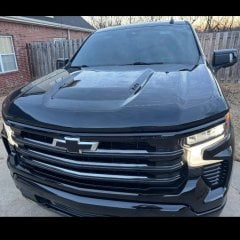 I started my install this weekend. Everything was pretty straight forward but I ran into one issue with running power through the firewall. The nipple grommet on my High Country already has a small harness running through it - has anyone else ran into this issue? And on the engine bay side, does the wire basically just penetrate the factory wiring boot? I did this on my '22 Trail Boss and it seems much easier but thats been a few years. My other thought would be possibly drilling a new hole adding a rubber grommet just to the lower left of the factory hole. Thoughts? Has anyone used a T-harness off the Bose amp and obtained power from there? It seems a little odd that such a small amp needs 3 power leads
 -
///// Ok--Thanks for that info--I could not find yesterday when I looked for the specs on that NAPA filter what I wanted. Their website is not very user friendly. I buy all teh filters for our three vehicles once or twice a year. Have always run NAPA Gold on everything I own....I buy it thru my Son's account for his business-which he has a Heavy Equipment repair shop-one reason he uses NAPA so much-they have such a full line of coverage for just about anything/anywhere- He gets s good discount because of volume bought. Anyway-Thank you -Sir for your response. glenn
-
-
GM-Trucks.com Clubs
-

Black Truck Club
Open Club · 612 members
-

White Truck Club
Open Club · 380 members
-

Canadian Owners Club
Open Club · 282 members
-

Red Truck Club
Open Club · 157 members
-

diesel 3.0
Open Club · 281 members
-

Texas Owner's Group
Open Club · 371 members
-

NorthSky Blue Club
Open Club · 118 members
-

Midwest Owner's Group
Open Club · 213 members
-

2015 Custom Sport Club
Open Club · 5 members
-

GM Snow Plowing Club HD
Closed Club · 14 members
-
-
Popular Contributors
-
.thumb.JPG.2c573de60d3a3a4407c7d92298db46dd.JPG)




Recommended Posts
Archived
This topic is now archived and is closed to further replies.