
Use backup camera while driving forward?
-
Recently Browsing 0 members
- No registered users viewing this page.
-
Forum Statistics
250.5k
Total Topics2.7m
Total Posts -
Member Statistics
342,974
Total Members8,960
Most Online
-
Who's Online 14 Members, 0 Anonymous, 740 Guests (See full list)
-
Latest Articles
-
Posts
-
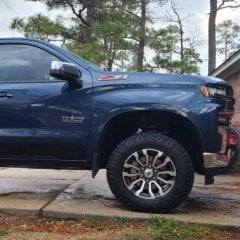 I have a 2" lift, so the equivalent of the factory trail boss height, and it has been on the truck for approximately 165,000 miles. I don't believe the lift to have had any significant adverse affects on the ball joint. The socket was dry of grease and warbled out over extended use, but the ball/bolt itself wasn't broken, stripped, bent, or anything. It just pulled out when the UCA socket bore wore enough for the ball to slip out.
 -
 It use to be pretty common for me to add a Super Charger. The only way I would chance it today would be dealer install with a warranty. I only have experience with Ford. They are doing well so far.
 -
I only bought two vehicles for personal use that weren’t leftover or CPO. A 94 impala SS and a 2001 Acura Intagra Type R. The impala I traded for a new Camaro for my son to go to college in at the dealer about 8 years later. The Acura we still have. Most of my work trucks were discounted for one reason or another. Usually a leftover. My last new vehicle a Camry was a leftover 2017. The 2018 was a redesign I got 10K off, unheard of for a Toyota. Today it’s hard for me to buy new. Five year old vehicles are known if there’s a problem is easy to look up and they are depreciated. There’s a few manufacturers that will certify vehicles with 100K miles on them. None of my vehicles owe me anything. I’m money ahead. The money Ive saved if my vehicle failed on a trip. If it was cost effective to leave it and buy another. I wouldn’t think twice. My brother bought a Shelby Super Snake P/U. His shop Forman bought a leftover reg cab work truck and had the kit installed for less than half the price. Every time I go to my old shop I laugh at him. If all that makes you feel good go for it. I have more fun finding deals. I’m never locked in waiting to get right side up. The only way I’ll go new today is a lease. Short term. No worries. And only if it’s a deal
-
 Many folks have reported they are much better than the Ranchos. I've read a lot of complains about the Ranchos.
 -
Check on Scovel Motorsports too, they're prices are VERY competitive too.
-
-
GM-Trucks.com Clubs
-

Black Truck Club
Open Club · 613 members
-

White Truck Club
Open Club · 381 members
-

Canadian Owners Club
Open Club · 282 members
-

Red Truck Club
Open Club · 158 members
-

diesel 3.0
Open Club · 281 members
-

Texas Owner's Group
Open Club · 371 members
-

NorthSky Blue Club
Open Club · 118 members
-

Midwest Owner's Group
Open Club · 213 members
-

2015 Custom Sport Club
Open Club · 5 members
-

GM Snow Plowing Club HD
Closed Club · 14 members
-
-
Popular Contributors
-
.thumb.JPG.2c573de60d3a3a4407c7d92298db46dd.JPG)



Recommended Posts
Create an account or sign in to comment
You need to be a member in order to leave a comment
Create an account
Sign up for a new account in our community. It's easy!
Register a new accountSign in
Already have an account? Sign in here.
Sign In Now