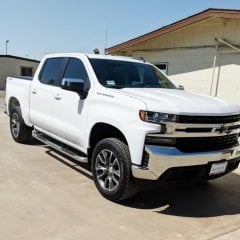
scdaren Posted May 10, 2019 Posted May 10, 2019 (edited) Every once in awhile when I put my truck into reverse, my backup camera comes up with this round fisheye look with no guidelines. When I shift back into drive or park, it goes back to normal for the few seconds before the screen goes back to its main display. I have the HD screen. Right now super intermittent, so I'm not going to frustrate myself by trying to get the dealer to replicate the issue. Just wanted to see if it's common and others are seeing the same thing. Ironically in the photo below I was actually at the dealership, but it was gone before I could get over to service and show anyone. Always had weird intermittent things with the backup cam on my 2017 as well. Edited May 10, 2019 by scdaren
z1boss Posted May 10, 2019 Posted May 10, 2019 1 hour ago, scdaren said: Every once in awhile when I put my truck into reverse, my backup camera comes up with this round fisheye look with no guidelines. When I shift back into drive or park, it goes back to normal for the few seconds before the screen goes back to its main display. I have the HD screen. Right now super intermittent, so I'm not going to frustrate myself by trying to get the dealer to replicate the issue. Just wanted to see if it's common and others are seeing the same thing. Ironically in the photo below I was actually at the dealership, but it was gone before I could get over to service and show anyone. Always had weird intermittent things with the backup cam on my 2017 as well. They *mostly* fixed this issue a while back with a software update. The reason I say mostly is because it is caused by a user turning on the vehicle and immediately putting the vehicle in reverse. The camera needs time to boot up upon start up and while they did reduce the boot up time, it still is possible to trigger this issue if you super quickly put the vehicle in reverse which is why you only see it every once in a while 1 1
scdaren Posted May 10, 2019 Author Posted May 10, 2019 7 minutes ago, z1boss said: caused by a user turning on the vehicle and immediately putting the vehicle in reverse Lol... yeah, I am that guy. No patience. You know it's 2019 when you start your car and have to wait for the computers to finish booting up. 1
AJ Sullivan Posted May 10, 2019 Posted May 10, 2019 Mine will do the same thing if I jump in it and start it up, dump it in reverse and start backing out of the garage or out of a parking space quickly. I am pretty high speed, so ain't nobody got time for waiting for the camera computer to boot up.
econometrics Posted May 10, 2019 Posted May 10, 2019 Yall with the fisheye issues have the HD camera package? I've never had this happen to my RST with the HD camera. I read reviews about the fish eye thing on the non-HD camera, which is why I specifically upgraded the infotainment system to the HD rear cam.
Limelight Posted May 11, 2019 Posted May 11, 2019 6 hours ago, econometrics said: Yall with the fisheye issues have the HD camera package? I've never had this happen to my RST with the HD camera. I read reviews about the fish eye thing on the non-HD camera, which is why I specifically upgraded the infotainment system to the HD rear cam. Mine did it once- HD camera.
ShamrockShooter Posted May 13, 2019 Posted May 13, 2019 Mine did it for first time yesterday. 950 miles.I have had a lot of quirky infotainment and DIC display issues that are random like this fisheye issue. Most if them I am noticing happen when I start the truck and throw it in gear while the infotainment screen is still loaded. It seems like that throws is for a loop.Sent from my Pixel 2 using Tapatalk
Wiggums Posted May 17, 2019 Posted May 17, 2019 Just got it yesterday.. and, yep, shifted it in reverse right after starting it. Had to look it up to find out what was causing it. Never had it before and I realized it's because I always back in my garage so I never saw it in the mornings.
Mastiff Posted June 2, 2019 Posted June 2, 2019 Mine has just started doing this and I have the HD cam. It did not start until I did the update 2 weeks ago. It will automatically fix itself if you shift out of reverse and put it right back in. Hopefully they will address it in a new update.
mfbearded Posted June 7, 2019 Posted June 7, 2019 i get it from time to time...seems to happen when i do like others stated above...funny thing is i kinda like it and wish it was . a view option...i feel like it gives a greater field of view.
Peter Johnston Posted December 10, 2019 Posted December 10, 2019 Well, Maybe I'm not seeing this (Pun intended) the same as the rest of you guys.. but I would like to have the "fisheye" option abvailable on demand. There are times when backing out between two cars at the mall or something, I beleive the "fisheye" view would come in more handy that the backup grid.. maybe its just me...
2016 Sierra Owner Posted December 10, 2019 Posted December 10, 2019 6 minutes ago, Peter Johnston said: Well, Maybe I'm not seeing this (Pun intended) the same as the rest of you guys.. but I would like to have the "fisheye" option abvailable on demand. There are times when backing out between two cars at the mall or something, I beleive the "fisheye" view would come in more handy that the backup grid.. maybe its just me... You can turn the backup grid off.
Peter Johnston Posted December 10, 2019 Posted December 10, 2019 I realize that but it doesn't give you the "fisheye"
D Young Posted August 31, 2021 Posted August 31, 2021 I have a 2020 silverado with the custom package and the SD camera. At 2,500 miles, it went into the fish eye look and the dealer is trying to tell me it's normal. Chevy warranty is worthless
Recommended Posts
Create an account or sign in to comment
You need to be a member in order to leave a comment
Create an account
Sign up for a new account in our community. It's easy!
Register a new accountSign in
Already have an account? Sign in here.
Sign In Now