
wireless charging upgrade
-
Recently Browsing 0 members
- No registered users viewing this page.
-
Forum Statistics
250.4k
Total Topics2.7m
Total Posts -
Member Statistics
342,865
Total Members8,960
Most Online
-
Who's Online 12 Members, 0 Anonymous, 967 Guests (See full list)
-
Latest Articles
-
Posts
-
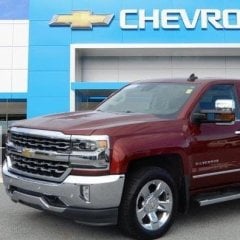 And Google AI says......... Yes, your truck can technically handle it, but you will be right at or near its maximum limit. A 2016 Chevrolet Silverado 1500 High Country with a 6.5-foot bed has a maximum payload capacity of approximately 1,770 pounds.Weight RealitiesLoad weight: Half a cord of dry hardwood weighs roughly 1,100 to 1,500 pounds depending on the wood type (like oak or hickory).Payload limit: Payload includes the weight of the wood, you, any passengers, and a full tank of gas.The math: If you weigh 200 pounds and have a full tank of gas, a 1,500-pound load of wood puts you right at that 1,770-pound ceiling.Safety TipsCheck the yellow and white sticker on your driver-side door jamb for your truck's exact payload number, as high-end luxury trims with extra features have slightly lower capacities than basic trucks.Expect the rear end to sag noticeably.Drive carefully, avoid sudden turns or stops, and keep speeds low if you have to travel a distance.
 -
 Excuse my stupidity, I have a 2016 High Country with 6.5’ bed. I want to pick up 1/2 CD wood which might be 1000-1500lb. Can the truck handle that?
 -

-
I bought my Yukon used and there is no RPO code list on either the door jamb or the glove box. I need brake lines and am unsure about which kit I need. I have ABS, but the other one, active brake control, I am unsure of. Is there anyway I can get a build sheet for my Yukon?
-
 Clearances haven’t changed in decades and looking at the oil spec of our same engines in other countries pretty much gives that argument up anyway. But yes, people still try. Regardless, GM and all other automakers always knew the real risk is not with viscosity too high, but too low. They still played the game and finally have to admit defeat on this round. Unfortunately they gave the DEXOS license to the M1 AFE 0w30, and not the much stouter ESP version which has a 3.5 HTHS. But hey, if a guy wanted to ignore DEXOS but still stay relatively “warranty safe” the ESP 0w30 is still API and seems to be a decent option. Certainly puts owners in a better spot than in the previous gen trucks where nothing API 0w20 would ever actually work. 🤣
-
-
GM-Trucks.com Clubs
-

Black Truck Club
Open Club · 612 members
-

White Truck Club
Open Club · 380 members
-

Canadian Owners Club
Open Club · 282 members
-

Red Truck Club
Open Club · 157 members
-

diesel 3.0
Open Club · 281 members
-

Texas Owner's Group
Open Club · 371 members
-

NorthSky Blue Club
Open Club · 118 members
-

Midwest Owner's Group
Open Club · 213 members
-

2015 Custom Sport Club
Open Club · 5 members
-

GM Snow Plowing Club HD
Closed Club · 14 members
-
-
Popular Contributors
-
1
.thumb.JPG.2c573de60d3a3a4407c7d92298db46dd.JPG)
-
2

-
3

-
4
-
5
-
-

Recommended Posts
Create an account or sign in to comment
You need to be a member in order to leave a comment
Create an account
Sign up for a new account in our community. It's easy!
Register a new accountSign in
Already have an account? Sign in here.
Sign In Now