
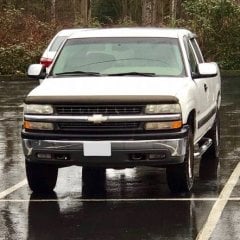
Cannot enter keyless entry programming mode
-
Similar Content
-
HELP! For the time being WAMS is not doing BCM programming to retro fit OEM ventilated seats!!
By Jgrazy22,
- 2 replies
- 1,777 views
-
- 7 replies
- 9,212 views
-
- 27 replies
- 36,301 views
-
- 27 replies
- 15,141 views
-
- 7 replies
- 11,581 views
-
-
Recently Browsing 0 members
- No registered users viewing this page.
-
Forum Statistics
250.5k
Total Topics2.7m
Total Posts -
Member Statistics
342,920
Total Members8,960
Most Online




-
Latest Articles
-
Posts
-
 Folks, Have a great new 2026 WT (std cab, 2.7/4WD) w/base 40/20/40 mech adj bench "fake buckets" (with lower and upper center console) heavy vinyl seats. Overall the seats are very comfortable and the vinyl is heavy and appears less likely to 'split out'. Am very tall (6'5") + a bad back/osteporosis/former hyperparathyroidism so ease/range of movement is a bit restricted. The truck rides a bit high and I use a nerf step bar w/my left foot to step in, then I put right foot/leg in, drag my butt in & get seated. Worked fine in my 2018 RAM quadCab. But I end up dragging my butt over the left raised sidecushsion area of vinyl seat, and due to texture there's fair amount of traction on slide inward. (ArmorAll didn't improve.) If the seat were even ~1/2" - 3/4" lower it'd be helpful, but base seats just have the forward/backward underseat bail and the side lever for tilt which really doesn't affect seat height. I really don't want to 'de-puff' the left side sidecushion forming the fake 'bucket'. I know one company sells 'seat elevator blocks': but is there a simple way of lowering the height of the driver seat instead? Thanks Bill W San Jose
 -
I have a basic 2026 1500 WT (2.7L/4WD reg cab shorttbed). Comfy, generally happy with electronics/radio - but is there a way I can add switches to steering wheel right-side position (curr. empty) so I can adjust volume, push phone button to voice dial, etc? Bill W San Jose
-

By Tyler Gibbs · Posted
The curb weight on a 1 ton crew cab long bed is around 7k lbs. Now, I don't know where you went to school but 9k is not more than 2x 7k lbs. More than 2x 7k lbs would be 14k+. With that said, obviously yes you're going to feel a 9k lb trailer when slowing down. I already said, when accelerating. When changing lanes? No. But if you look at the context of what was quoted, the original person said, "after a mile or two..." which means that would be after the accelerating portion and you're driving a generally steady pace. Please do learn to read and comprehend. -
 So I purchased the Range unit for my 2026 and I am seeing different locations suggested for the ECM . Can anyone confirm wither under hood, left side or right side or behind the wheelwell?
 -

By No F-bdy Bs · Posted
Like I've said before. Di and Carbon buildup is not that big of a concern. Engine had minimal buildup, and that engine was obviously not super well maintained. Do regular oil changes, and you're gtg as long as the rest of the truck lasts. Also, the High Pressure FP that people ****** about, but can't tell you why. Now, I wish they'd trash the variable oil pump. No real world issues with them, but I'll gladly eat whatever miniscule MPG it's saving me in favor of more oil at all RPMs. Curious to see his assessment of the 7.3 compared to the 6.6. I expect he'll praise the port inj, but from a structural standpoint, the 6.6 is as robust as any engine out there. Not to take away from the 7.3. I feel it's equally as good as the 6.6. As to heat on the rear cyls, I'd have to see numerous examples before I'd say it's an issue. Especially not knowing the history of that engine. For all is known, they could have blown a rad hose, and ran it hot, and the 2 rear cyls may be the first to get hot in a low coolant situation, but not be an issue aside from that.
-
-
GM-Trucks.com Clubs
-

Black Truck Club
Open Club · 613 members
-

White Truck Club
Open Club · 380 members
-

Canadian Owners Club
Open Club · 282 members
-

Red Truck Club
Open Club · 158 members
-

diesel 3.0
Open Club · 281 members
-

Texas Owner's Group
Open Club · 371 members
-

NorthSky Blue Club
Open Club · 118 members
-

Midwest Owner's Group
Open Club · 213 members
-

2015 Custom Sport Club
Open Club · 5 members
-

GM Snow Plowing Club HD
Closed Club · 14 members
-
-
Popular Contributors
-
.thumb.JPG.2c573de60d3a3a4407c7d92298db46dd.JPG)




Recommended Posts
Create an account or sign in to comment
You need to be a member in order to leave a comment
Create an account
Sign up for a new account in our community. It's easy!
Register a new accountSign in
Already have an account? Sign in here.
Sign In Now