
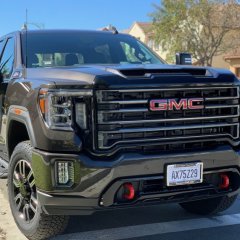
Infotainment Screen Black When Using Remote Start
-
Similar Content
-
- 34 replies
- 67,164 views
-
- 7 replies
- 9,233 views
-
- 2 replies
- 1,629 views
-
- 3 replies
- 4,398 views
-
- 3 replies
- 3,026 views
-
-
Recently Browsing 0 members
- No registered users viewing this page.
-
Forum Statistics
250.5k
Total Topics2.7m
Total Posts -
Member Statistics
342,938
Total Members8,960
Most Online
-
Who's Online 5 Members, 0 Anonymous, 513 Guests (See full list)




-
Latest Articles
-
Posts
-

By SwitchBladeSierra · Posted
If anyone lands here looking for an update - the problem wasnt with the hose, the clamp, etc... I purchased a metal Thermostat housing that just must not of been made to spec. It just wouldn't plug up the hose.. Went back to a plastic cheap housing - leak fixed. Some plumbers tape carefully placed in tandem with a clamp likely would've gotten the job done. Best, -
By SwitchBladeSierra · Posted
For anyone following, this is what I have deduced from this forum - and my very specific niche case. Please do let me know if you see me going in the wrong direction here. For context, I have a 16 sierra 1500 w/t. Has TC and Cargo light switches. Removed the switch to find the X1 and X2 of the S48A connection populated with wires (x1 10-14, and x2 1-5). Took photos of the X61A-X5 to find the wires from S48A-X1 land here at their respective pins (10, 11, 17, 23 on the X5). Was hopeful that this means my X51A fuse box has the appropriate pins... No cigar. So now I will be routing wires from the rear of the X61A-X1 to the engine bay and to their respective negative relay triggers. Please see to the diagram. If any has insight as to where the S48A-X2 pins 4 and 5 land that would be awesome. Note: please disregard fuse sizes. Main fuse will like be 25A, all mini bus fuses will likely be 10-15A Cheers -
.thumb.JPG.2c573de60d3a3a4407c7d92298db46dd.JPG)
By Grumpy Bear · Posted
287,500 Mile Service 8/13/2026 Reset Fuel Trims Since the work done in the previous post there was a good improvement in response in all areas except right after a fill up where the LTFT would go -20%+ for about four miles while the STFT was near neutral. Before the work they both went very negative for a few miles after a fill up but act normal thereafter. We did a systems check of the vapor recovery system for functionality and ability to hold a vacuum. That checked out fine. But this doesn't mean the charcoal canister is dead in the water. Testing that is next up. For now the reset of the fuel trims. I intentionally shorted the fill exactly two gallons to eliminate any chance of filling the canister. On start up the trims were behaving normally until I got up and rolling where the LTFT went -10 / -11%% but the short was + 2 to 0%. Within a mile the the STFT offset the LTFT and by 2 miles they were neutral. HUGE improvement but still not hunky-dory. I'll watch them for a few days. Perhaps another tank where I will fill completely to 'first click' and compare. Meanwhile on the hunt for a new canister and I'll toss another purge value at it for good measure. Pending the outcome of the canister test that is. Progress of any kind is welcome. Fuel economy improvement with bringing hole #3 back to the living was a noticeable bump to the positive. Even on the few miles I drove after the refill I already see another bump up by the trims reset. She's purring like a kitten with a warm bowl of milk. BTW, adding 50 rpm to the idle took the majority of the negative timing out on cold start up and leaned the cold idle. No longer burbles in the cat. What a dumb way to heat a cat. -
 Yeah, shame I can’t really get that filter easily anymore. Running a PureOne. Your fave! TAN would be neat to see. Confirmation I ran it too long probably. 🤣
 -

By superdave160 · Posted
My son and I both bought new trucks in 2017. Both of us immediately put Truck Covers USA American Roll Covers on our trucks. My son still has his truck and it never sees the inside of a garage. We live in Alabama, so not much snow. My truck was my daily driver and was in the garage when I wasn't driving it or at work. No issues with either cover even after almost 9 years. About a year ago I sold my truck to my brother and bought a 2025 Silverado 2500. The second thing that I put on that truck was a new Truck Covers USA cover. They are very well made and have a very positive locking system. I looked at a Retrax and my concern was the way that the cover locked to the rail. BTW, the first thing I put on the new truck was step bars. Those new trucks are high!
-
-
GM-Trucks.com Clubs
-

Black Truck Club
Open Club · 613 members
-

White Truck Club
Open Club · 380 members
-

Canadian Owners Club
Open Club · 282 members
-

Red Truck Club
Open Club · 158 members
-

diesel 3.0
Open Club · 281 members
-

Texas Owner's Group
Open Club · 371 members
-

NorthSky Blue Club
Open Club · 118 members
-

Midwest Owner's Group
Open Club · 213 members
-

2015 Custom Sport Club
Open Club · 5 members
-

GM Snow Plowing Club HD
Closed Club · 14 members
-
-
Popular Contributors
-




Recommended Posts
Create an account or sign in to comment
You need to be a member in order to leave a comment
Create an account
Sign up for a new account in our community. It's easy!
Register a new accountSign in
Already have an account? Sign in here.
Sign In Now